

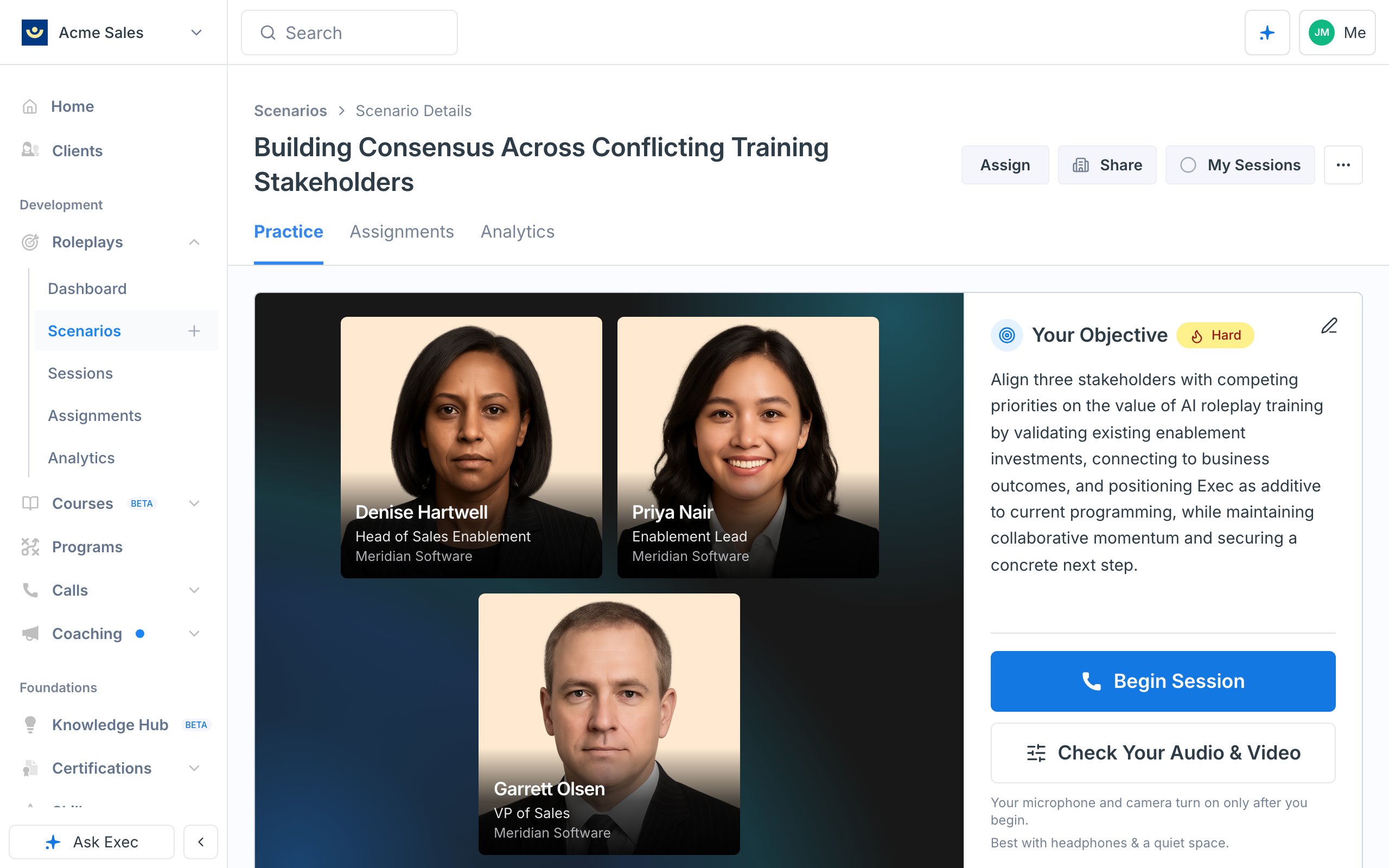
You need at least two personas for a scenario to count as multi-persona. Single-character scenarios still work exactly as before — see Creating Scenarios.
When to Use Multi-Persona
Reach for multi-persona when the conversation itself has more than two sides:- Multi-stakeholder sales calls — champion plus economic buyer, or an SMB deal with founder and ops lead
- Panel or committee interviews — hiring loops, board updates, promotion reviews
- Escalations and cross-functional calls — customer plus internal engineer, or manager plus HR partner
- Group coaching or team-huddle simulations — a manager running a stand-up with two reports
Add a Persona
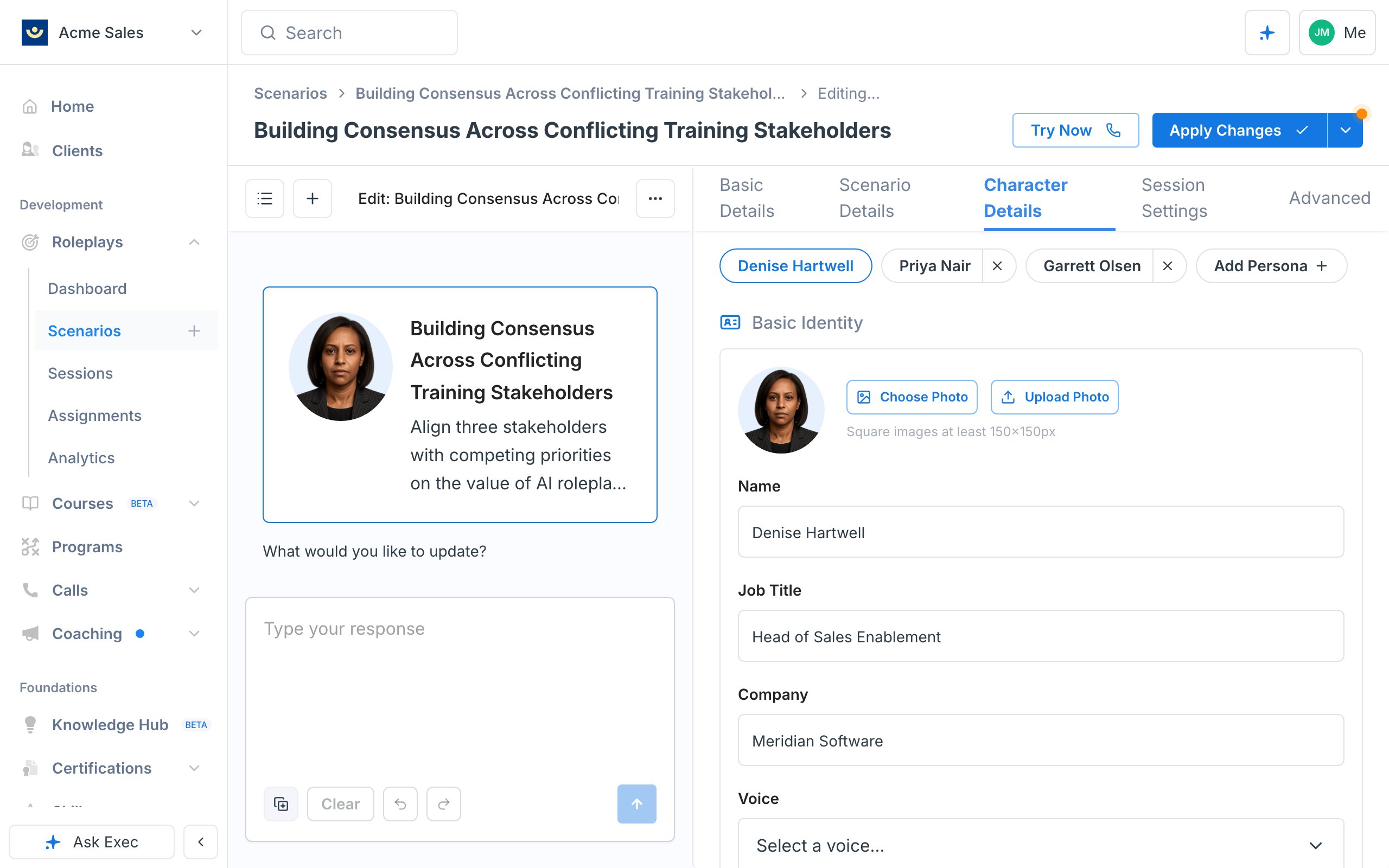
Open a scenario in Scenario Studio, go to the Character Details tab, and use the persona switcher at the top.1
Add an extra persona
Click + Add Persona. A new tab appears next to the main character. You can add up to three extras (four personas total).
2
Fill in the details
Each extra persona needs the same fields as the main character except an opening line (only the main character opens the conversation) and a photo upload (extras use headshots from the gallery).Required for every extra persona before you can publish or test:
- Name
- Job title and company
- Voice
- Backstory
- Situational understanding
- Personality — free-form description or structured traits
3
Remove a persona
Click the × on any extra persona tab. You’ll be asked to confirm before the persona is deleted.
Describe How the Personas Interact
Group dynamics live on each persona’s own fields, not on the scenario as a whole. When you add your first extra, the Studio highlights the two places to describe interactions:- Situational Understanding — what this persona knows about the other characters and where they stand relative to them (allies, rivals, reports, unaware bystanders)
- Conversation Guidelines — how this persona behaves in the group: when they jump in, who they defer to, who they interrupt, and how they address the others
Older scenarios that used a single scenario-level Persona Interaction Rules field still work — you’ll see it on the Scenario Details tab only if the scenario already has content there. For new scenarios, use the per-persona fields above.
Test with Try Now
Click Try Now to drop into a live test session. Multi-persona sessions use Exec’s group-conversation voice engine, so all personas share the same call and can speak in turn. Try Now is blocked until every extra persona has all required fields filled. If something’s missing, the header tells you which persona and which fields — fix them, then test again.Publish
Publish and Apply Changes run the same completeness check as Try Now. If any extra persona is missing a required field, publish is blocked and you’ll see the exact persona and fields to fix. Once published, learners run the scenario the same way they run any other roleplay. Session recordings, transcripts, evaluation criteria, and the AI Coach all work with multi-persona sessions — every persona’s turns are attributed to that persona by name.Tips
- Give each persona a reason to speak. If two personas would say the same thing in the same moments, cut one — the learner won’t notice the difference and the conversation feels crowded.
- Vary voices and personalities. Distinct voices, ages, and interaction styles make it obvious who’s talking without every persona announcing themselves.
- Turn on Video Avatar for panels. With Video Avatar enabled in Session Settings, every persona animates in its own tile so the learner can read who’s speaking at a glance. Give each persona a photo first — if any character is missing one, the session falls back to voice-only.
- Keep the main character in the driver’s seat. The main character opens the conversation and usually anchors the objective. Use extras to add pressure, alternative viewpoints, or a second decision-maker.
- Iterate through the agent. Prompts like “have the CFO push back harder on payback period, but only after Marcus mentions timeline” are faster than editing each field by hand.