

Video walkthrough
Before you can run a roleplay, the scenarios themselves need to exist. If your workspace hasn’t built any yet, see the Beginner Guide to Building Scenarios.
Step 1: Find a Scenario
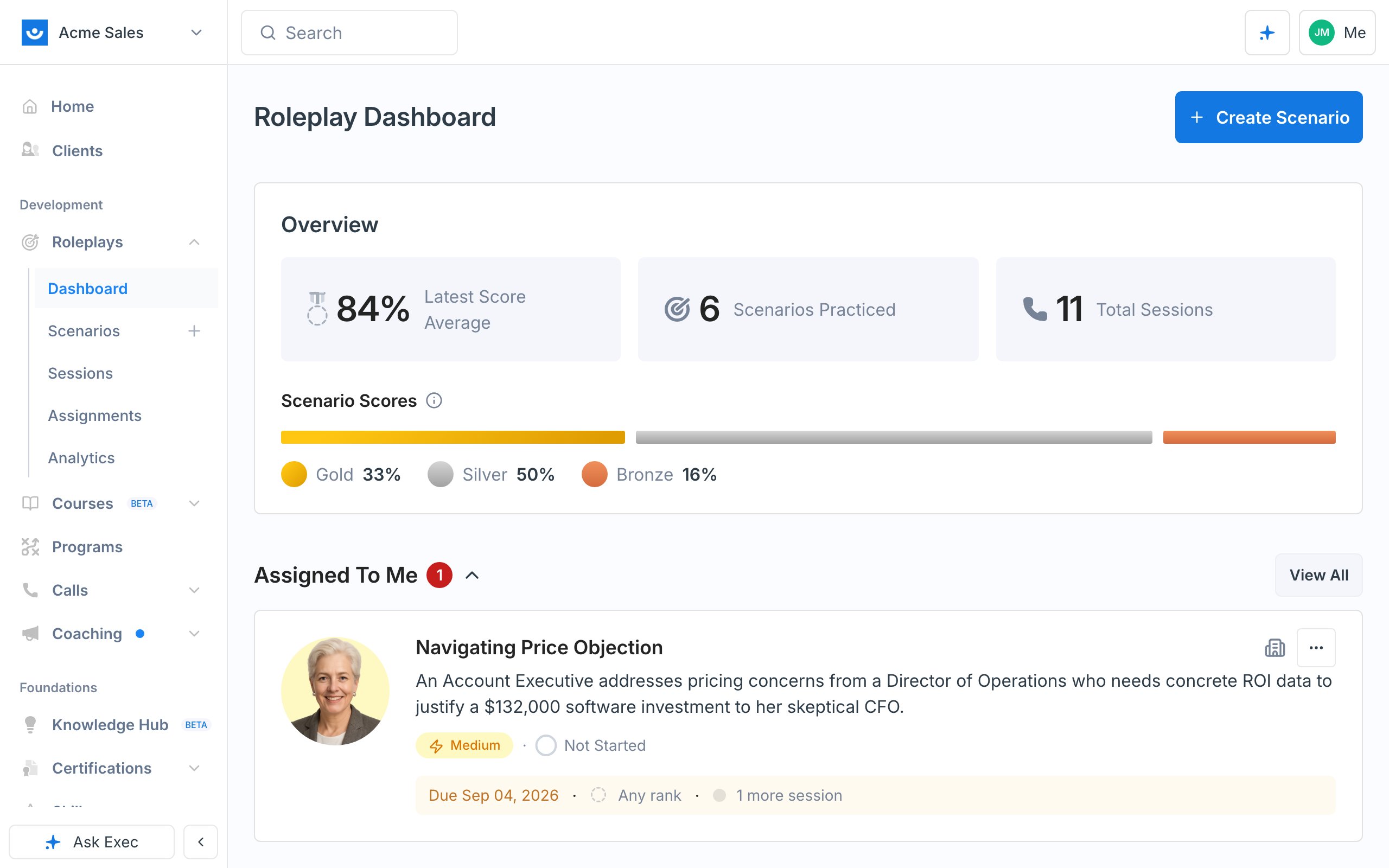
After logging in you land on your home page, which shows the courses and programs you’re working through. From there, click the AI Roleplays button, or Roleplays in the left navigation, to open your roleplay dashboard. The top of the dashboard shows an Overview of your activity (latest score average, scenarios practiced, total sessions, and score distribution). Below that, scrolling down:- Assigned To Me - roleplays assigned to you through a program, a course, or one-off by your manager. Start here and clear your assignments first.
- Recent - scenarios you’ve played most recently
- Created By Me - scenarios you built yourself
- Newest Scenarios and Recommended for you - the rest of what’s available in your workspace
Step 2: Review the Scenario Details
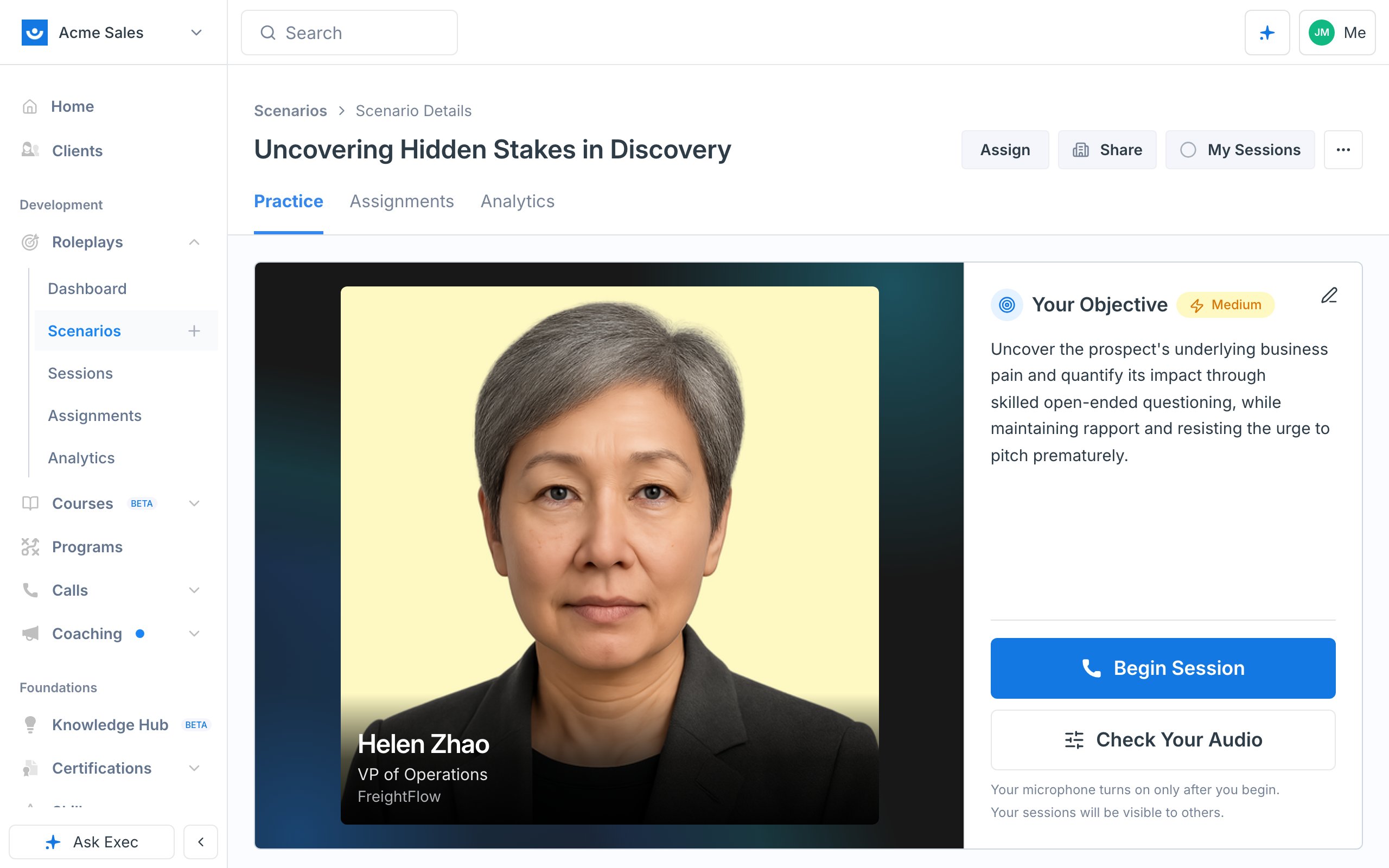
Click into any scenario to open it. Before starting, read through:- Character profile - who you’ll be speaking with (their name, role, and company)
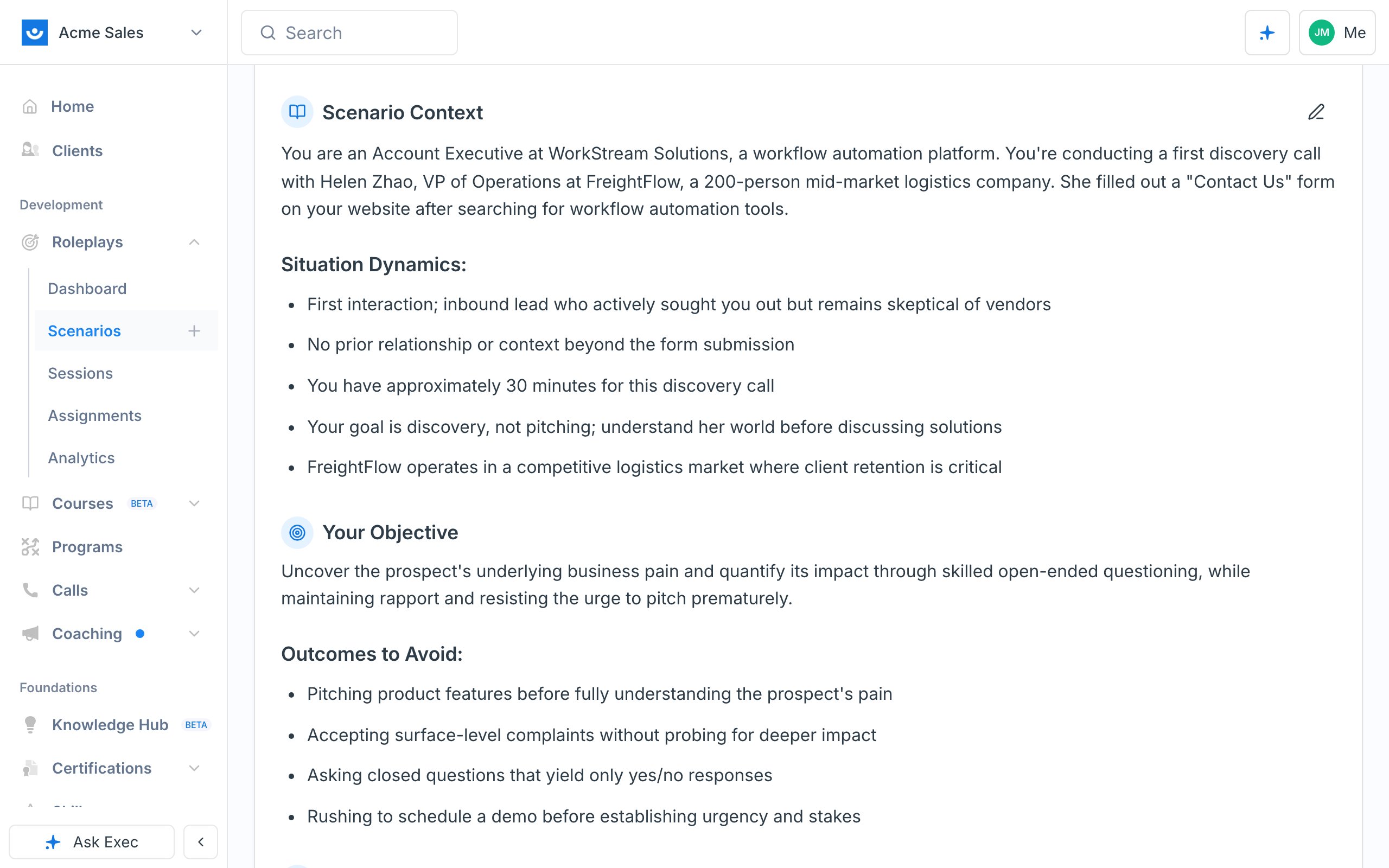
- Your Objective - what you’re trying to achieve in the conversation
- Scenario Context - the situation, background, and dynamics that will help you in the conversation
- Presentation Materials - any files attached to the scenario for you to reference or share
- Evaluation Criteria - listed at the bottom, these are everything you’ll be graded on
Step 3: Run the Session
1
Enable your microphone
The first time you run a roleplay, your browser asks for microphone access - click Allow. If the scenario has a webcam enabled, you’ll be asked for camera access too; otherwise the call is audio only.
2
Listen to the intro
A short intro sets up the context, followed by a ding. The AI character speaks first, then it’s your turn.
3
Have the conversation
Respond naturally. The character reacts to what you say, just like a real call. If the scenario supports it, you can share your screen to walk through a demo or document.The clock in the call controls shows elapsed time against the session’s limit, for example
4:12 / 25:00. It turns amber with two minutes left. When time runs out, the call ends and your session is saved and scored automatically.Step 4: Wait for Your Feedback
After you end the session, Exec analyzes the conversation and prepares your scorecard (“Preparing Insights”). Scoring can take a few minutes. You don’t have to wait on the page - your completed sessions are always available from My Sessions in the top right.Step 5: Review Your Results
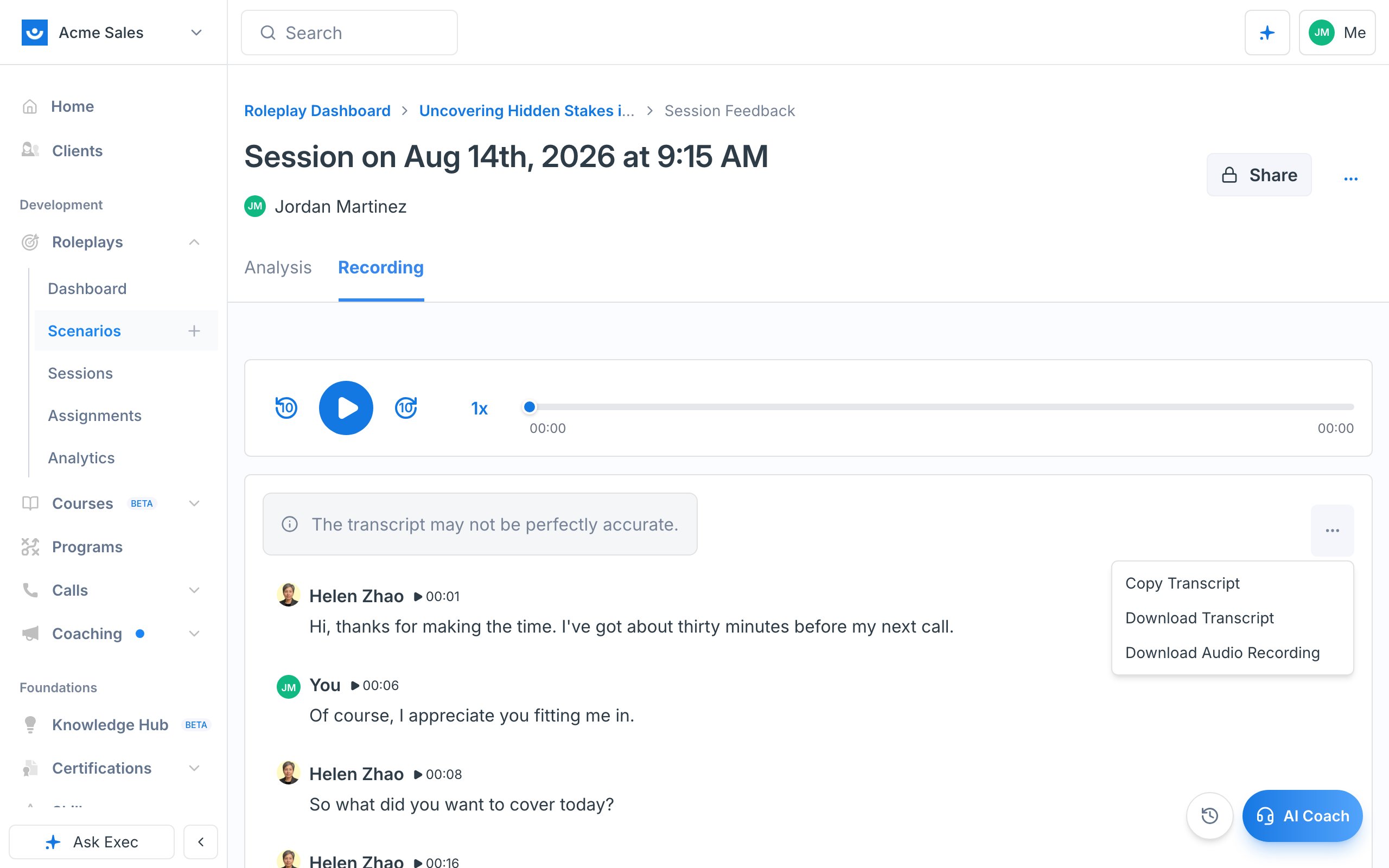
Open My Sessions (top right) to see every session you’ve run. Each one shows a medal - Gold, Silver, or Bronze - and a numeric score (for example, 81%), so you can track progress across attempts.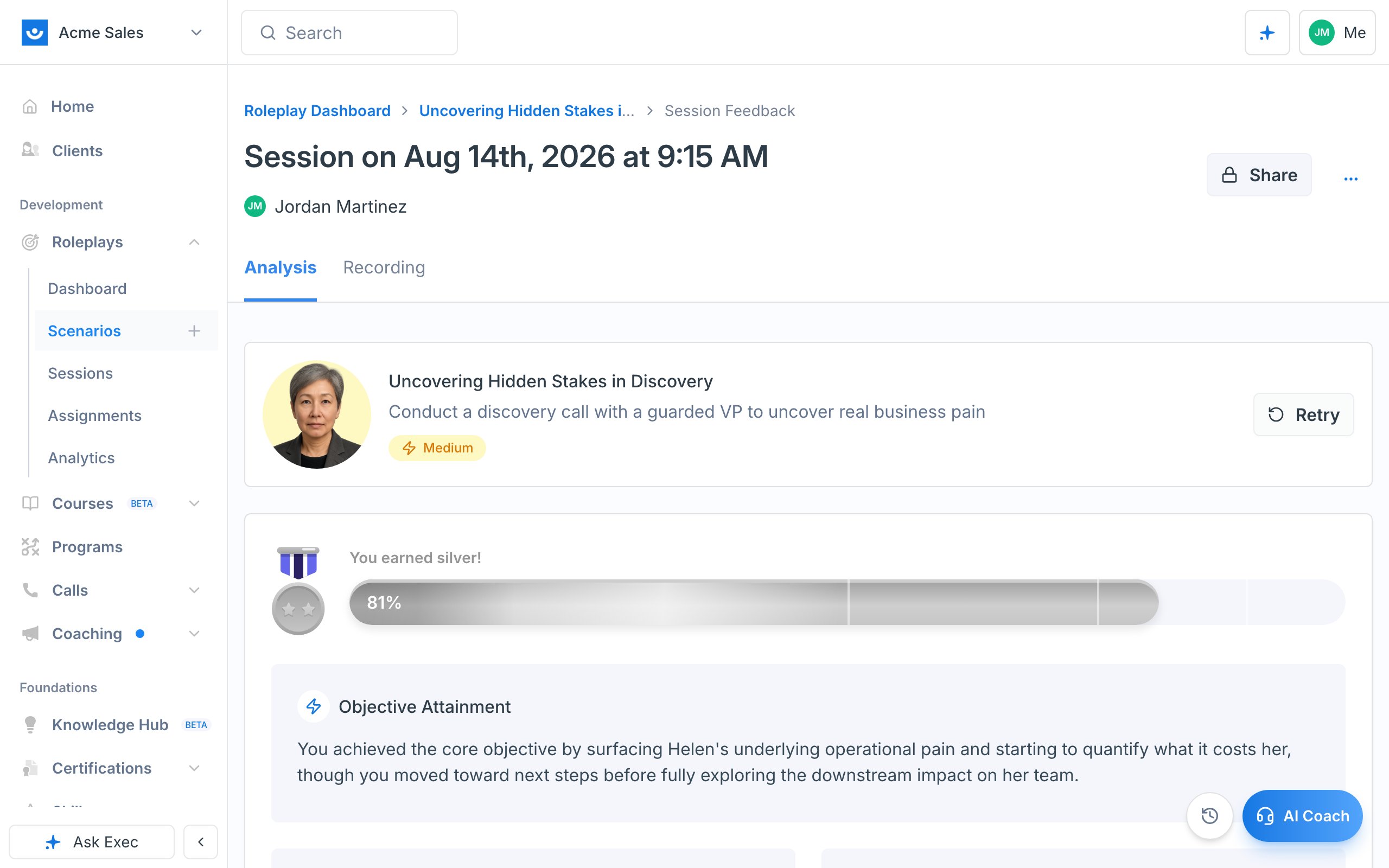
- A summary at the top: Objective Attainment, What Went Well, and Room for Improvement, alongside your medal
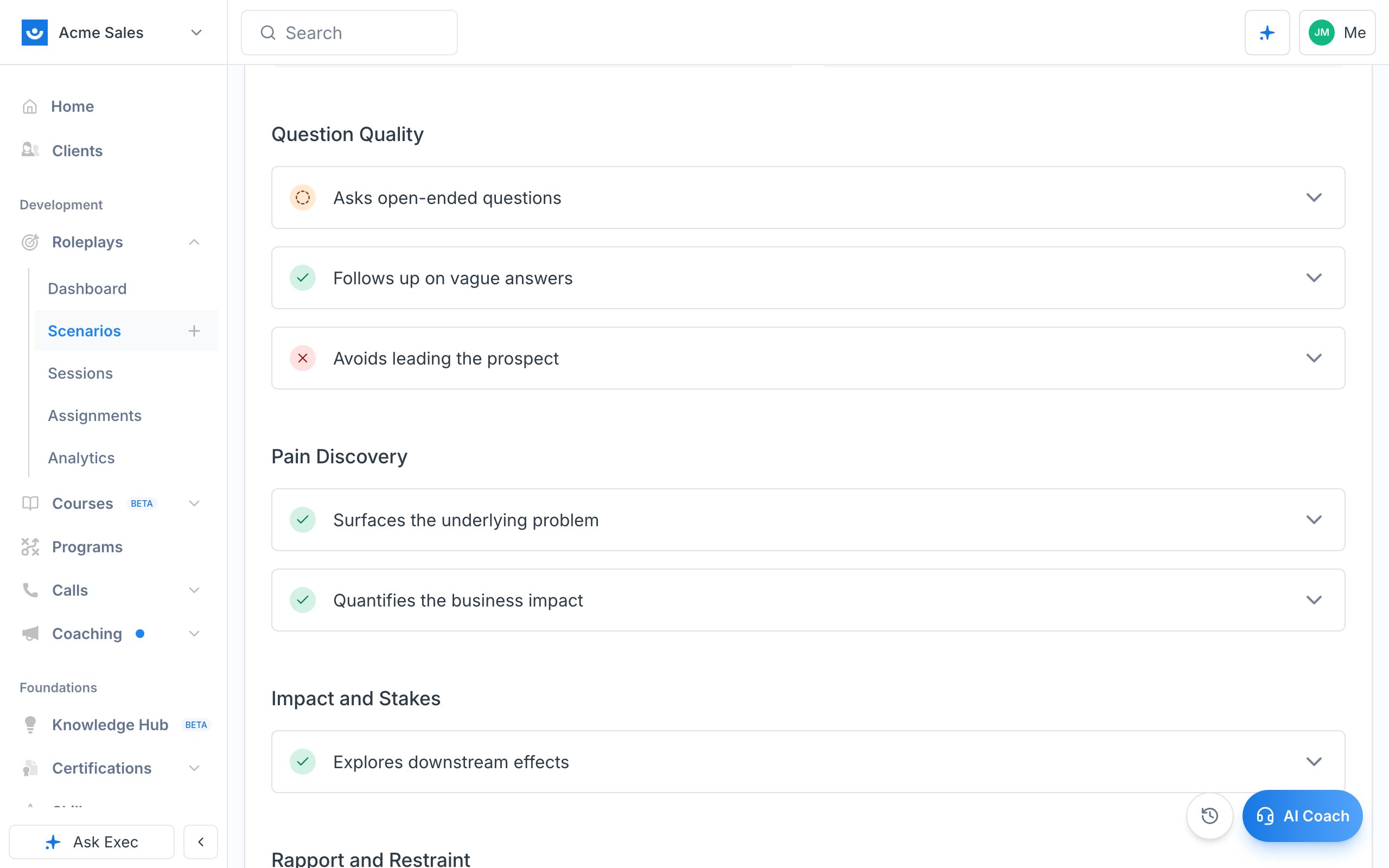
- Each evaluation criterion with a status icon - a green checkmark for areas you did well, an orange icon for “fair” (partially met), and a red icon for areas you missed
- Click into any criterion for a breakdown of what you did well, where you missed the mark, examples of what you said, and a “What might I have said?” suggestion with stronger phrasing
Step 6: Practice with the AI Coach
If you’d rather talk through your feedback than read it, click the AI Coach pill in the bottom-right corner and then Start Call. The coach can recap how you did, answer questions about where you could improve, and even roleplay a specific moment again so you can practice the exact part you struggled with. See Use the AI Coach for more.Step 7: Try Again
Roleplays are meant to be repeated. When you’re ready, click Retry from the session view to run the scenario again and improve your score. See Retake a Roleplay.Don’t be discouraged by a low first score. Each session gives you targeted feedback, and your scores climb as you practice.