

Certifications must be enabled on your workspace. Check for Certifications in the left-hand navigation — if you don’t see it, contact us at [email protected] to have it turned on.
How to Create a Certification
1
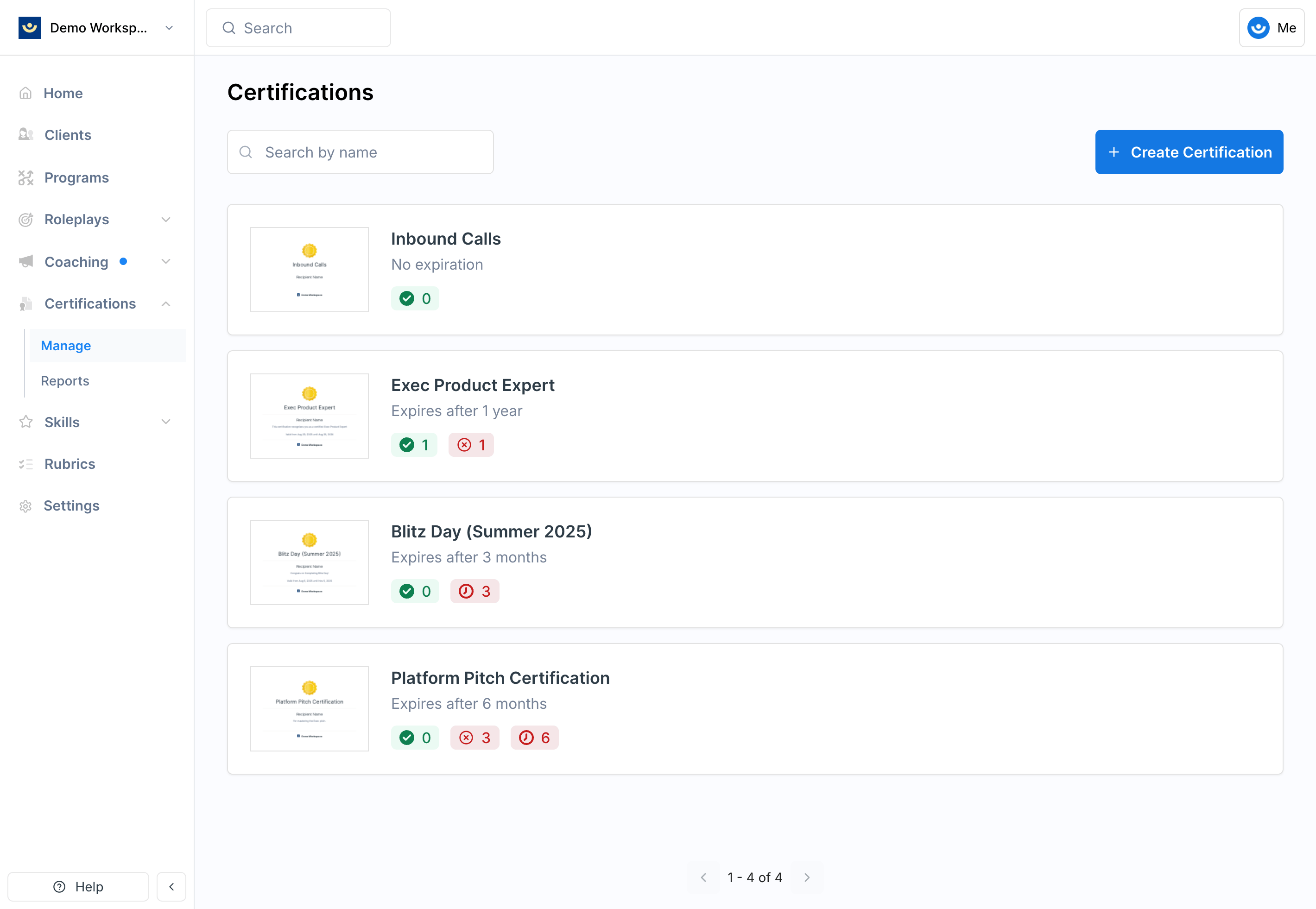
Open Certifications using the left-hand navigation bar on your Exec workspace
2
Click Create Certification in the top-right corner
3
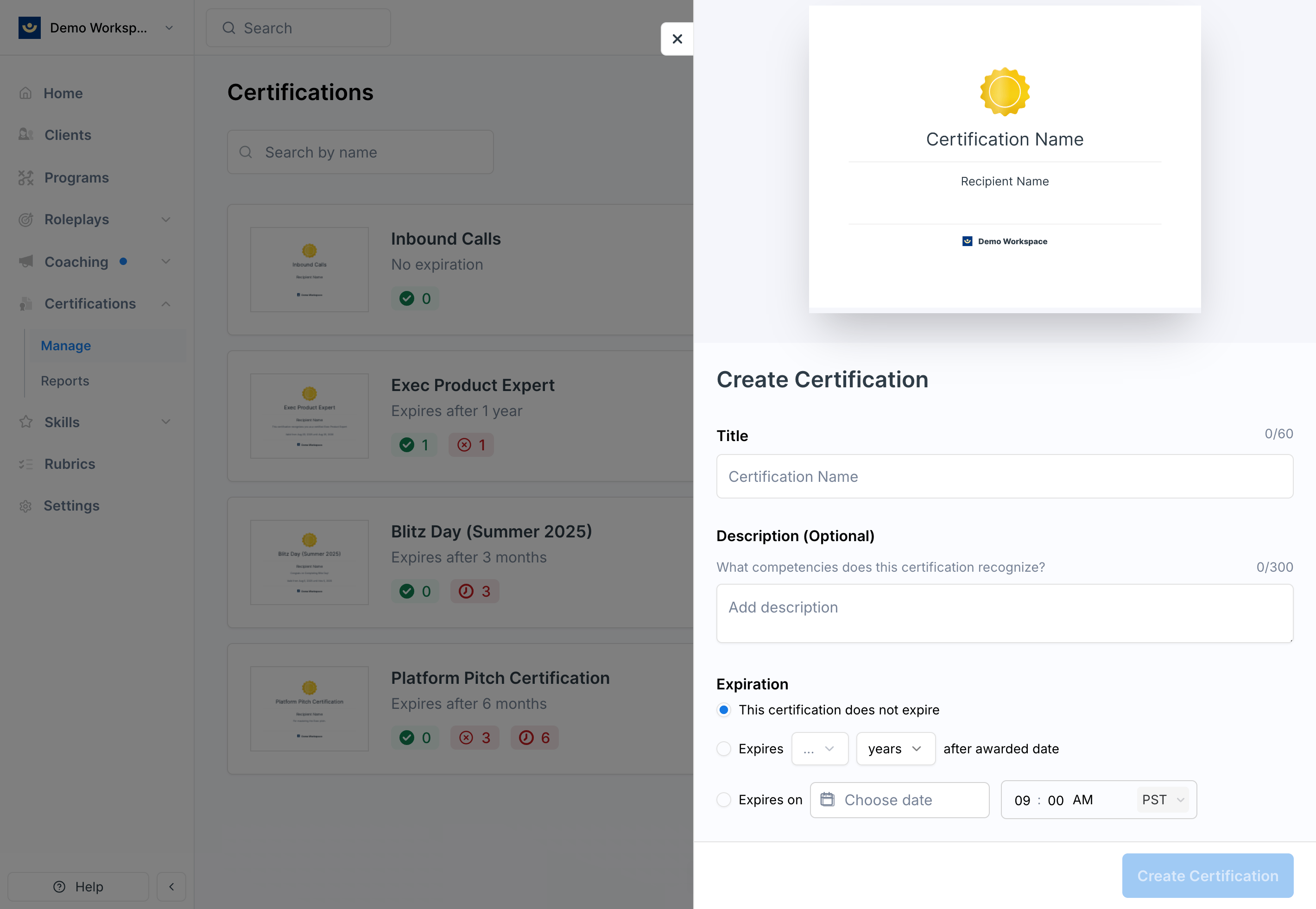
Fill in the details
Title
Title
The name of the certification, visible to learners (e.g., “Sales Excellence Certification”).
Description
Description
Supporting text displayed on the certification PDF (e.g., “This certification recognizes demonstrated proficiency in discovery and objection handling”).
Expiration
Expiration
Determines how long the certification remains valid:
- Never expires — learners remain certified indefinitely
- Relative expiration — valid for a set period from the issue date (e.g., one year)
- Specific date — expires for everyone on a set calendar day
4
Save
Once saved, the certification is ready to issue to learners.
How Learners Experience It
When a learner is certified, they receive an email notification containing the title, description, workspace logo, and a link to view or download their certification PDF. Every earned certificate also appears in the learner’s My Certificates page and has a public credential page they can share directly or add to their LinkedIn profile. See Share and view earned certificates for the learner-side flow.Enable LinkedIn sharing
Public sharing of certificates is off by default. When you turn it on for a certification, every certificate issued under that certification gets a public credential page at/credentials/<uuid> and learners see Add to LinkedIn profile, Share on LinkedIn, and Copy link actions in My Certificates.
Sharing has two gates:
- Exec eligibility — Exec marks a certification as eligible for public sharing. Only Exec-created certifications can be made eligible, because sharing a credential publicly puts it under the Exec name on LinkedIn.
- Workspace admin toggle — for an eligible certification, a workspace admin turns sharing on or off in the certification’s edit form.
1
Open the certification
From Certifications, select the certification you want to update and open Edit.
2
Find the LinkedIn sharing section
Scroll to LinkedIn sharing. If Exec has not marked the certification as eligible, the toggle is disabled and the section explains why.
3
Toggle Let certified members add this to LinkedIn
Turn the switch on to enable the public credential page and share actions for every certificate under this certification. Turn it off at any time to hide share actions and return the public URL to 404.
Turning sharing off doesn’t revoke any certificate. Certificates still appear in My Certificates and can be downloaded as PDFs — only the public page and LinkedIn/share actions are hidden. To make an Exec-created certification eligible, contact [email protected].
Automatic Certification via Programs
You can link a certification to a program so that participants are automatically certified when they complete all required components. This eliminates the need to manually issue certifications for cohort-based training. Learn how to set up automatic certification ->Tips
- Be specific in your titles — learners should immediately understand what the certification represents
- Use the description for recognition — highlight what the certification validates and why it matters
- Set thoughtful expiration rules — time-limited certifications (e.g., one year) encourage learners to refresh their skills and demonstrate continued proficiency