

How Proficiency Works
Proficiency is a weighted average of all scored observations within the last 180 days. Recent activity carries more influence than older activity, keeping the score focused on current capability while still incorporating historical context.Proficiency uses a 30-day half-life. An observation from 30 days ago carries about half the weight of one from today; one from 60 days ago carries about a quarter. This means proficiency naturally stays current — when someone improves, their score reflects it quickly.
- Proficiency combines data from both AI roleplays and scored calls — it measures capability regardless of how someone practiced.
- Proficiency does not change based on analytics filters. It always reflects the full picture.
Proficiency Tiers
Proficiency Lift
Lift measures how much a person’s proficiency has improved over time by comparing their earliest proficiency (from their first few observations) to their current score.- Positive lift — improvement over time
- Negative lift — recent performance trending lower than earlier performance
- Lift requires 2+ separate sessions to calculate. Otherwise it shows as ”—”.
Viewing Proficiency on the Skills Page
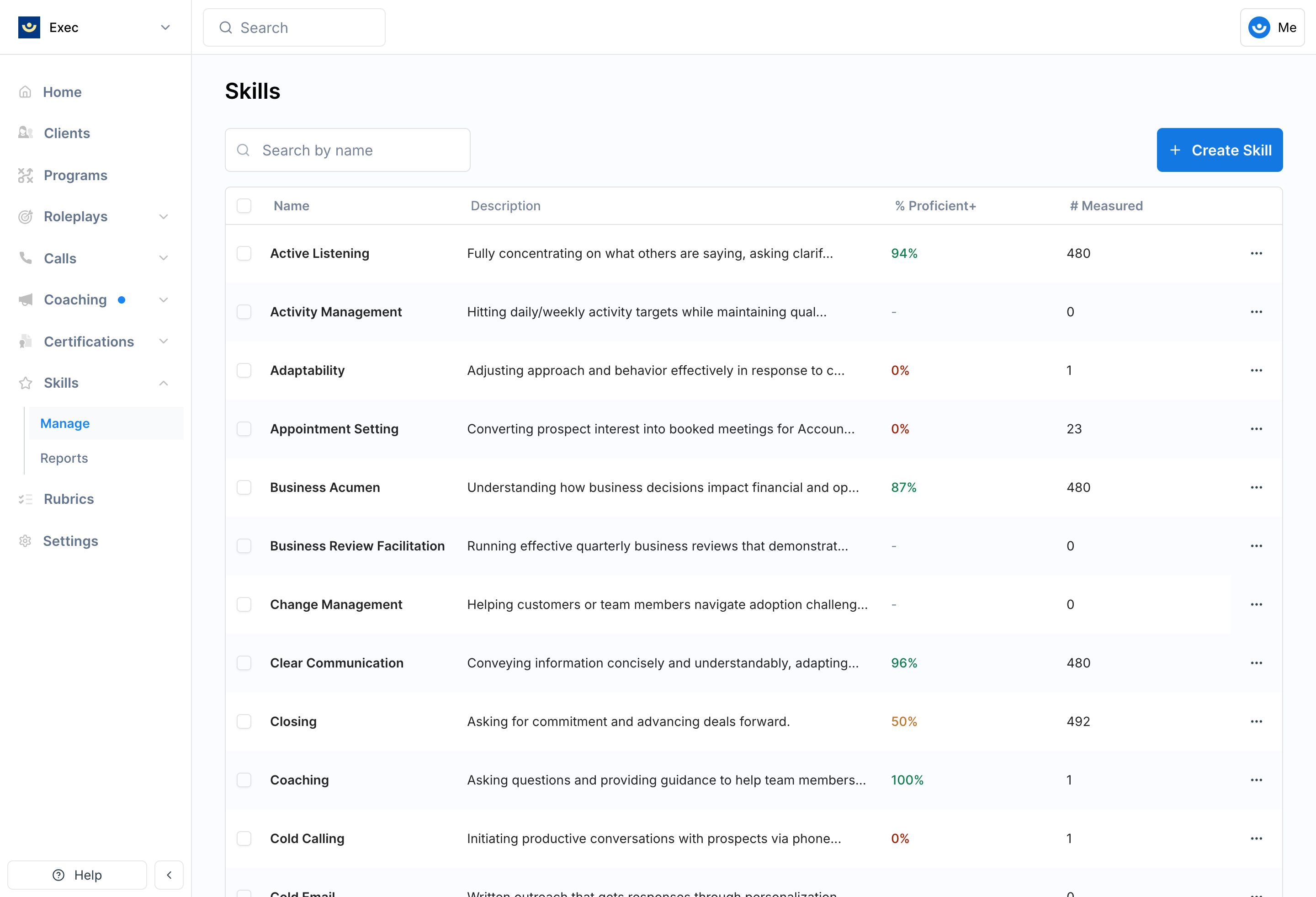
- % Proficient+ — percentage of measured participants at Proficient or Excellent tier
- # Measured — number of participants who have been scored on this skill
- Total Participants — everyone observed on this skill
- Avg. Proficiency — weighted average across all scored participants
- Total Observations — sum of all observations feeding the calculations
- Proficiency Distribution — visual breakdown of participants at each tier
- Avg. Proficiency Over Time — line chart showing the workspace-wide trend, with lift if there are 2+ data points
- Participants Table — individual participants with their observation count and proficiency tier/score
Building Skill Reports
1
Choose your view mode
Select Individuals to see each person’s proficiency, or Groups to see team-level proficiency.
2
Apply filters
Narrow your view using the available filters:
3
Read the heatmap
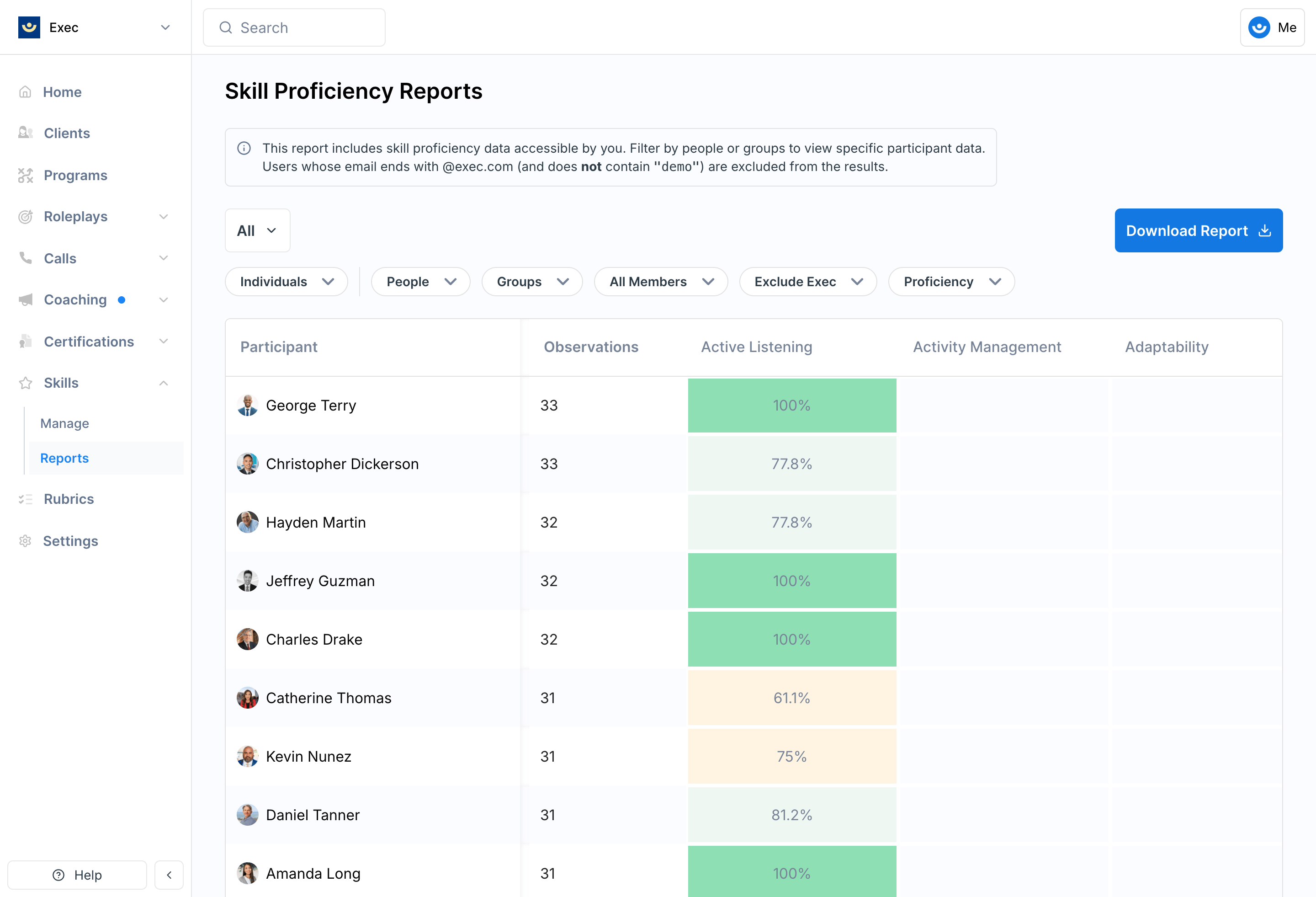
The report displays as a heatmap grid — rows are people (or groups), columns are skills, and cells are color-coded by proficiency tier.
4
Drill into details
Click any cell to see that person’s (or group’s) proficiency for that skill, including a trend chart, recent sessions, and the option to assign scenarios.
5
Export or save
Download a CSV of the report or save your current view for quick access later.
Individuals Mode
The individual proficiency heatmap shows rows (workspace members with avatar, name, and observation count), columns (skills), and cells color-coded by proficiency tier. Click a cell to open the proficiency drilldown drawer:- Weighted proficiency score and tier badge
- Proficiency over time chart
- 5 most recent sessions with scores and links to session details
- Assign Scenarios section for taking action directly