

Categories
Categories are folders for your conversation types, such as Sales, Prospecting, Customer Success, Customer Support, Internal, and Recruiting. A templated set comes built in and is ready to use as-is; click Create Category to add your own with a name and description. Each category has an Automatically analyze future calls in this category toggle and three tabs: Attributes, Scorecards, and Call Summaries. When the toggle is on and Exec is confident a call belongs to that category, it labels, scores, and analyzes the call with no action from you. Because the first scoring of a call spends platform credits, turning the toggle off on categories you care less about is the simplest way to control spend: those calls still import and get categorized, and you can score them individually whenever you want.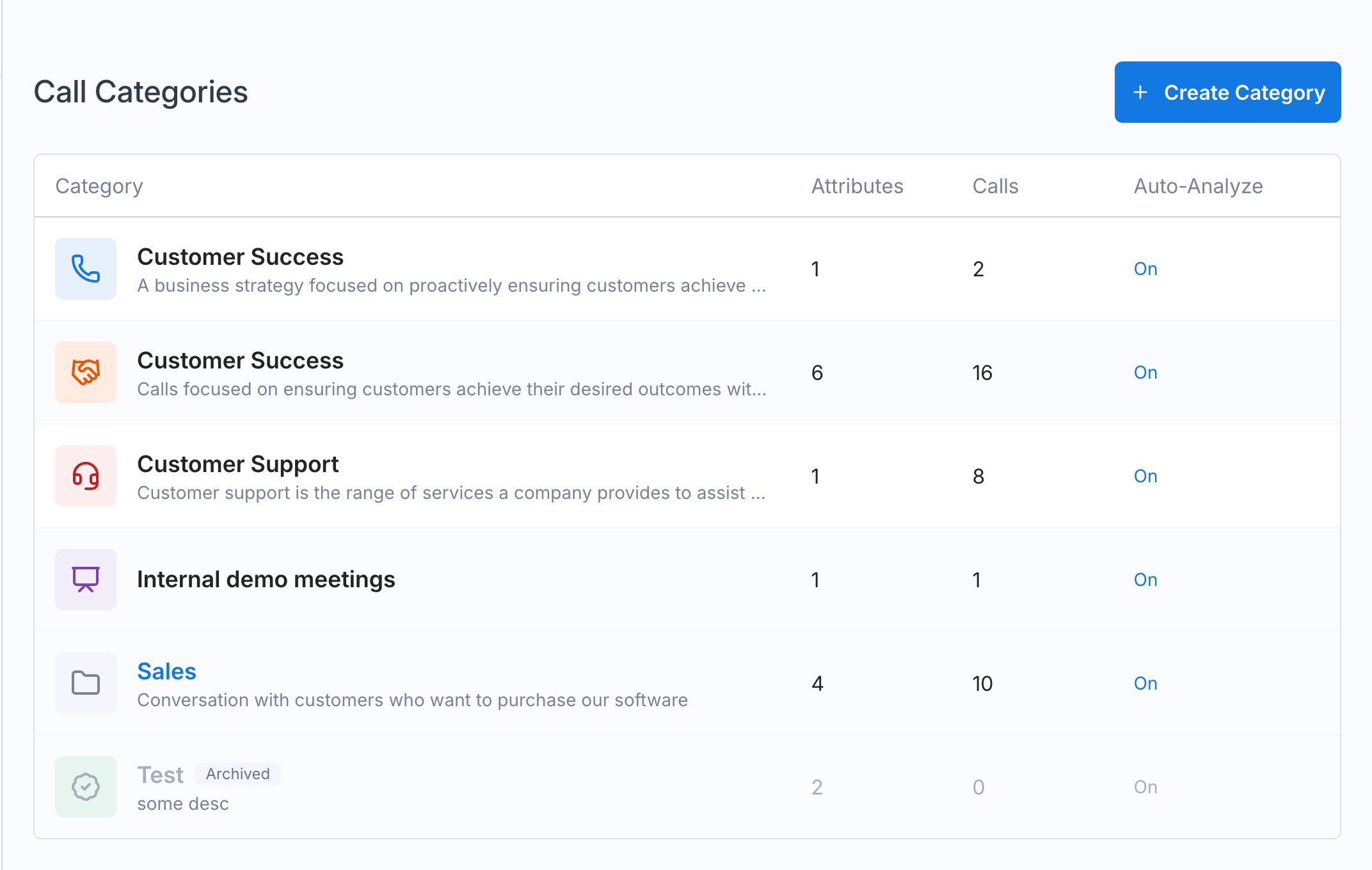
Attributes
Attributes are the structured data Exec pulls out of each call in a category. Every attribute has a Type (Single-Select, Multi-Select, Text, or True/False) and instructions that tell the scoring system how to identify it.- A call type attribute (single-select) lists the conversation types within a category. Customer Success ships with options like onboarding and implementation, general check-in, strategic QBR, renewal and expansion, and at-risk escalation. Its instructions help Exec identify the category and the specific conversation type, and you can add, edit, or remove options.
- An objections raised attribute can capture the objections that come up on sales calls, so you can see the most common ones across the workspace and decide what coaching or roleplays to build around them.
Scorecards
A category’s Scorecard is where the actual evaluation criteria for call scoring live. Every category ships with a base scorecard already built out, covering things like preparation and context awareness, so calls start scoring before you configure anything. Build on it around what matters for that conversation type: discovery, handling objections, talk ratio, business value, introductions, closing and next steps. Each item works the same way as a roleplay’s evaluation criteria, with four descriptions:
Not Relevant for Grading is worth filling in. Criteria graded not relevant are left out of the score calculation entirely, so a criterion that had no chance to come up on a call doesn’t drag that call’s score down.
To write the descriptions quickly, enter a title (for example, “Objection handling”) and click Generate - Exec drafts the Good, Fair, and Poor descriptions for you, and you edit from there.
Skills, attribution, and weighting
Three more settings on each scorecard item:- Skills - generate or associate a skill, so call performance feeds the same skill analytics as roleplays.
- Attribution - who the criterion is credited to. This is specific to call scoring; roleplays have no equivalent because there’s only one learner.
- Weighting - 0 points, 1 point, 2 points, or 4 points. Higher-weighted criteria count for more in the call’s score; 0 points leaves the criterion out of the score calculation, so it’s evaluated and shown but doesn’t move the number. Use this to make things like booking next steps or active listening count for more than softer criteria.
Conditional criteria
Conditional criteria are scorecard items that only apply when an attribute has a specific value, so a call gets graded on what’s actually relevant to it. Most categories ship with some already: Customer Success, for example, has separate criteria for onboarding calls, QBRs, and renewals on top of its base scorecard. Click Add conditional criteria, select the attribute and the value, and build the items. Calls in that category get the base scorecard plus any conditional criteria matching their attributes.Only Single-Select attributes can drive conditional criteria, and each value can have one set of them. Values that already have criteria don’t appear in the picker again.