

Only workspace admins and workspace owners can configure iframe embedding.
When to use iframe embedding
Use iframe embedding when you want:- Learners to stay inside your own product or LMS instead of opening Exec in a new tab.
- A lightweight integration that doesn’t require LTI 1.3 setup or grade passback.
- Full access to the Exec UI (roleplays, Skills, Knowledge Hub, Coaching) from within another site.
Configure allowed origins
- Sign in as a workspace admin and open Settings.
- Go to the Security tab and find the Iframe Embedding section.
- Add each site that should be able to embed your workspace, one origin per line:
An origin is the scheme plus host (and port, if any) — no paths, no query strings, no trailing slash. Origins must use
https://. - Click Save.
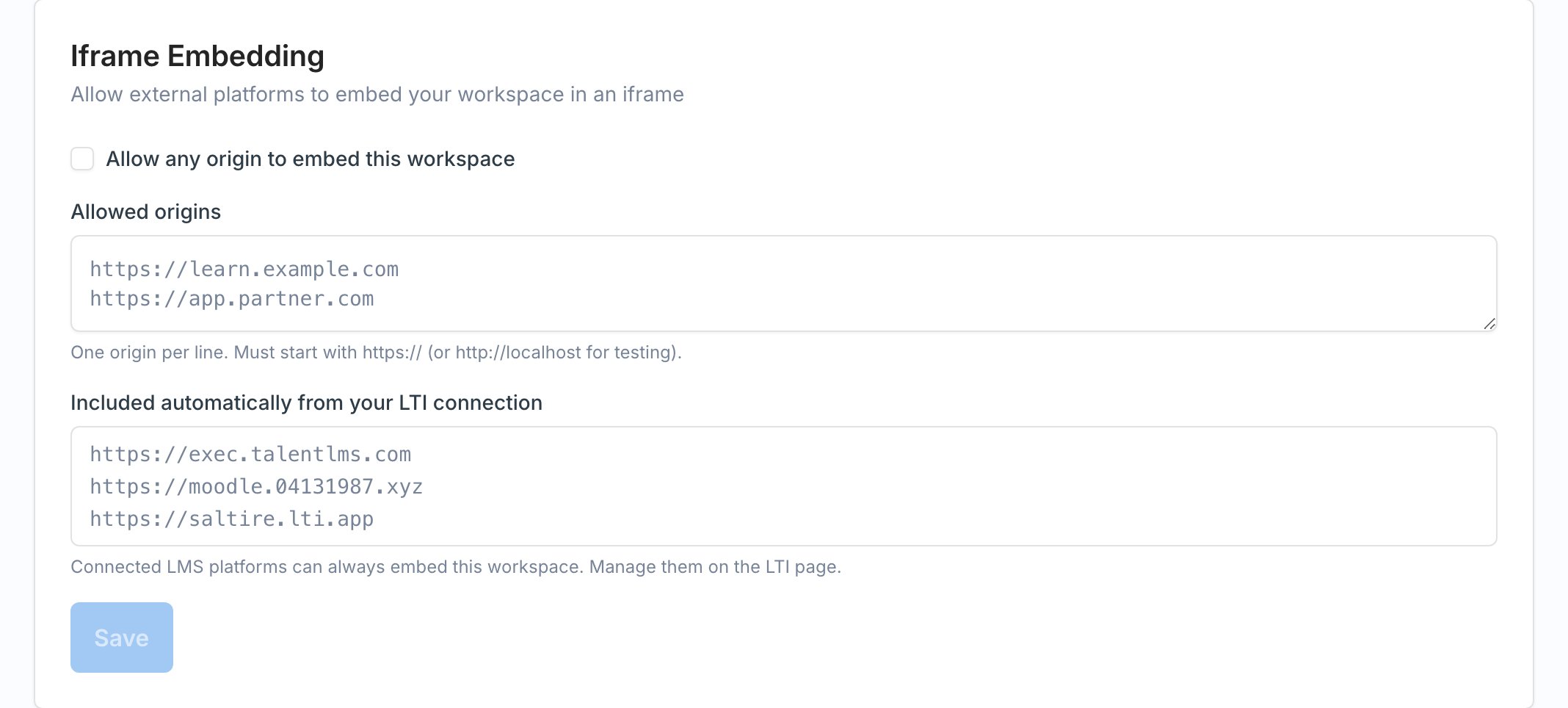
Allow any origin
If you don’t know the embedding site’s domain in advance — for example, when partners self-serve installs — check Allow any origin to embed this workspace.Embed Exec on the parent site
On the site that will host Exec, add an iframe pointing at your workspace URL:allow="storage-access"is required for Safari and other browsers that block third-party cookies by default. Without it, Safari users see a popup login prompt instead of an inline sign-in.cameraandmicrophoneare required so learners can run voice roleplays inside the iframe.clipboard-writelets learners copy transcripts and share links.
How sign-in works inside an iframe
When a learner opens the parent site for the first time:- Exec loads inside the iframe and checks whether the learner already has a session.
- If not signed in, and the browser allows third-party cookies, Exec shows the normal sign-in screen inline.
- If the browser blocks third-party cookies (default in Safari), Exec opens a small popup for sign-in. Once the learner authenticates, the popup closes and the iframe refreshes automatically.
Troubleshooting
The iframe shows a blank page or “refused to connect” error.
The iframe shows a blank page or “refused to connect” error.
The embedding site’s origin isn’t in your allowed list. Copy the exact origin from the browser address bar (scheme + host + port, no path) and paste it into Settings → Security → Iframe Embedding. Changes take up to a minute to take effect.
Safari users can't sign in inside the iframe.
Safari users can't sign in inside the iframe.
Add
allow="storage-access" to the iframe tag on the parent site. Safari blocks third-party cookies by default, and the Storage Access API is how Exec requests permission to sign the learner in. Without this attribute, learners will see a popup sign-in instead.Origins were saved but embedding still doesn't work.
Origins were saved but embedding still doesn't work.
Make sure the origin uses
https:// (not http://), has no path or trailing slash, and matches the parent site exactly. https://example.com and https://www.example.com are different origins.Can I embed only part of the Exec UI?
Can I embed only part of the Exec UI?
Not today — the iframe loads the same UI as
https://your-workspace.exec.com. You can deep-link to a specific roleplay or Skills page by pointing the src attribute at that URL.