

Getting started
Click Calls in the navigation. If your workspace hasn’t set up call scoring yet, click Try For Free to run a three-step onboarding:1
Which calls do you want to analyze first?
Pick the conversation type to start with - Sales, Prospecting, Customer Success, Customer Support, or Recruiting. This becomes the first category Exec scores against.
2
Identify your team
Add your company’s email domain. Exec uses it to work out which participants on a call are on your team and should be evaluated, and which are the customer.
3
Connect your call recorder
Choose your recorder and connect it with credentials from that service - see Supported call recorders for what each one needs. No recorder? Click Upload transcript instead and score a conversation directly - see Upload Calls Manually.
Supported call recorders
Exec imports calls from seven recorders. Each is connected from Settings > Integrations > Call Recorders with credentials you generate in that service:
You can connect more than one at a time.
Call Processing
Under Settings > Calls > General Settings, the Call Processing card is where you connect to your call recorder. It opens Integrations, where you pick your recorder and paste your API token or sign in. Once connected, calls begin importing and you’ll see the Import History populate. The card also shows the state of your pipeline: an Active or Paused badge, your total calls and how many are queued, and a row of pills counting calls by processing status - Ingested, Categorized, Processing, Completed, Skipped, and Failed. Hover the Skipped or Failed pill to see the top reasons behind it. Click Pause to stop new calls being categorized and scored, and Resume to start again. Pausing doesn’t affect calls that are already scored.Import History and backfilling older calls
Import History lists every sync, so you can see what each run brought in and whether it succeeded. If calls from before you connected the recorder never came through, use the backfill form on that card: pick the Integration, set a From and To date, and click Import Calls. Exec pulls calls in that range and tracks progress in the table below the form.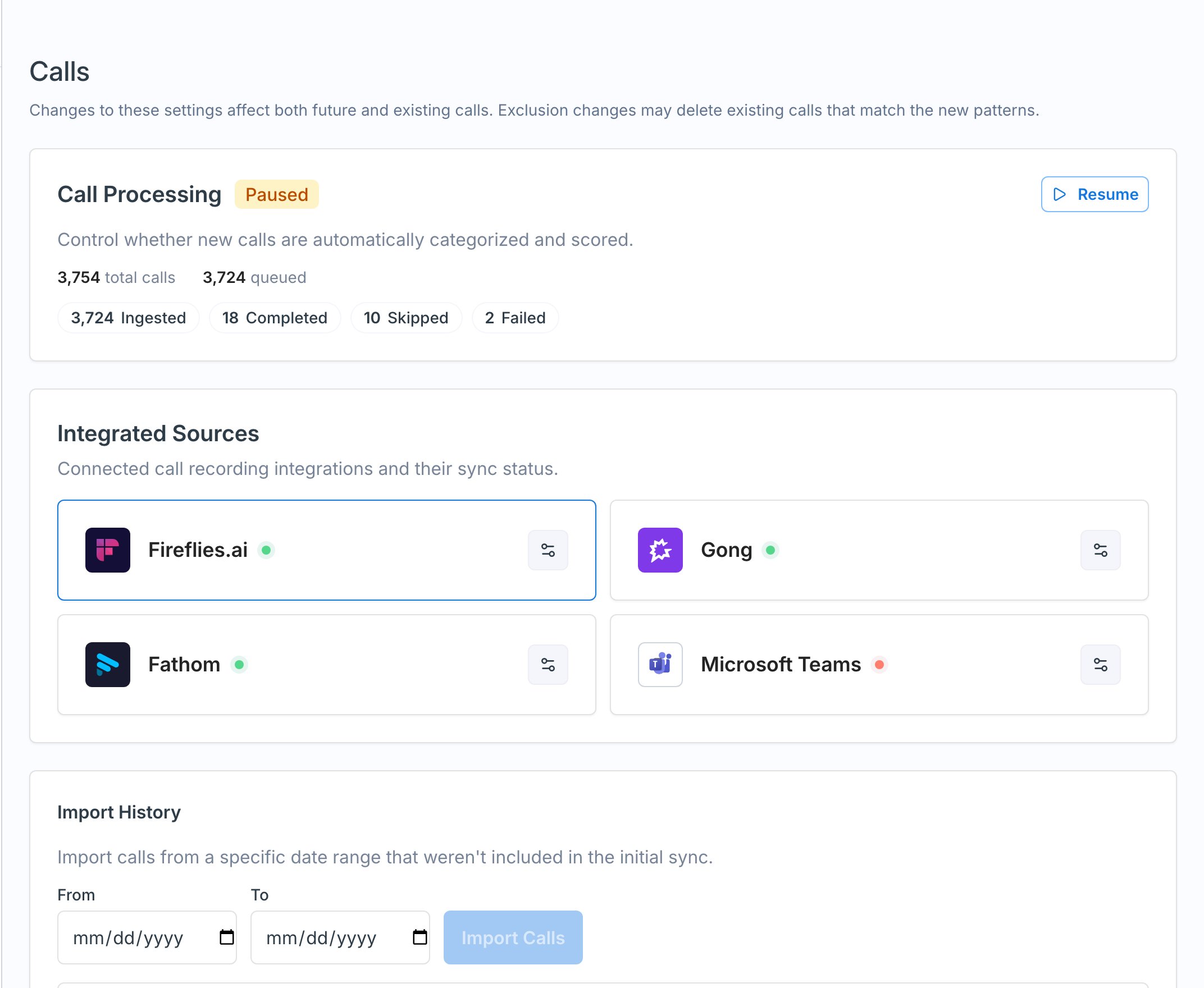
Call Analysis Settings
- Minimum duration for call analysis - calls shorter than this (in seconds) are not processed or scored, so quick check-ins don’t clutter your data. Calls under the limit are skipped with the reason Call Too Short.
- Minimum category confidence for call analysis - the confidence threshold for assigning a call to a category. 30% is the recommended setting. Above the threshold, Exec assigns the conversation category and scores the call on that category’s scorecard. Below it, the call is skipped as Low Category Confidence and waits for you to assign a category by hand - see fixing a miscategorized call. Raising the threshold makes categorization stricter and sends more calls to manual assignment.
Access
The Access card controls who uses and sees call scoring:- Who can use call scoring - leave empty to enable it for everyone, or limit it to specific groups so only those members’ calls are pulled in.
- What users can see - Workspace Admins always see All calls. For Group Admins and Workspace Members, choose None, Theirs Only, Theirs + Group Members’, or All.
Recognize Team Members
This is how Exec knows who on a call is a teammate (and should be evaluated) versus the customer on the other side.- By Domain / By Email - add your company’s email domain (for example,
exec.com) so anyone with that domain is recognized as a team member. Add every domain you use if your company has more than one. Add individual emails for exceptions, such as teammates who join from a personal address. - Active Call Participant Threshold - the Minimum Conversational Turns someone must take to be evaluated as a participant. The default is 2, which is low enough that someone who barely spoke still gets scored; raising it to four or five keeps the data to people who genuinely took part.
- Restrict Call Import to Workspace Members - when on, only calls with at least one workspace member import. Turn it off to include everyone in the org.
- Don’t Import Calls with These Participants - exclude calls By Domain or By Email, useful for competitors or sensitive conversations (for example, legal or executive calls).