Cloning allows you to copy an existing scenario and make it your own. This is especially useful when you find a strong scenario in Exec’s global collection or your workspace collection and want to adapt it with small tweaks for your learners. Instead of building from scratch, cloning gives you a ready-made foundation that you can edit and customize to your specific audience, industry, or learning goals.

Why Clone a Scenario?

  • Save time - Start from a proven scenario rather than a blank template.
  • Adapt for context - Change details so it matches your team’s industry, role, or culture.
  • Preserve the original - The global/workspace version remains unchanged and available to others.
  • Increase relevance - Learners see scenarios that feel closer to the real conversations they have day-to-day.
Example: You may find a SMART Goals Coaching scenario in the global library. By cloning it, you can quickly adapt it into SMART Goals in Healthcare with just a few edits.

How to Clone a Scenario

1

Locate the scenario you want to clone

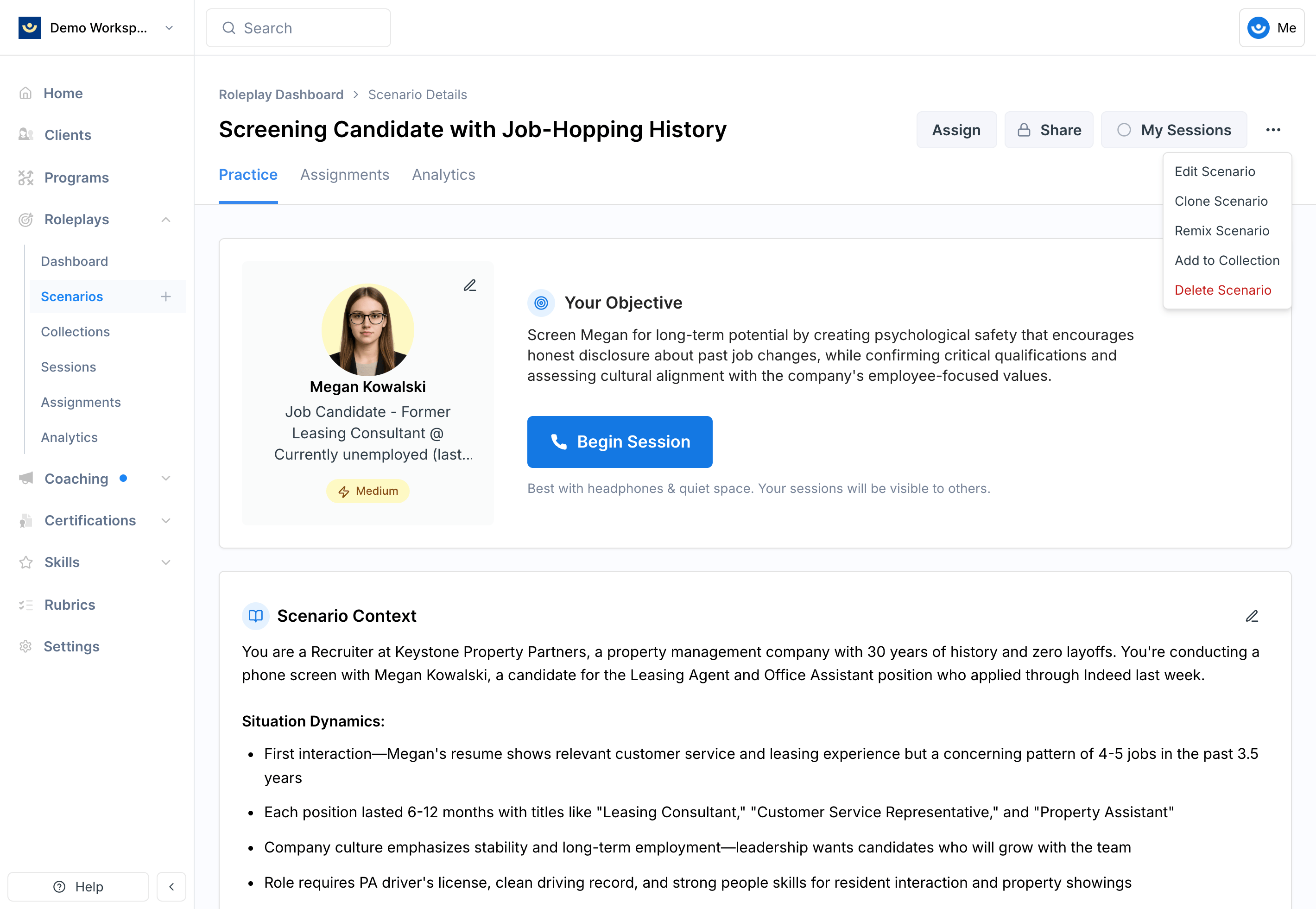
Click the 3-dot menu in the upper-right corner of the scenario and select Clone Scenario.Screenshot2025 10 14at12 12 08PM PnNote: Global scenarios cannot be edited directly, which is why cloning is necessary. Workspace scenarios can also be cloned if you want a modified version.
2

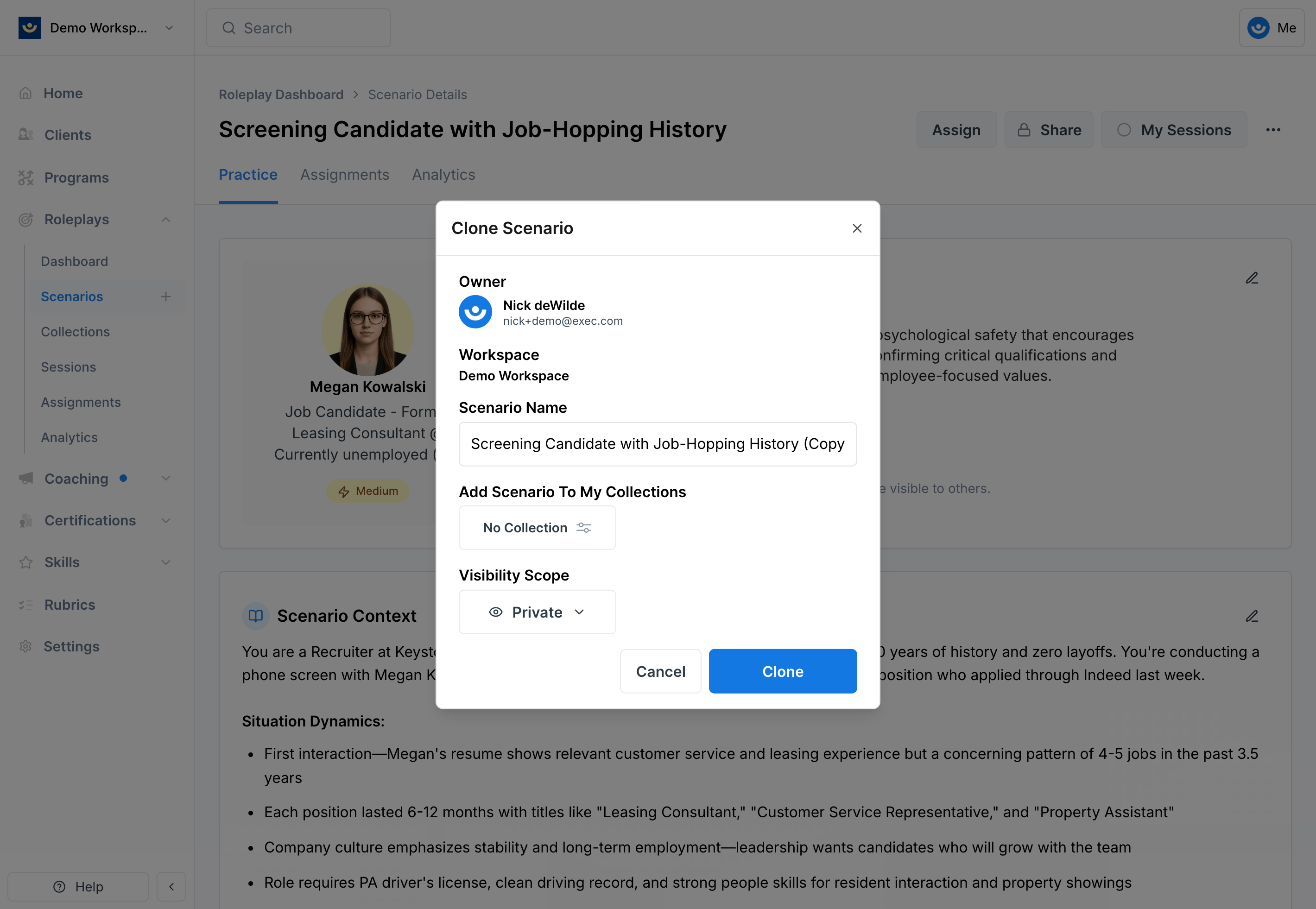
Adjust details

Screenshot2025 10 14at12 14 00PM Pn
  • Rename the scenario to reflect your specific use case
  • Adjust the visibility
    • By default, set visibility to Private until you’ve finished editing. Later, you can make it visible to your workspace when you’re ready to share.
  • (optional) Add the cloned scenario to a collection
    • Collections help organize related scenarios for easier access.
3

Click "Clone"

The new scenario will appear with your updated title.
You now have full editing rights - name, objectives, context, character, and process are all adjustmable

Editing Your Cloned Scenario

After cloning, treat the scenario as your own:
  • Update the context – Add industry- or role-specific details (e.g., healthcare dynamics, financial services regulations, or startup culture).
  • Adjust the characters – Change roles, titles, or backgrounds to mirror real stakeholders your learners engage with.
  • Refine the objectives – Tailor learning goals so they align with your training program.
  • Customize difficulty – Make the scenario easier or harder depending on learner readiness.
Because the clone inherits the foundation of the original, small changes go a long way in making it feel authentic.
Best Practices:
  • Always start private. Use the private visibility setting while you experiment. Make it workspace-visible once you’re confident it’s polished.
  • Clone for scale. If you’re running a program across different functions (e.g., sales, HR, engineering), clone the base scenario and customize each for its audience.
  • Respect the original. Cloning ensures the global/workspace version stays intact for others to use, while you create something unique to your learners.

In short: Cloning is the fastest way to turn great scenarios from Exec’s library into highly relevant, context-rich roleplays for your team.