

Video walkthrough
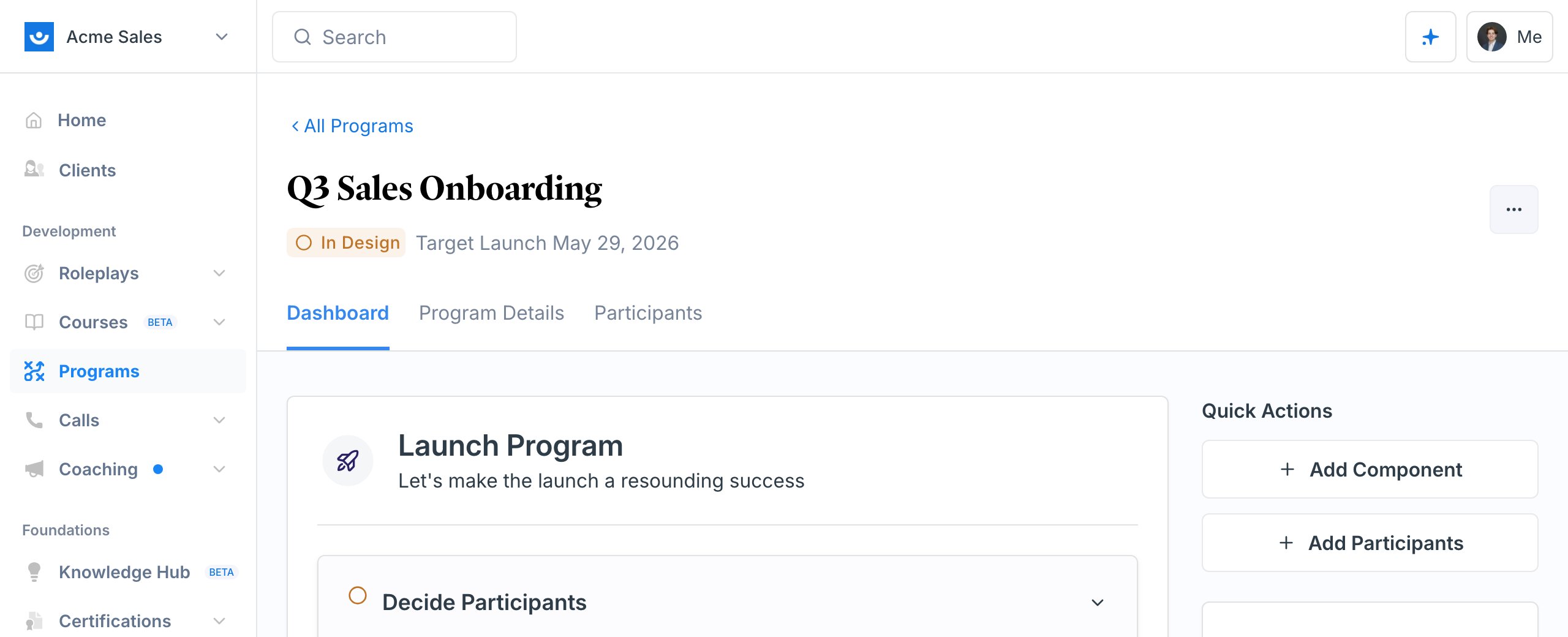
Programs let you combine multiple training activities into a single, structured learning path. Instead of assigning roleplays, videos, and surveys one at a time, you bundle them into a program with clear timelines and track everyone’s progress in one place.
When to Use a Program
Use programs when you need to:- Run cohort-based training with start and end dates
- Combine multiple activities like roleplays, surveys, videos, and coaching into one path
- Track completion across participants and components
- Issue certifications automatically when participants finish
Programs or Courses?
Programs and Courses both bundle training into one assignable unit and both track completion, so it is worth knowing which one fits before you build. The short version: a program is an event, a course is a library item. A program has a launch date, an end date, and a group of people moving through it together. A course sits in the catalog indefinitely, and each learner works through it at their own pace starting whenever they enroll.Choosing for repeating cohorts
This is the common case, and it is where the two look most alike: you hire in batches, and every batch needs the same onboarding. Use a course when the content is stable and the only thing that changes is who is taking it. Build it once, then enroll each new group and set their due date. When the material changes, you update the one course and publish a new version, and your reporting still shows which version each learner completed. You are not maintaining a growing list of near-identical programs. Use a program when the cohort itself matters: people are meant to move in step, the schedule is part of the design, or the path includes something a course cannot hold, such as 1:1 coaching, group meetings, or participant surveys. You can also run both. A course carries the self-paced groundwork, and a program wraps a cohort’s live sessions and coaching around it.What Goes Inside a Program
Programs are made up of components - the individual activities participants complete. You can mix and match eight types:Announcement
Share information or instructions with participants. No action required from them.
Participant Survey
Capture feedback or assess knowledge with custom questions.
AI Roleplays
Practice with AI-powered conversation simulations. Set completion criteria like minimum rank or number of attempts.
Video
Assign a video for participants to watch.
Article
Assign an article or document for participants to read.
Action Items
Give participants tasks or assignments to complete.
1:1 Coaching
Connect participants with expert coaches for personalized sessions.
Group Meeting
Schedule group sessions with a shared meeting link.
How Programs Work
1
Create a program
Give it a name and a target launch date. Optionally link a certification to issue when participants finish.You can also generate a full program with AI - describe what you want and Exec builds the components for you. If you’ve saved your materials to the Knowledge Hub, use Create > Program on a document to have Exec generate a multi-week program from it, automatically pulling in the connected scenarios and content. Or Clone an existing program for a new cohort and just reset the launch date.Create a program ->
2
Add components
Build out the learning path by adding the activities your participants will complete. Set dates, choose participants, and configure prerequisites.Add components ->
3
Enroll participants
Add participants by email. Enrolling someone can also assign them a seat right from the program, so first-time users get a license and an account-activation email automatically when the program launches, with no separate trip to Settings. Schedule enrollment emails for launch day.Manage participants ->
4
Launch
When everything is ready, launch the program. Participants receive enrollment emails and can start working through their assigned components.Launch your program ->
5
Track progress
Monitor completion rates, view survey responses, check roleplay performance, and send reminders to participants who fall behind.Track progress ->
Program Lifecycle
Your Programs list shows where each program stands at a glance.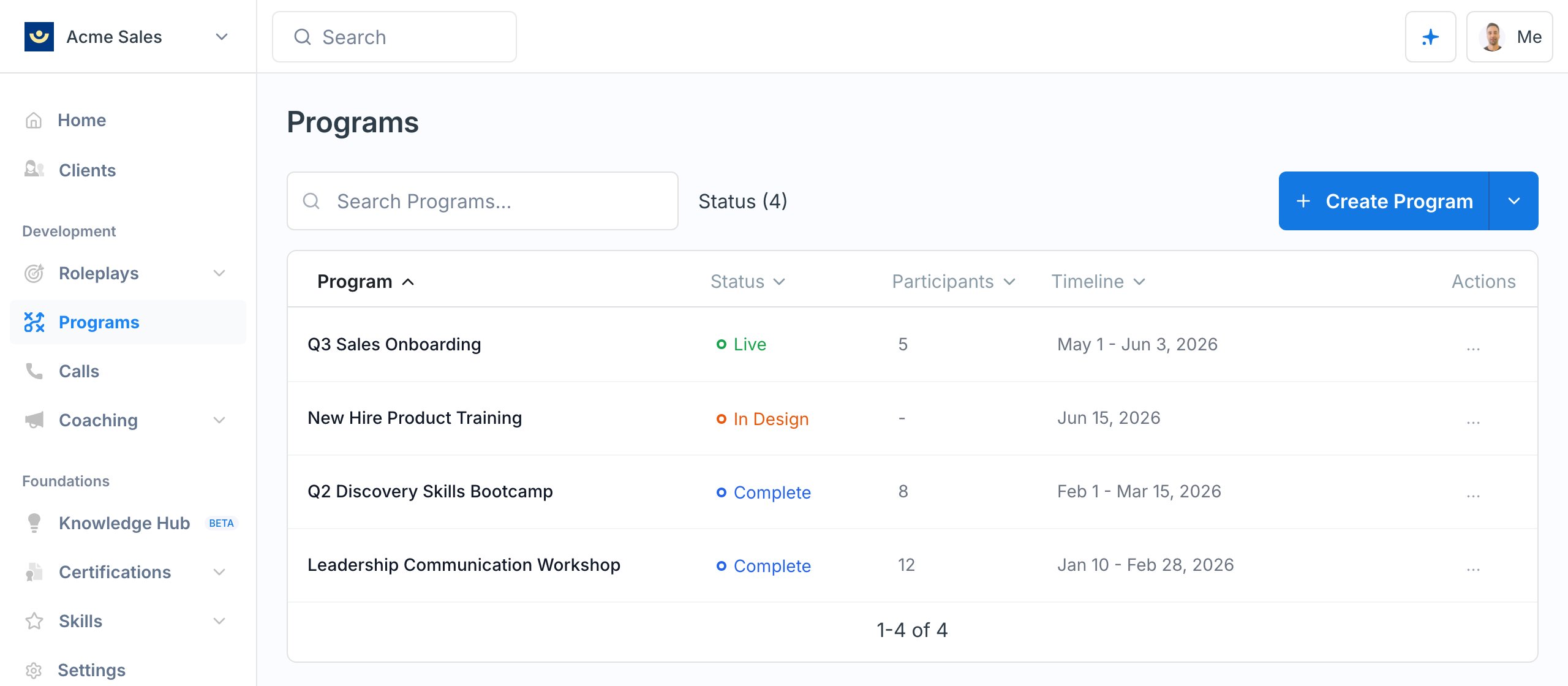
The transition from In Design to Launch Ready happens automatically when you have added at least one component and enrolled participants. You control the transitions to Live, Complete, and Archived.
Learn more about the program lifecycle ->
Roles
Programs have two roles:
Workspace admins can access all programs regardless of role.