

Only workspace admins can access the Export Data page. If you don’t see it in the sidebar, you may not have the required permissions.
Exporting from the Export Data Page
The dedicated Export Data page gives you access to every export in one place.1
Open Export Data
In the left sidebar, click Export Data under Administration.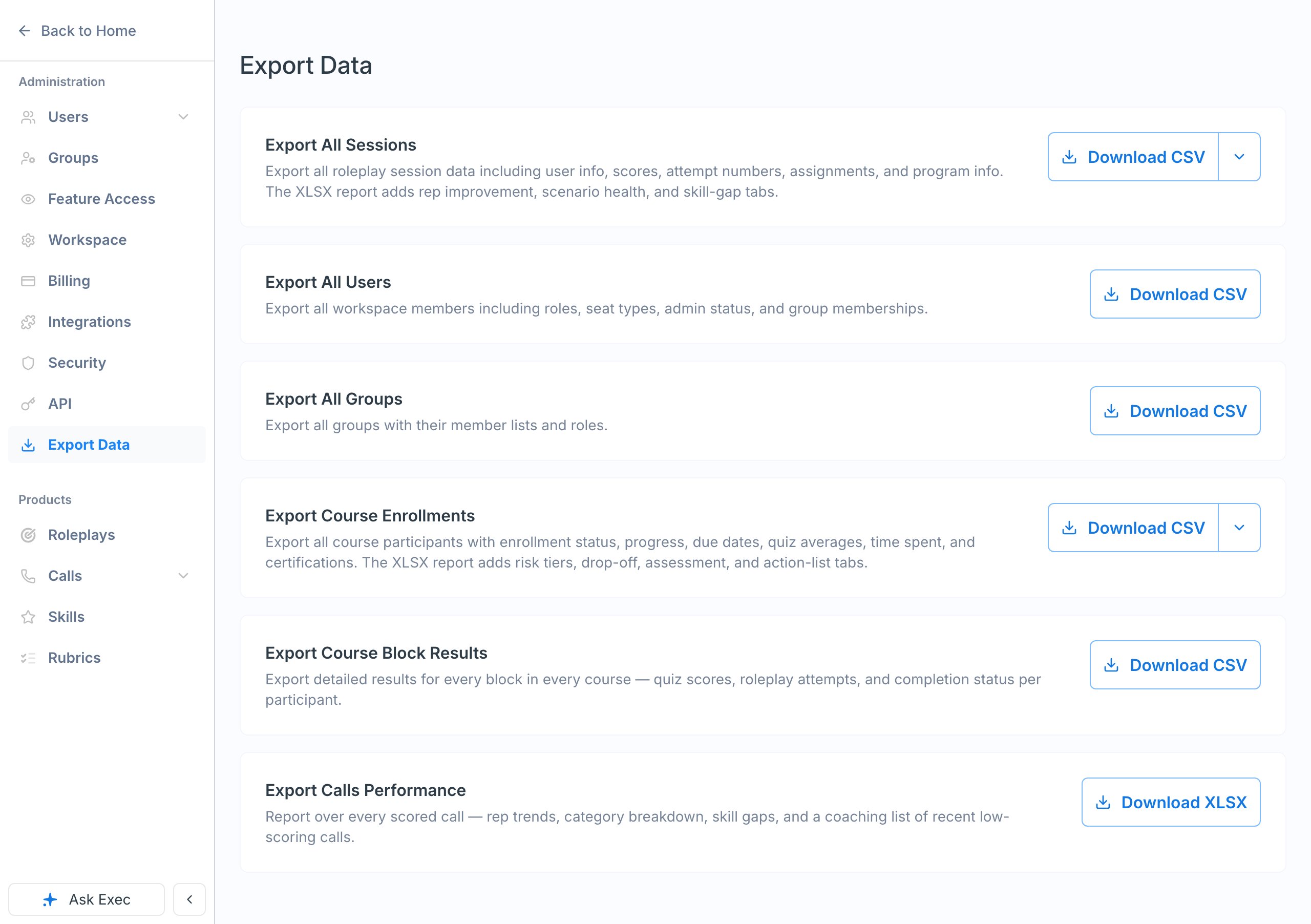
2
Choose an export
Click the download button next to the export you want:
- Export All Sessions — Roleplay session data including scores, attempt numbers, assignments, and program info. Click the dropdown arrow for Download XLSX report to get a formatted workbook with rep improvement, scenario health, and skill-gap tabs.
- Export All Users — Workspace members including roles, seat types, and group memberships (CSV).
- Export All Groups — Groups with their member lists and roles (CSV).
- Export Course Enrollments — Course participants with enrollment status, progress, due dates, quiz averages, time spent, and certifications. Click the dropdown arrow for Download XLSX report to get risk tier, drop-off, assessment, and action-list tabs.
- Export Course Block Results — Per-block results for every course, including quiz scores, roleplay attempts, and completion status per participant (CSV).
- Export Calls Performance — XLSX-only report over every scored call, with rep trends, category breakdown, skill gaps, and a coaching list of recent low-scoring calls.
3
Wait for the file
A blue banner appears while the report generates. Keep the page open until the CSV file downloads automatically.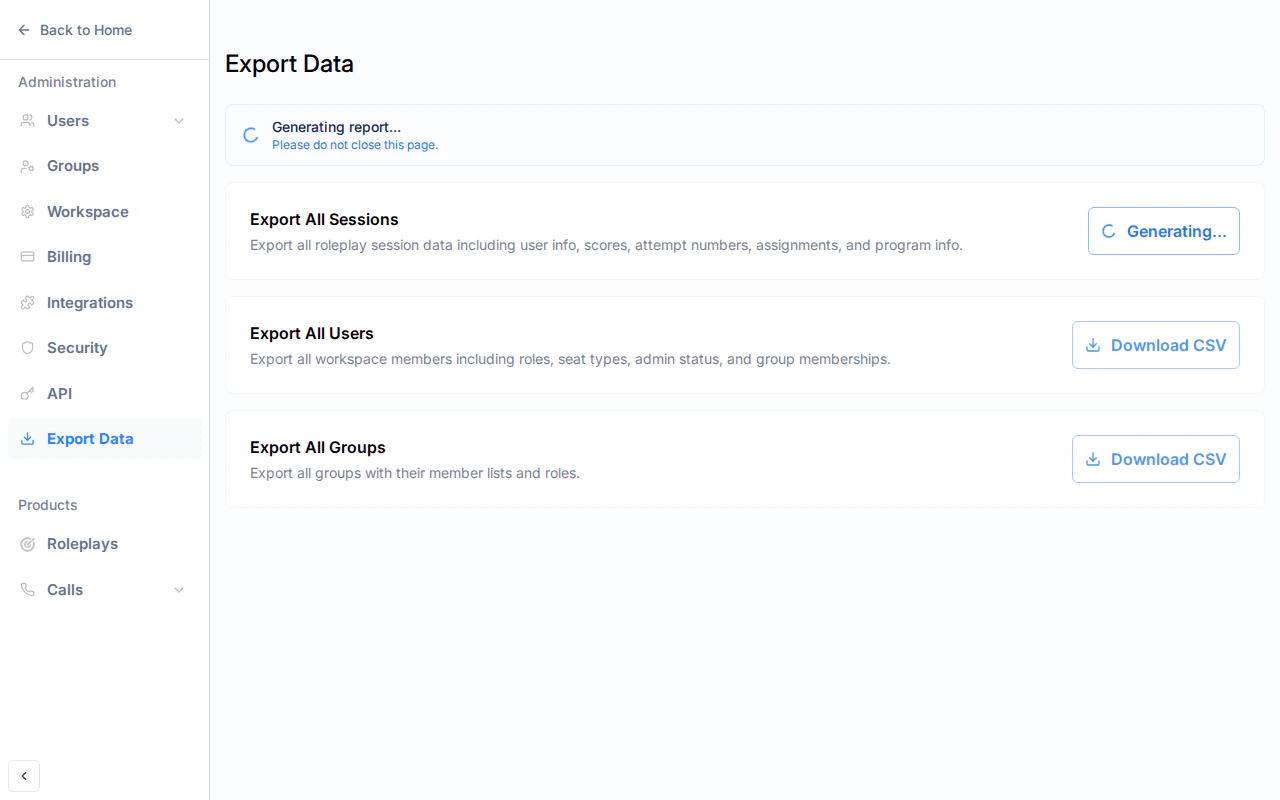
Exports run in the background and typically complete within a few seconds. For large workspaces, it may take up to a minute. XLSX reports take longer than CSVs because they aggregate data across multiple tabs.
Quick Export from Users and Groups
You can also export directly from the Users and Groups pages without navigating to Export Data.Users Page
Click the Download CSV button next to + Add Users at the top of the Workspace Users page.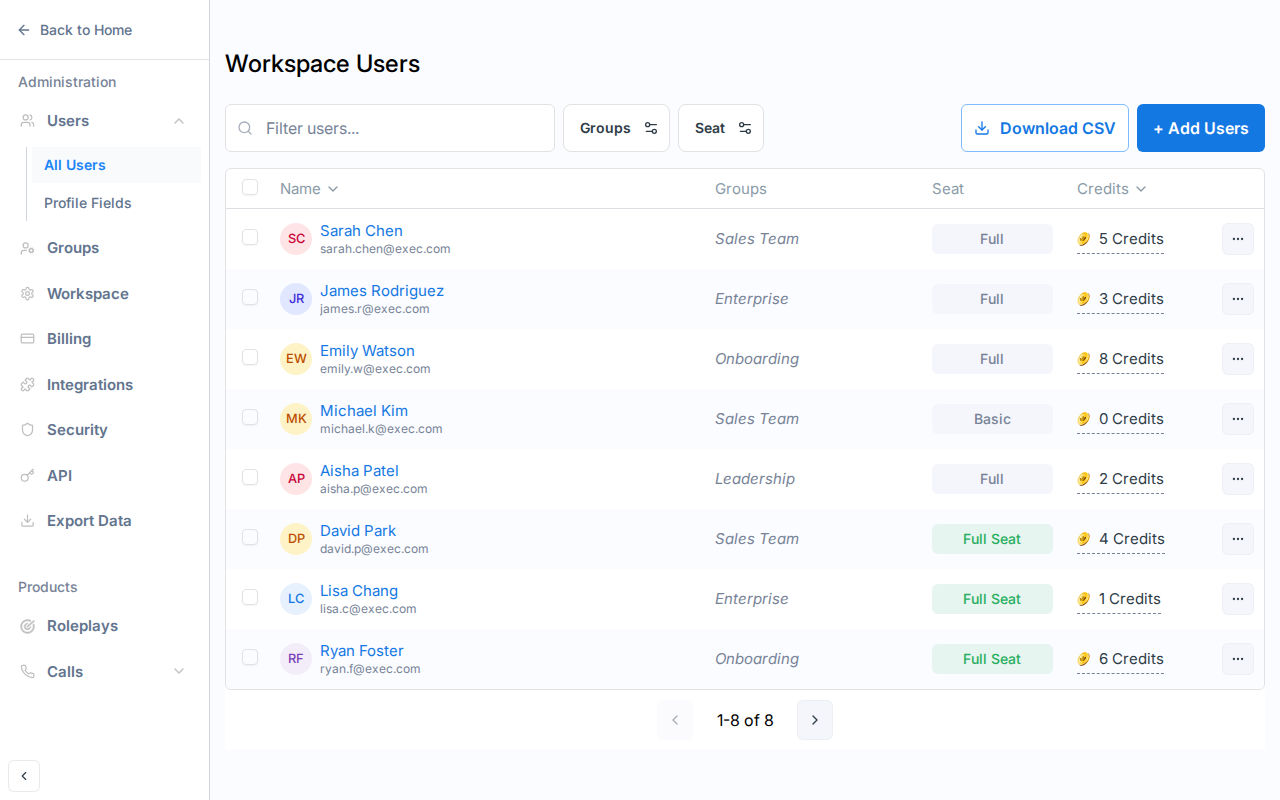
Groups Page
Click the Download CSV button next to + Add Group at the top of the Workspace Groups page.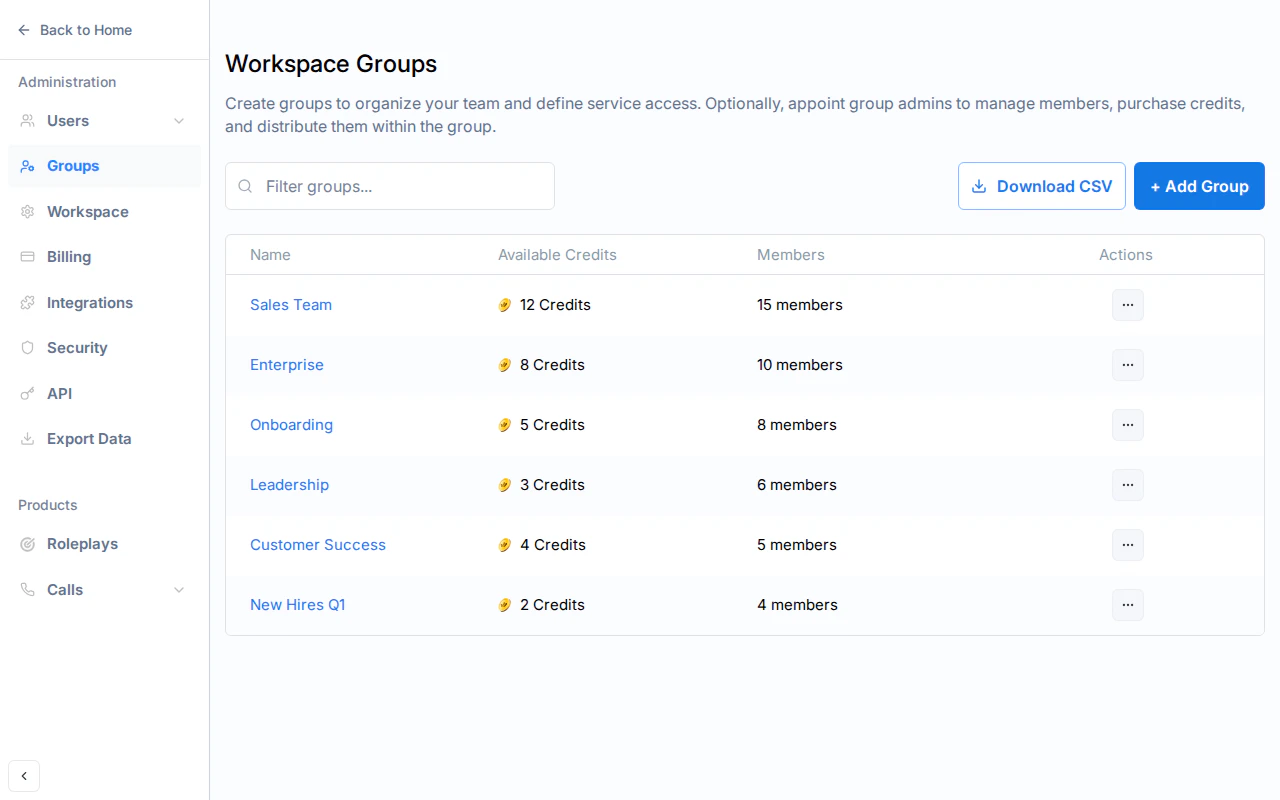
Archived Scenarios and Courses in Exports
Archived items are left out of the session exports.- Archived scenarios. Archiving (deleting) a scenario removes its sessions from the Sessions CSV and XLSX. Restoring the scenario brings them back.
- Archived sessions. A session a learner deleted is left out of every export.
- Archived courses. The Course Enrollments and Course Block Results exports currently still include enrollments in archived courses. Filter by course name if you need to leave them out.
What’s Included in Each Export
Sessions CSV
Sessions CSV
Each row represents one roleplay session. Columns include:
Demo and archived sessions are excluded.
Users CSV
Users CSV
Each row represents one workspace member. Columns include:
Deactivated members are included with a “Deactivated” status.If your workspace has custom profile fields, each definition is appended as its own column, using the profile field’s display name as the header. Each row holds that member’s value (text entry or selected dropdown option); members without a value get an empty cell. Deleting a profile field removes its column from future exports.
Groups CSV
Groups CSV
Each row represents one group member. Columns include:
Deleted groups are excluded. Empty groups appear as a single row with just the group name.
Course Enrollments CSV
Course Enrollments CSV
Each row represents one enrollment: one learner in one course. Columns include:
Enrollments in archived courses are included. Where a learner has more than one certificate for the course, the most recently issued one is shown.
Course Block Results CSV
Course Block Results CSV
Each row represents one learner’s result on one block, so a course with 20 blocks produces 20 rows per enrolled learner. Blocks the learner hasn’t opened appear as Not Started with zero attempts, so completion-rate denominators are visible in the file. Columns include:
Enrollments in archived courses are included.
Sessions XLSX report
Sessions XLSX report
A formatted workbook designed for reviewing practice at a glance. Tabs include:
Course Enrollments XLSX report
Course Enrollments XLSX report
A formatted workbook for reviewing an enrollment book, from a 30-second executive read down to row-level data. Tabs include:
Calls Performance XLSX report
Calls Performance XLSX report
Formatted workbook over every scored call in the workspace. Tabs include: