

How to Issue a Certification
1
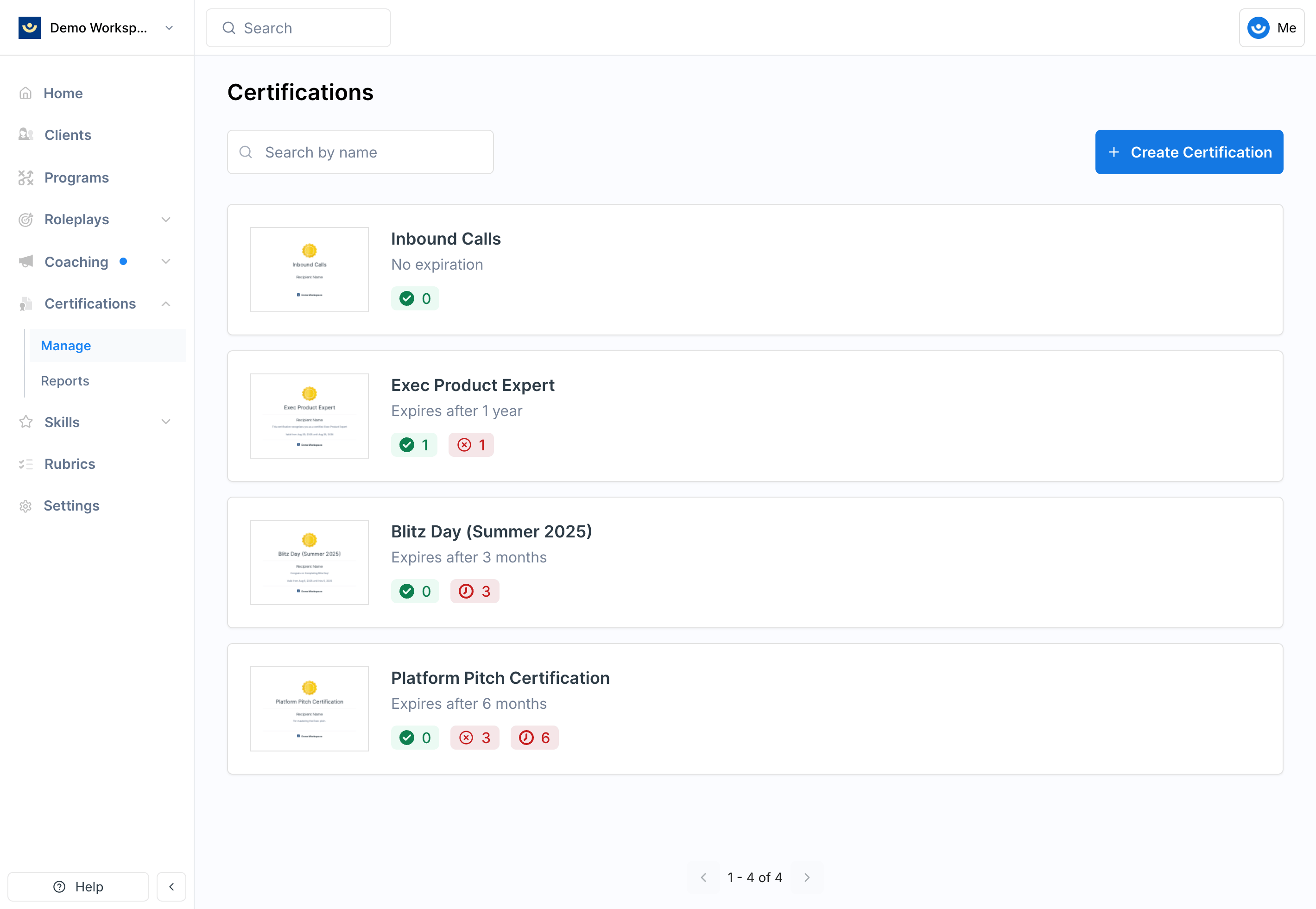
Go to Certifications in the left-hand navigation menu on your Exec Workspace
2
Select the certification you want to issue
3
Click Issue Manually and find the learner
Search for and select the learner who should receive the certification.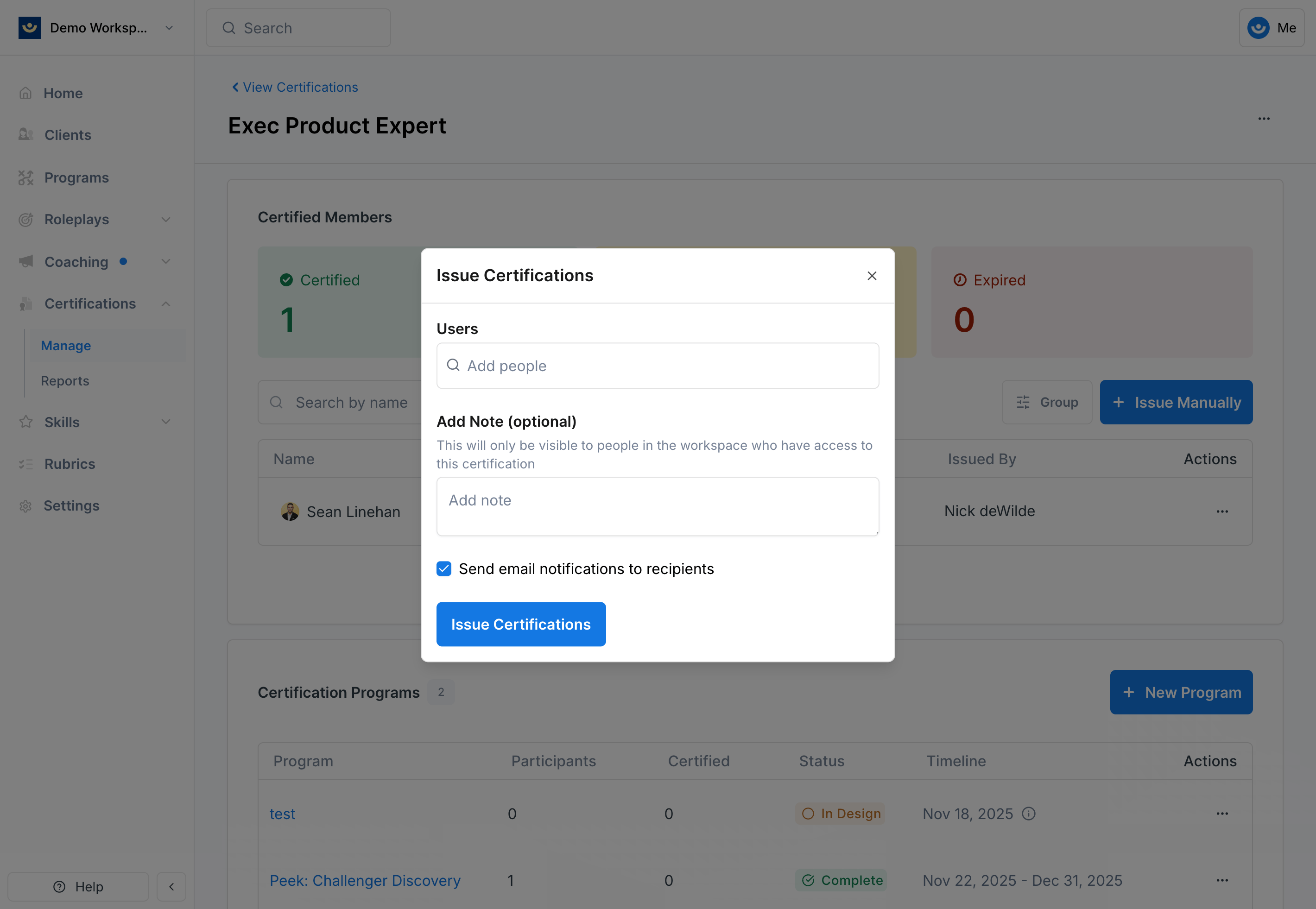
4
Add an internal note (optional)
Use this field to record why the certification was issued. These notes are internal only — learners won’t see them.
5
Choose notification settings
Decide whether to notify the learner by email. If notified, they’ll receive an email confirming the certification along with a link to their PDF.
6
Confirm and issue
Once confirmed, the certification is granted and the learner’s record is updated.
Viewing a Certification PDF
After issuing, click the three-dot menu next to the learner’s name and select View PDF to view or download their certification. The PDF includes the certification title, description, workspace logo, and learner details.Revoking a Certification
To revoke, click the three-dot menu next to the learner’s name and select Revoke.Tips
- Use the internal note field when issuing manually — it creates a record of why the certification was granted
- Notify learners unless there’s a specific reason not to — it keeps them engaged and provides immediate recognition
- Revoke sparingly — only if a certification was issued by mistake, not for performance reasons