

Video walkthrough
A full walkthrough of call scoring: what the dashboards and a scored call look like, connecting your call recorder, and building categories, attributes, and scorecards.
Call scoring connects your call recorder to Exec and automatically scores your team’s real conversations against scorecards you define, the same way roleplays are scored. It turns live calls into the same kind of structured feedback and skill data you get from practice, so you can see how people actually perform with customers and where to coach them.
How call scoring works
1
Connect your call recorder
Link a call recorder so your calls flow into Exec. Exec connects to Fireflies.ai, Gong, Fathom, Clari Copilot, Sybill, Zoom, and Microsoft Teams. See Set Up Call Scoring.
2
Decide who and what gets scored
Configure access, recognize your team by email domain, and set rules for which calls import. See Set Up Call Scoring.
3
Define categories and scorecards
Set up the types of conversations (categories), the attributes you want captured, and the scorecards calls are graded on. See Call Categories and Scorecards.
4
Calls import and score automatically
As calls come in, Exec categorizes them, captures attributes, and grades them on the right scorecard.
5
Review performance
Track scores across your team on the dashboard, and open any call for its summary, transcript, and scorecard. See Review Scored Calls.
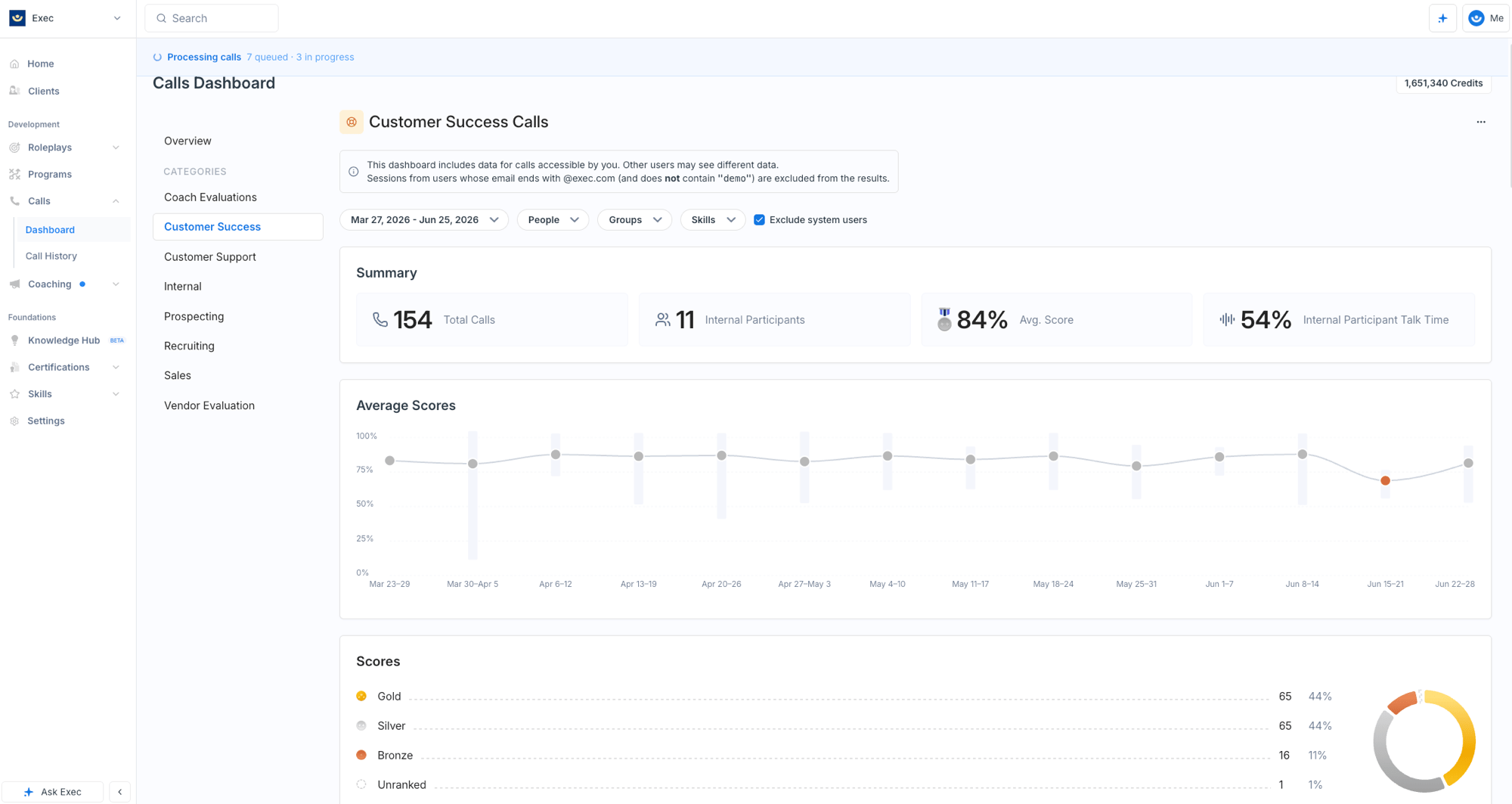
Call scoring requires a connected call recorder integration and is available depending on your plan. To open it, click Calls in the navigation. If it isn’t set up yet, you’ll be guided through a short setup flow.
What Call Scoring Costs
Scoring a call spends platform credits from your workspace’s monthly pool, priced by the length of the call:
A call is charged once, when it is first scored. Reviewing the transcript, summary, attributes, and scorecard afterwards is free, and the first rescore of any call is free too. Every rescore after that costs the call’s full tier price again, so re-running the same call repeatedly does spend credits. Calls that import but are skipped, excluded, or filtered out never cost anything.
Importing a call is not the same as scoring it. Category rules, team-member matching, and exclusion settings decide what enters the scoring queue, so you control what actually spends credits. See Set Up Call Scoring to tune this.
The other lever is per category. Each category has an Automatically analyze future calls in this category toggle, so you can leave your highest-value conversation types scoring automatically and turn the rest off, then score those calls by hand only when you want them. See Call Categories and Scorecards.
Score a call without a recorder
Don’t have a recorder connected, or want to score a one-off recording, transcript, or pasted conversation? Use Upload transcript on the Call History page to add recordings (.mp3, .mp4) or transcripts (.docx, .vtt, .srt, .txt) directly. See Upload Calls Manually.