Exec uses two types of seats to support different user needs within your workspace: full seats and basic seats. This article explains what each seat type includes, who they’re designed for, and how to manage them.

What Are Basic Seats?

Basic seats are designed for users who typically participate in programs that include coaching, but do not use AI roleplays or advanced platform features. Basic seat users can:
  • Book coaching sessions
  • Enroll into programs
  • Access articles, videos, and other learning materials
  • Complete surveys
All paid Exec workspaces include unlimited basic seats at no additional cost, making it easy to extend coaching access across your organization without purchasing more licenses.

What Are Full Seats?

Full seats (formerly called paid seats) are intended for users who need access to Exec’s full suite of AI-powered tools in addition to coaching. Full seat users can:
  • Use AI roleplay sessions
  • Access roleplay analytics
  • Assign roleplays to team members (where enabled)
  • Access future AI-powered features as they launch
  • Participate fully in coaching programs
Full seats include all capabilities of basic seats plus advanced AI features.

How to Update a User From a Basic Seat to a Full Seat

You can manage seat types anytime from your workspace settings. To give someone a full seat:
1

Go to Settings

Screenshot2025 11 20at11 24 50AM Pn
2

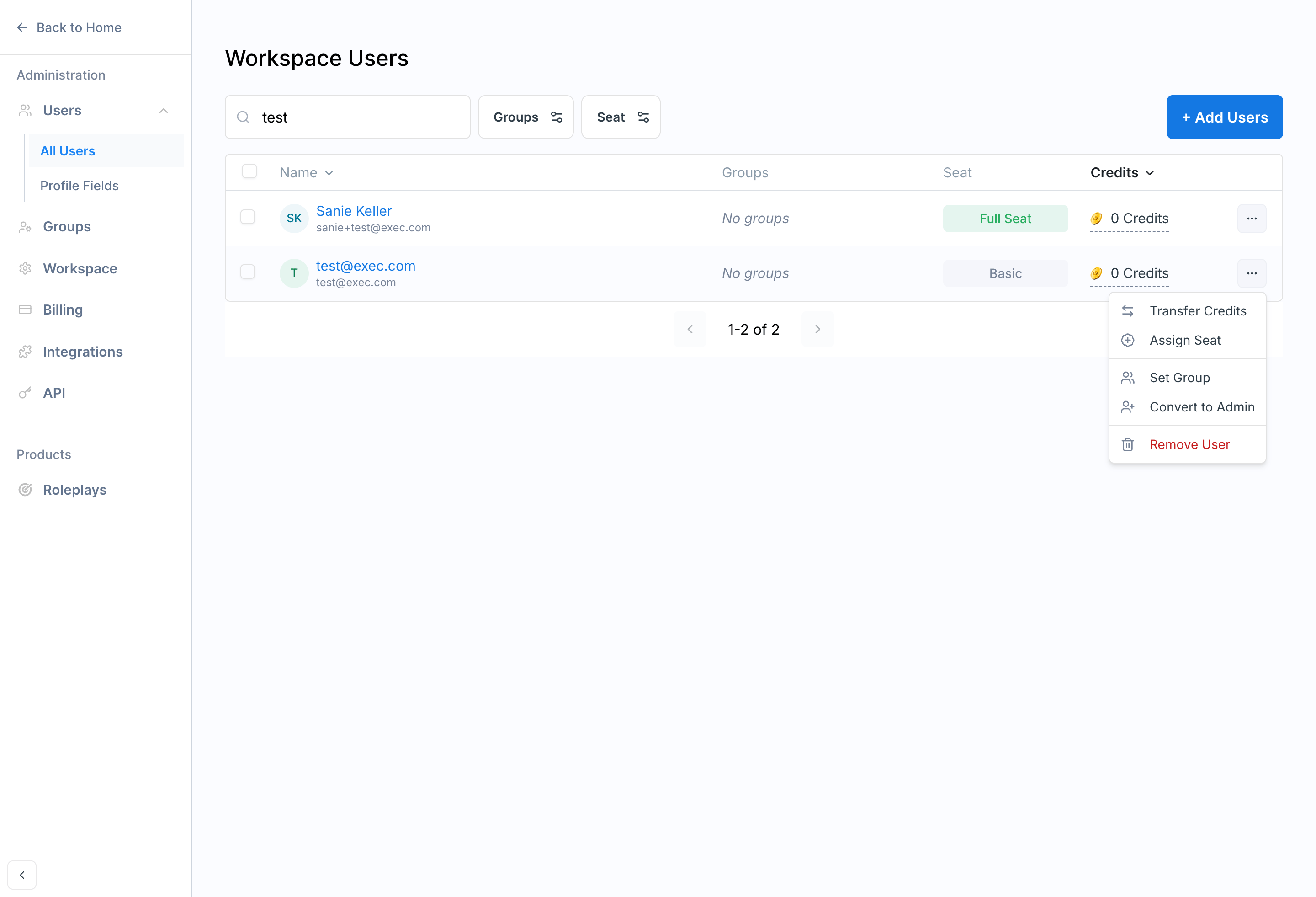
On the Users page, click the Settings menu next to their name

Screenshot2025 11 20at11 32 24AM Pn
3

Click Assign Seat

Screenshot2025 11 20at11 33 02AM Pn
4

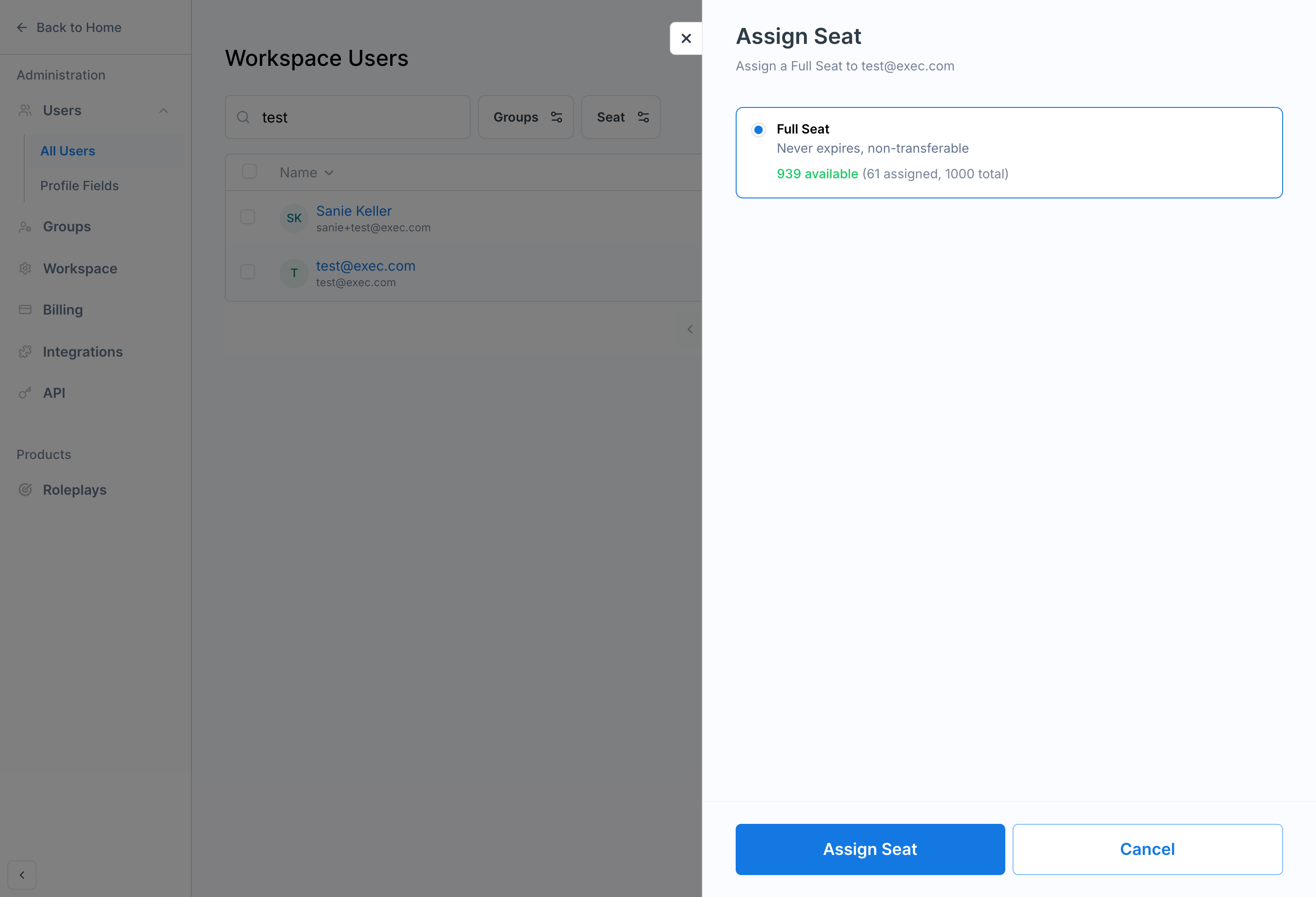
Assign the Seat

You’ll see some information pop up about how many seats you have available to assign and how many are currently assigned. Remeber that seats are non-transferrable and once they are used, you will lose the seat if you want to revoke it from the user. More about this below.Screenshot2025 11 20at11 33 40AM Pn

Revoking a Full Seat

You can revoke a Full Seat from a user utilizing the same steps as above. However, there’s a couple of key things to keep in mind:

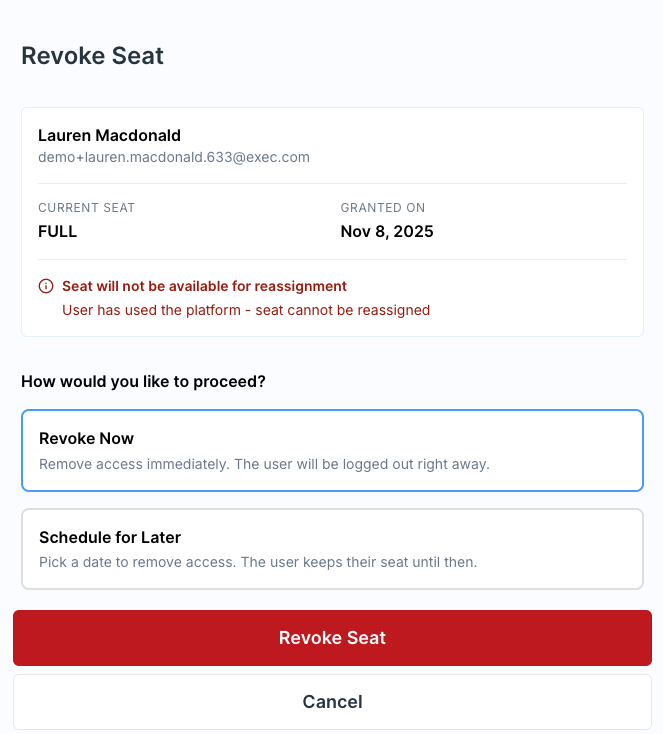
#1: Seats are non-transferable if used

If a user has already utilized features correlated to the Full Seat (ex. they’ve participated in an AI Roleplay), the seat will not be available for re-assignment should you choose to revoke it. You’ll receive an alert in red text, should this be the case. Screenshot 2025-11-20 at 11.45.38 AM.png

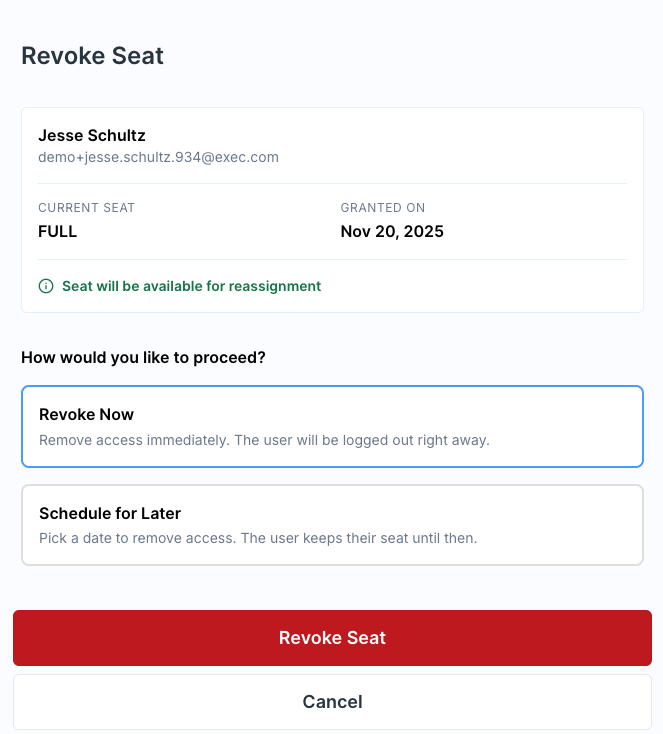
#2: Seats can be reassigned if they haven’t been used

If a user hasn’t yet utilized any features specific to a Full Seat, the seat can be revoked and reassigned to another user. You’ll receive an alert in green text, should this be the case. Screenshot 2025-11-20 at 11.48.28 AM.png

#3: Seat access can be set to automatically end on a specific date

You may opt to revoke the seat immediately or schedule the seat to be revoked on a specific date and time. This is useful for programs or users with fixed timelines, or giving someone a buffer before revoking their seat.

Have Questions?

If you’re unsure which seat type is right for your team or need help with a specific configuration, feel free to reach out to our support team at [email protected] - we’re here to help!