

- Workspace Admins oversee the entire workspace, including users, groups, billing, and global settings
- Group Admins manage members, credits, and permissions within their specific group, without access to workspace-wide controls
Workspace Admin
A Workspace Admin has the highest level of administrative access in Exec. This role comes with broad, system-wide permissions that affect every user and group in the workspace.What Workspace Admins Can Do
Manage Users Across the Workspace
Manage Users Across the Workspace
- Add and remove users
- Move users between groups
- Promote users to group admin or workspace admin roles
Grant and Manage Credits
Grant and Manage Credits
- Allocate or redistribute coaching credits to any user or group
- View total credit availability and usage across the workspace
Change Seat Types
Change Seat Types
- Upgrade or downgrade users between basic and full seats
- Monitor seat availability, including reserved and remaining seats
Modify Workspace Settings
Modify Workspace Settings
- Workspace name, URL, and branding (logo, imagery)
- Default permissions and configurations
- Roleplay creation permissions
Control Feature Access
Control Feature Access
- Decide which product areas (AI Roleplays, Programs, Coaching, Certifications, Call Scoring, Coaching Analytics, Knowledge Hub, Courses) are visible to each member
- Grant access to everyone, to specific groups, or to individual members
- Set who can create and assign scenarios, and who can view other members’ calls
- Use the Access Explainer to confirm why a member can or can’t see a feature
Access Billing and Plan Information
Access Billing and Plan Information
- View subscription details, seat counts, and coaching credit totals
- Access or manage integrations
View All Practice Sessions
View All Practice Sessions
- Access any user’s session data, recordings, transcripts, and AI feedback
- See aggregate analytics across the workspace
View All Scenarios, Including Private
View All Scenarios, Including Private
- See every scenario in the workspace, including personal (private) scenarios created by other members
- Use the Owner filter on the scenario list to view scenarios created by a specific member, and the visibility filter (Personal, Workspace) to narrow by scope
- Open analytics for any scenario, including private ones
Workspace Admin access should be granted sparingly. Typical candidates include HR or L&D system owners, program administrators, and trusted platform champions. Limiting this role prevents accidental permission changes, data inconsistencies, or credit mismanagement.
How to Assign Workspace Admin Access
1
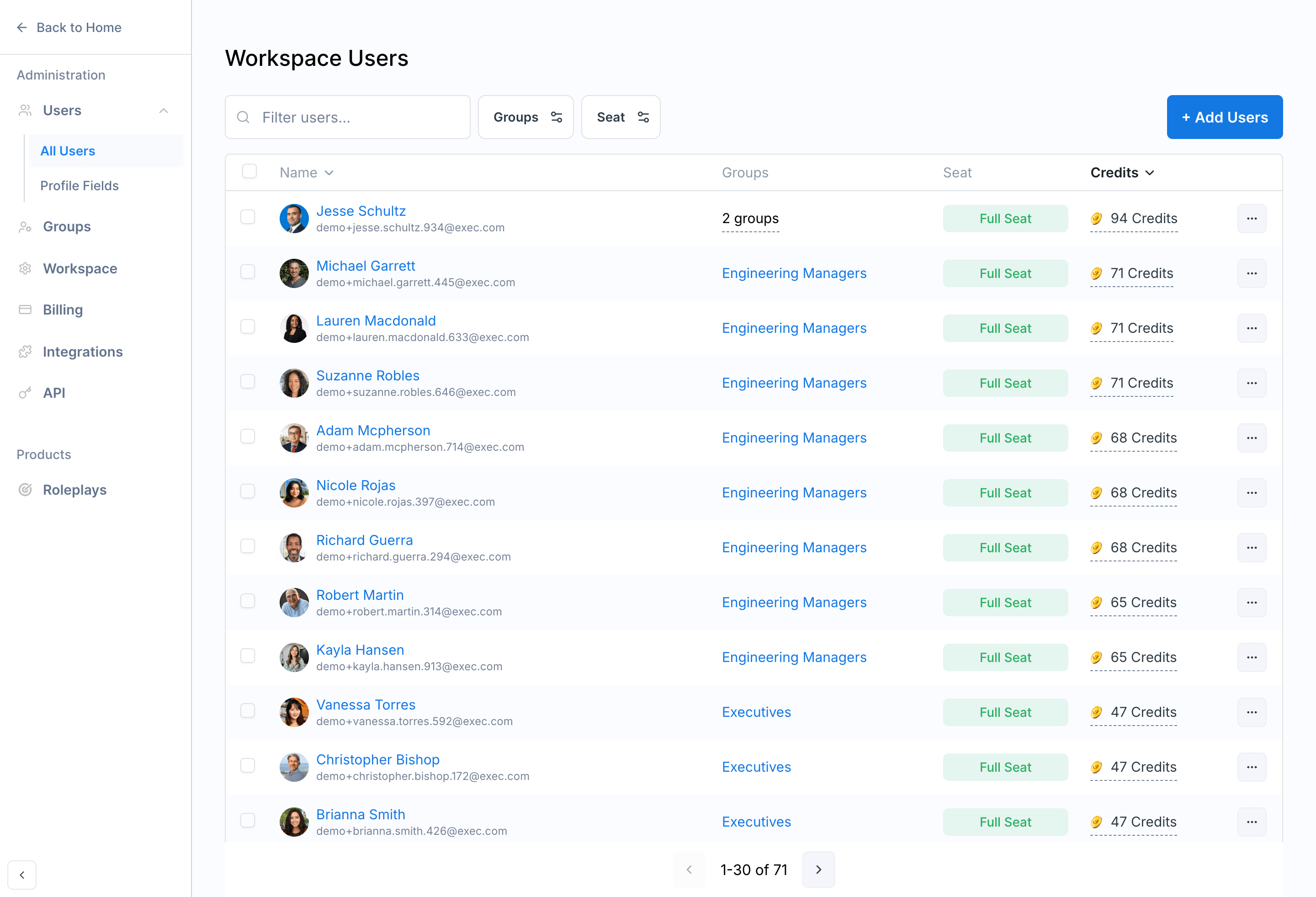
Click Settings on the left-hand navigation bar on your Exec platform and navigate to the Users page
2
Click the three-dot menu next to the user and select Convert to Admin
Group Admin
A Group Admin has focused administrative privileges within a specific group. This role is ideal for managers and team leads who need oversight of their direct reports — without access to the entire workspace.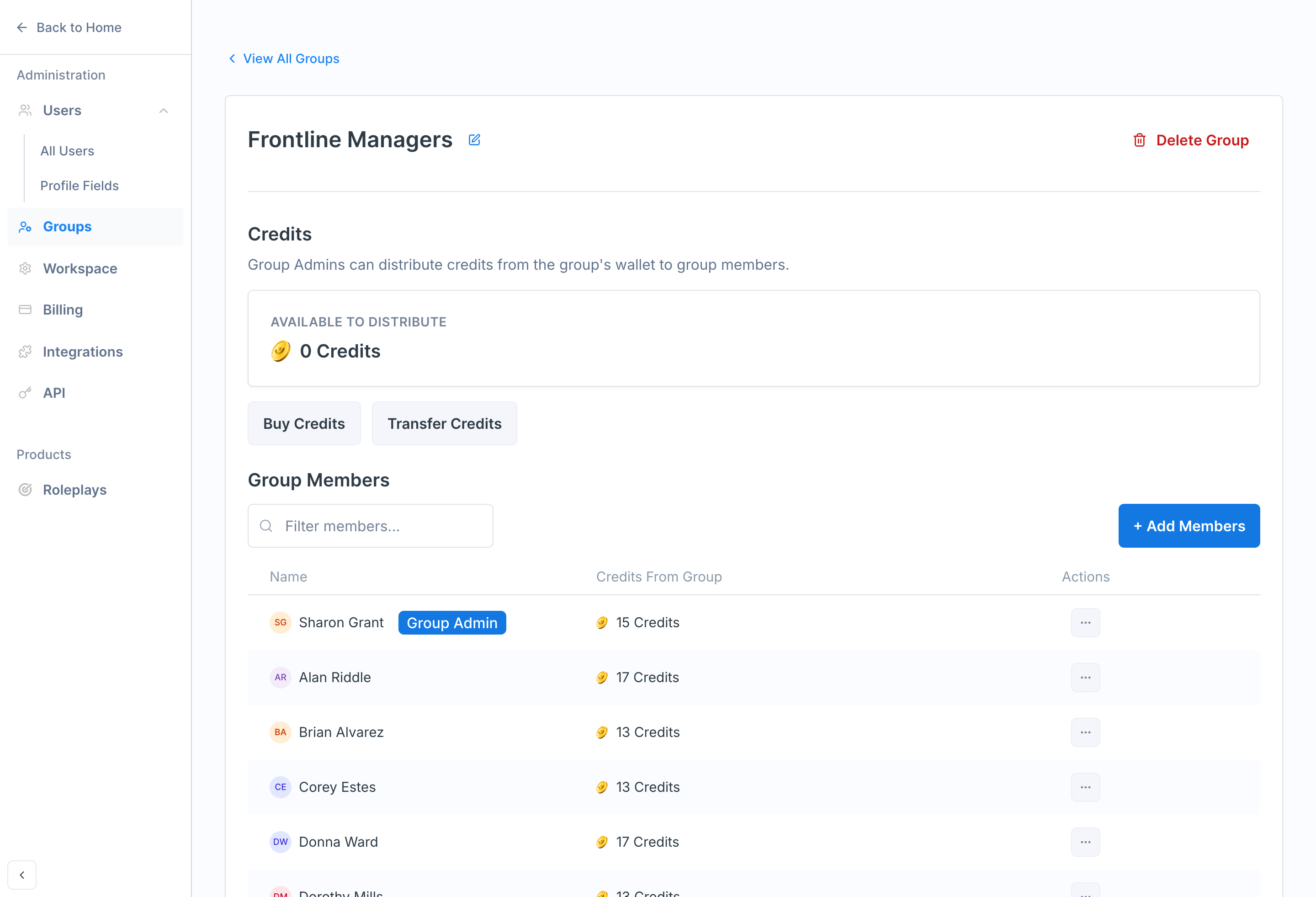
What Group Admins Can Do
Distribute Coaching Credits
Distribute Coaching Credits
- Allocate credits to individuals within their group
- Rebalance credits as team needs evolve
- Monitor credit usage at the group level
Purchase Credits for Their Group
Purchase Credits for Their Group
If enabled by your organization, Group Admins can purchase additional coaching credits for their team.
Adjust Permissions for Group Members
Adjust Permissions for Group Members
- Modify member roles and learning access
- Adjust permissions that don’t require workspace-level authority
Manage Group Membership
Manage Group Membership
- Add and remove users within their group
View Group Member Sessions
View Group Member Sessions
- Access practice sessions, recordings, transcripts, and AI feedback for their group members
- See analytics for their group
What Group Admins Cannot Do
Group Admin authority is intentionally scoped to prevent workspace-wide changes:- Billing or subscription settings
- Cross-group user management
- Seat type upgrades or downgrades
- Workspace-level role or permission controls
- Integrations or global branding settings
- Adding or removing users from the workspace