

Create a Program Manually
1
Open the Programs page
From the left sidebar, click Programs.
2
Click Create Program
Click the Create Program button at the top right of the page.
3
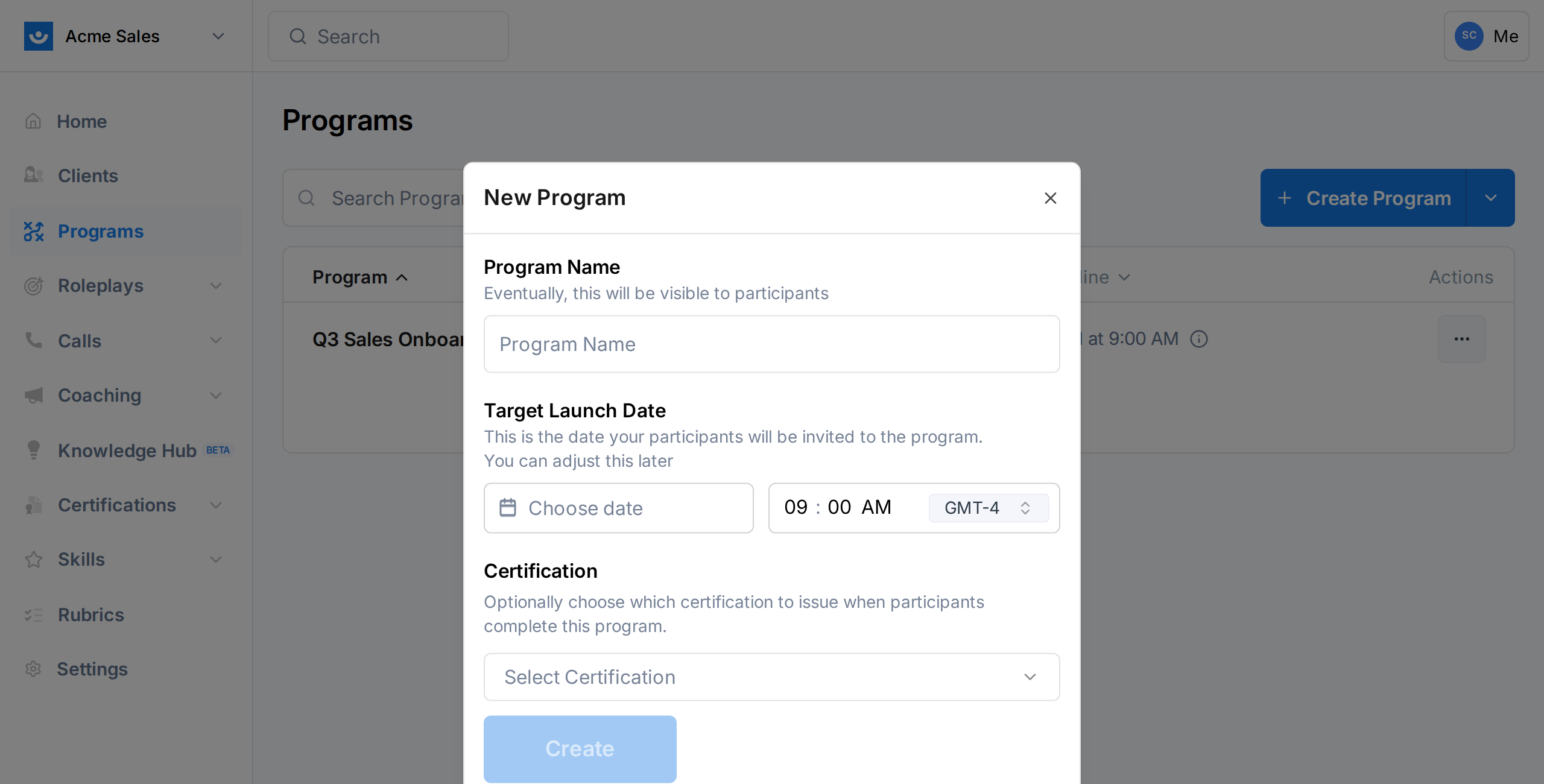
Fill in the details
- Program Name (required): A descriptive name for your program. This will be visible to participants. Examples: “Q3 Sales Onboarding,” “Discovery Skills Bootcamp.”
- Target Launch Date (required): The date participants will be invited to the program. Must be in the future, up to one year out. You can adjust this later.
- Certification (optional): If you want to automatically issue a certification when participants complete the program, select one from the dropdown. You can add this later too.
4
Click Create
Your program is created in In Design status. You are taken to the program dashboard where you can start adding components and participants.
Generate a Program with AI
If you have a general idea of what your program should cover, Exec’s AI can build the full structure for you - including announcements, surveys, action items, videos, articles, and roleplays.1
Open the Programs page
From the left sidebar, click Programs.
2
Open the AI generator
Click the dropdown arrow next to Create Program, then select Generate with AI. A drawer opens on the right side of the screen.
3
Describe your program
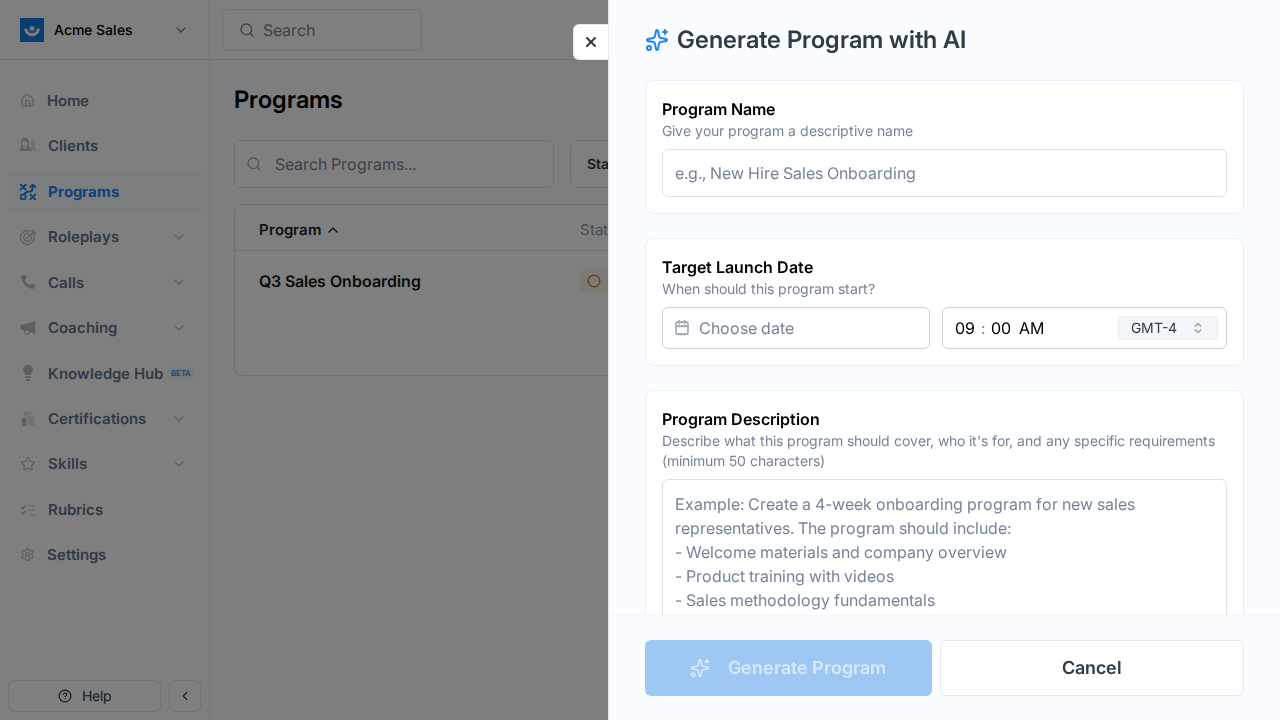
- Program Name: A descriptive name (e.g., “New Hire Sales Onboarding”).
- Target Launch Date: When the program should start.
- Program Description (minimum 50 characters): Describe what the program should cover, who it is for, and any specific requirements. The more detail you provide, the better the result.
Example description: “Create a 4-week onboarding program for new sales representatives. The program should include welcome materials and company overview, product training with videos, sales methodology fundamentals, practice roleplays for common objection handling, weekly check-in surveys, and a final assessment survey.”
4
Choose component types
Select which types of components to include. Announcements are always included. You can toggle on or off:
- Surveys
- Action Items
- Videos
- Articles
- AI Roleplays
5
Add reference materials (optional)
To give the AI more context, you can attach:
- Knowledge Hub items: Select pages, files, and their linked scenarios from your Knowledge Hub.
- Reference files: Upload PDFs, text files, or markdown documents (if file uploads are enabled).
6
Generate
Click Generate Program. The AI works through several steps:
- Extracting content from your files
- Researching content
- Generating the program template
- Creating the program and its components
7
Review and refine
Once generation completes, you are taken to the new program’s dashboard. Review the components the AI created and make any adjustments - edit names, change dates, add or remove components, or update content.
Clone an Existing Program
Cloning creates a copy of an existing program’s structure - all components are duplicated with their configuration, but participants are not copied.1
Find the program to clone
On the Programs page, find the program you want to copy.
2
Open the actions menu
Click the three-dot menu on the program row and select Clone.
3
Configure the clone
- Program Name: Pre-filled as “[Copy] Original Name.” Change it to something descriptive.
- Target Launch Date: Set the launch date for the new cohort.
- Certification: Optionally link a certification (inherits from the original if one was set).
4
Click Continue
The cloned program is created in In Design status with all components from the original. Adjust dates and content as needed for the new cohort.
What Happens Next
After creating a program, you will want to:- Add components - Build out the learning path
- Enroll participants - Add the people who will go through the program
- Launch - Send enrollment emails and go live