

When to Remix
Reach for a remix when the content is right but the framing is not:- A different audience. A foundations course written for new hires, retargeted at tenured reps who need the refresher rather than the basics.
- A different team. The same framework taught to support, where the examples should be tickets rather than deals.
- A different depth. A long onboarding course cut down to a short version, or a short one expanded.
- A safe place to experiment. Try a restructure on a copy while the published course keeps running.
Remix a Course
1
Find the course
Go to Courses > Manage and find the course in the list. Remix is available from the row’s … menu, and from the actions menu on the course dashboard and in the builder header.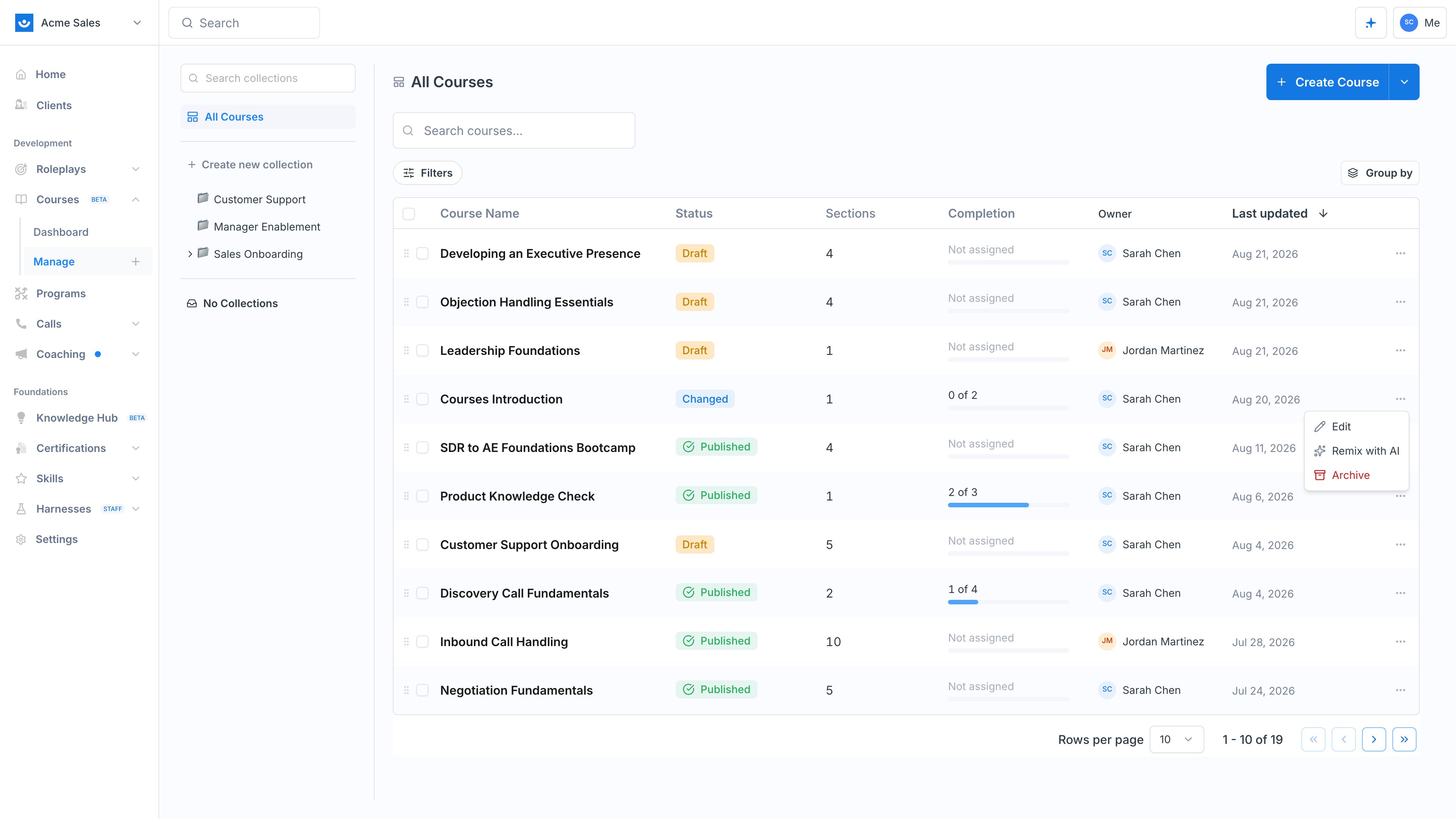
2
Choose Remix with AI
Exec confirms what the copy will and will not carry over before it creates anything.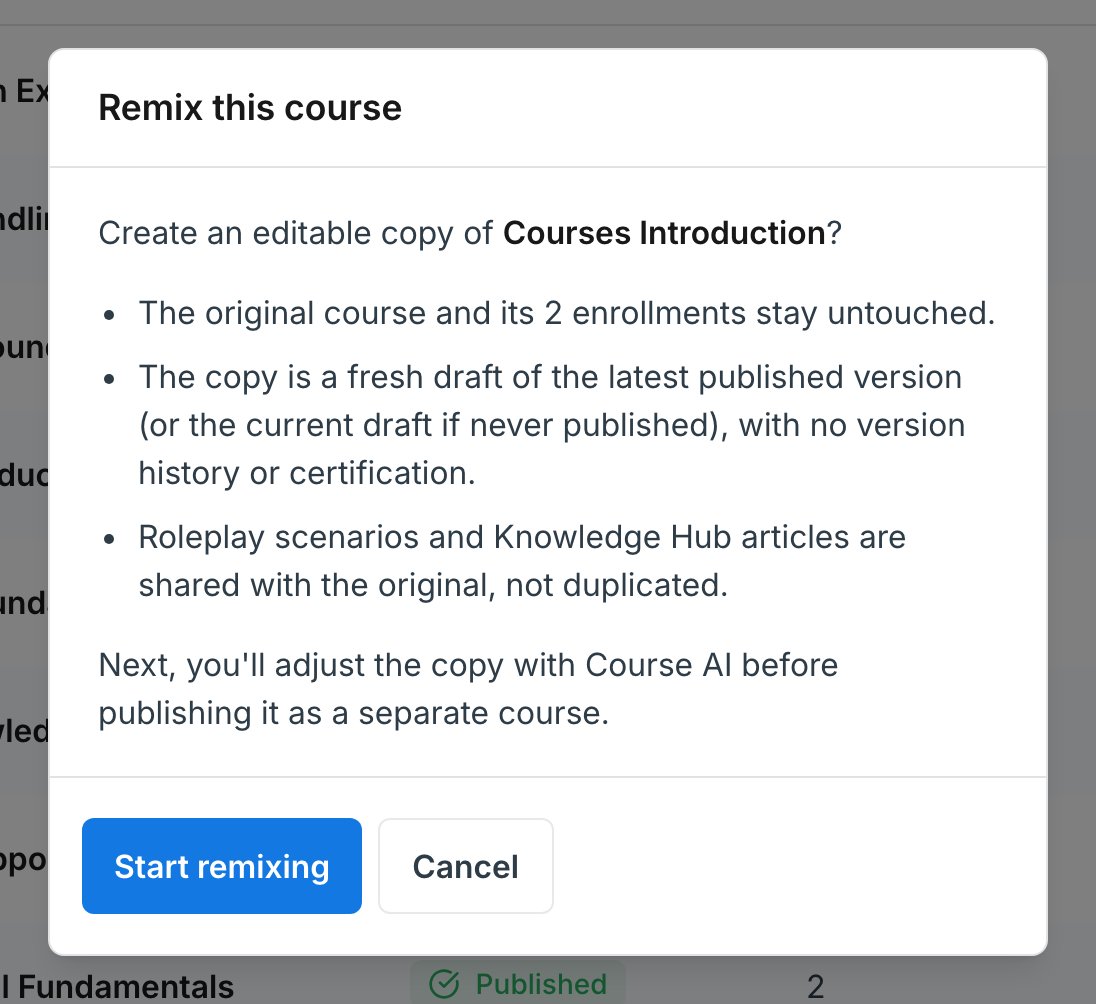
3
Select Start remixing
The copy is created as a draft named after the original with (remix) appended, and opens in the builder with the Course AI panel already open.
4
Tell Course AI what to change
Describe the new audience or framing and let it rework the copy. Because it is a full course, whole-course instructions work well here: retone it for a different level, translate it, shorten it, or split a section into several.
5
Rename and publish
Give the remix a real name in the course settings, then publish it as its own separate course. Until you publish, nobody sees it.
What Carries Over
A remix is a structural copy, not a linked one. Once created, the two courses are independent: editing one never affects the other.
Two details are worth knowing:
- Roleplay scenarios and Knowledge Hub articles are shared, not duplicated. The remix points at the same scenarios and articles as the original, so editing one of those scenarios changes it in both courses. If you want the remix to practice against something different, swap the block’s scenario or generate a new one. See Add a Roleplay.
- The copy starts from the published version. If the original has never been published, the copy is taken from its current draft instead.
A remix is a new course, so it counts against your plan’s course limit and needs a free slot to be created. Archived courses cannot be remixed. See Plans and Feature Availability.
Remix, Collection, or Restriction?
These solve different problems, and it is easy to reach for the wrong one:- Remix when you need genuinely different content for a different audience. You end up with two courses that diverge.
- A collection when the content is the same and you only want it organized or easier to find. See Collections.
- Group restrictions when the content is the same and you only want to control who can enroll. See Enroll Participants.
Next Steps
Publish and Versioning
How the remix’s draft, publishing, and version history work.
Collections
Keep the original and its remixes organized together.