

Only published courses can be enrolled. If your course is still a draft, publish it first.
Self-Enrollment Through the Catalog
Learners browse the course catalog and enroll themselves in any course they can access. A learner can self-enroll when:- Self-enrollment is on for the course, which opens it to everyone, or
- The learner belongs to one of the course’s restricted groups
Assign the Course Directly
To enroll specific people or groups, open the Enroll Participants sheet from the course.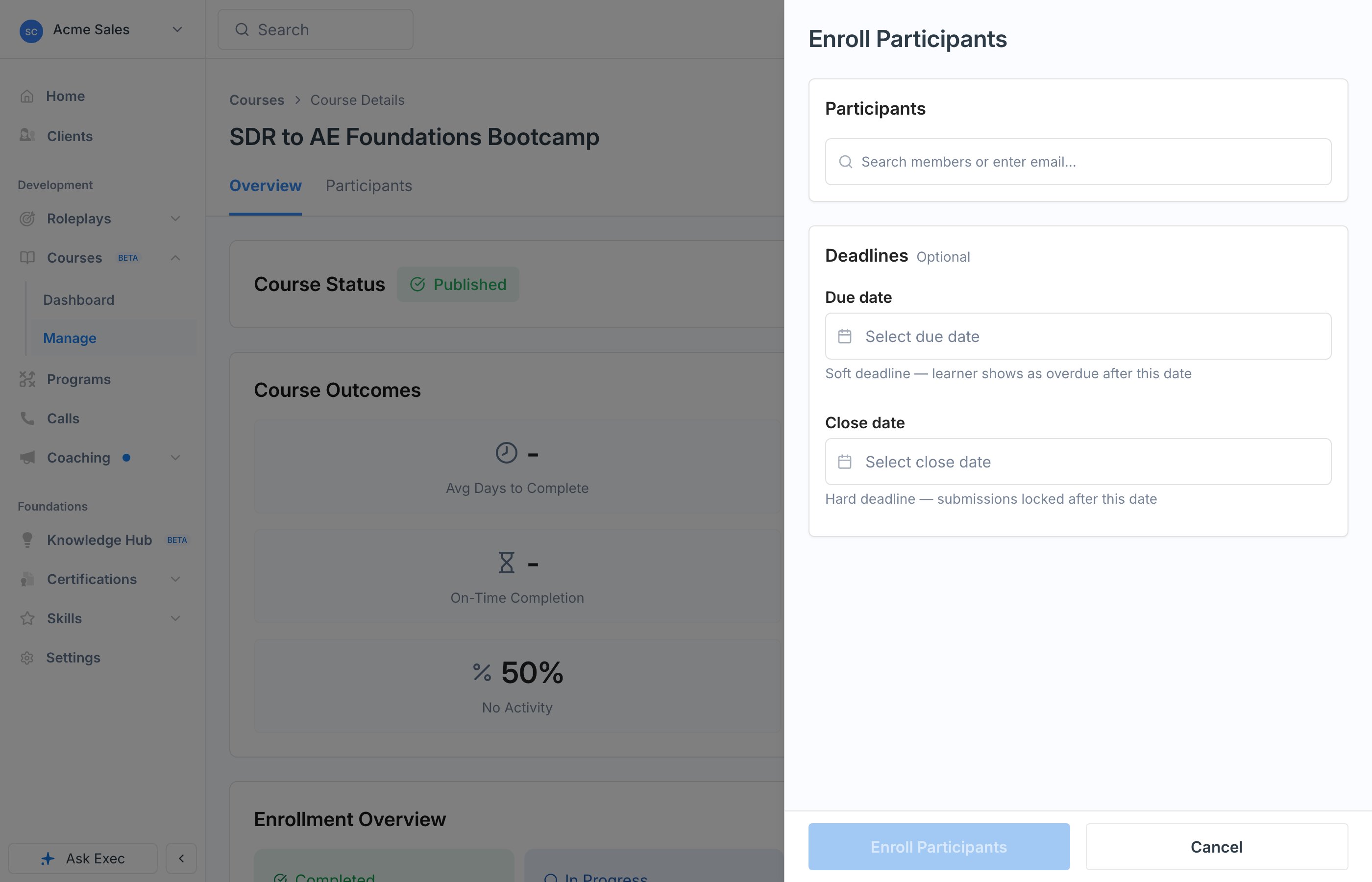
1
Search for members or groups
Search for individual members or entire groups and add them to the enrollment. Enrolling a group adds everyone in it.
2
Set deadlines (optional)
Add a Due date, a Close date, both, or neither. See below for how the two differ.
3
Enroll
Confirm to enroll everyone you selected. They can start the course right away.
Due Date vs Close Date
The two deadlines behave differently, and the difference matters:
Use a due date when you want accountability without cutting anyone off. Add a close date when the course genuinely has to be done by a certain date, such as compliance training with a firm cutoff.
Next Steps
Track Progress and Analytics
See who has started, who is on track, and who is falling behind.
Nudges and Re-enrollment
Remind overdue learners and give people who did not complete another attempt.