

Search
Go to the Scenarios tab and use the search bar to type in a keyword or part of the scenario name. The list narrows automatically as you type.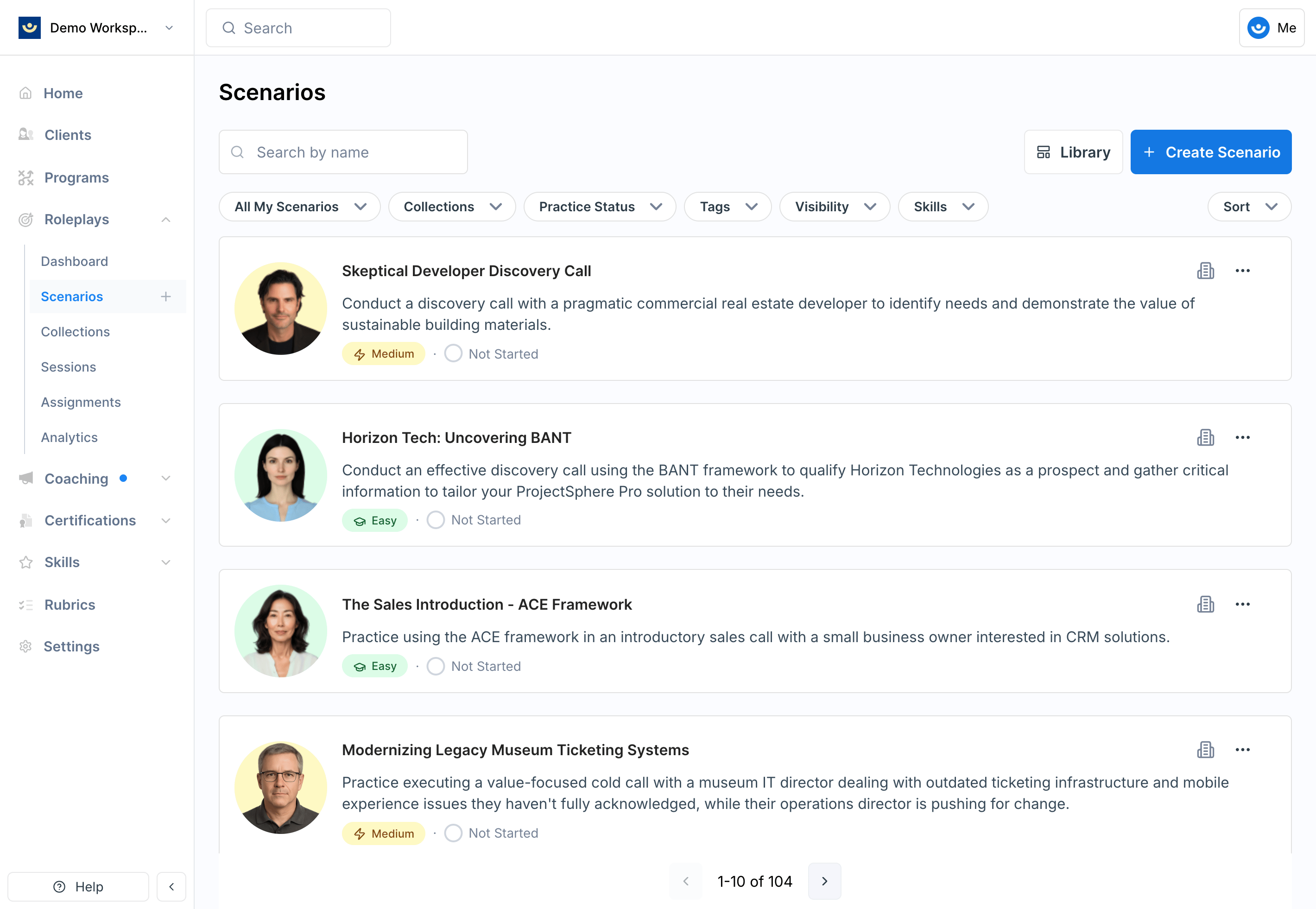
Filter
Use filters to narrow the list without scrolling through everything. You can filter by:Collection
Collection
Show only scenarios grouped in a specific collection (e.g., Interview Practice).
Practice Status
Practice Status
Filter by scenarios you’ve already practiced or ones you’ve never tried.
Visibility
Visibility
Filter by where the scenario lives:
- Private — personal scenarios visible only to you
- Workspace — available to everyone in your organization
- Global — provided to all Exec users
Ownership
Ownership
Filter by scenarios you created vs. scenarios created by someone else.
Skills
Skills
Filter by the skills being practiced in a scenario (e.g., discovery, objection handling, rapport building).
Video Avatar
Video Avatar
Show all scenarios, only scenarios with a video avatar, or only voice-only scenarios. See Video Avatar.
Session Type
Session Type
Show all scenarios, only group scenarios that several people can join together, or only solo scenarios. See Group Roleplays.
Status
Status
Show Active scenarios, which is the default, or Archived ones.Deleted scenarios live under Archived, where they can be restored. See Find a Deleted Scenario below.
Find a Deleted Scenario
Deleting a scenario archives it rather than erasing it, so a deleted scenario can always be found again and restored. It drops out of the default list and out of search results, which is why searching for one turns up nothing.1
Filter Status to Archived
On the Scenarios tab, open the Status filter and choose Archived.The list shows every deleted scenario you have access to, each labeled with who deleted it.
2
Restore it
Click the … menu on the scenario’s card and choose Restore Scenario.You can also open the scenario itself and click Restore Scenario on the archived overlay.
Tips
- Start broad, then narrow — browse collections if you’re not sure what you need; use filters once you have a clearer goal
- Use tags for skill-based discovery — tags like “negotiation” or “feedback conversations” surface relevant scenarios quickly
- Check your practice history — filtering by practiced vs. never practiced helps you balance reinforcement with new challenges
- Explore global scenarios — professionally designed and a great starting point before moving into customized workspace scenarios