

How to Access Past Sessions
1
Filter by Practice Status
In the Scenarios tab, apply the Practice Status filter and select Practiced to show only scenarios you’ve completed before.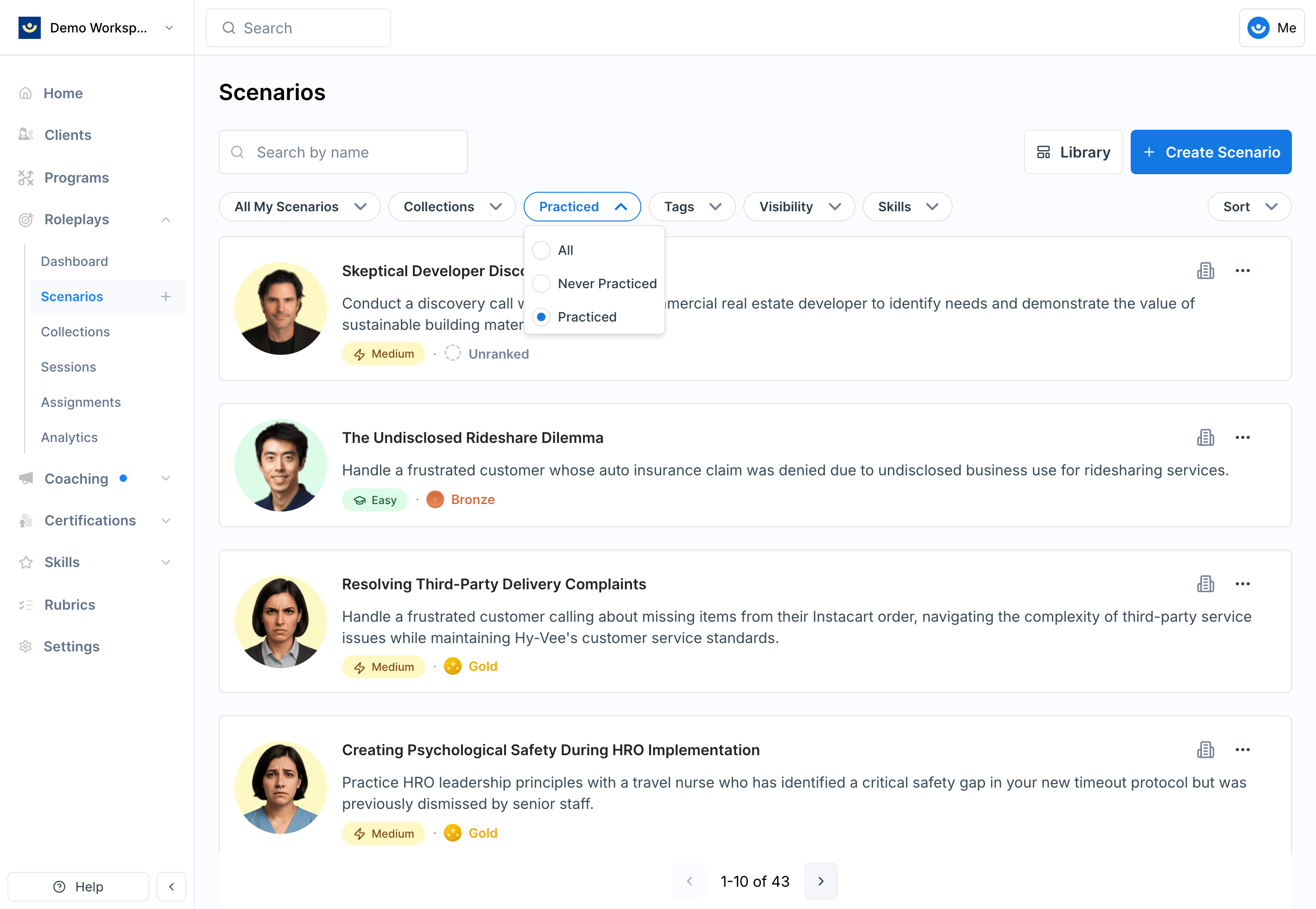
2
Open the scenario
Click on the scenario you want to revisit.
3
Click My Sessions
In the top right of the scenario page, click My Sessions to see your full history of attempts.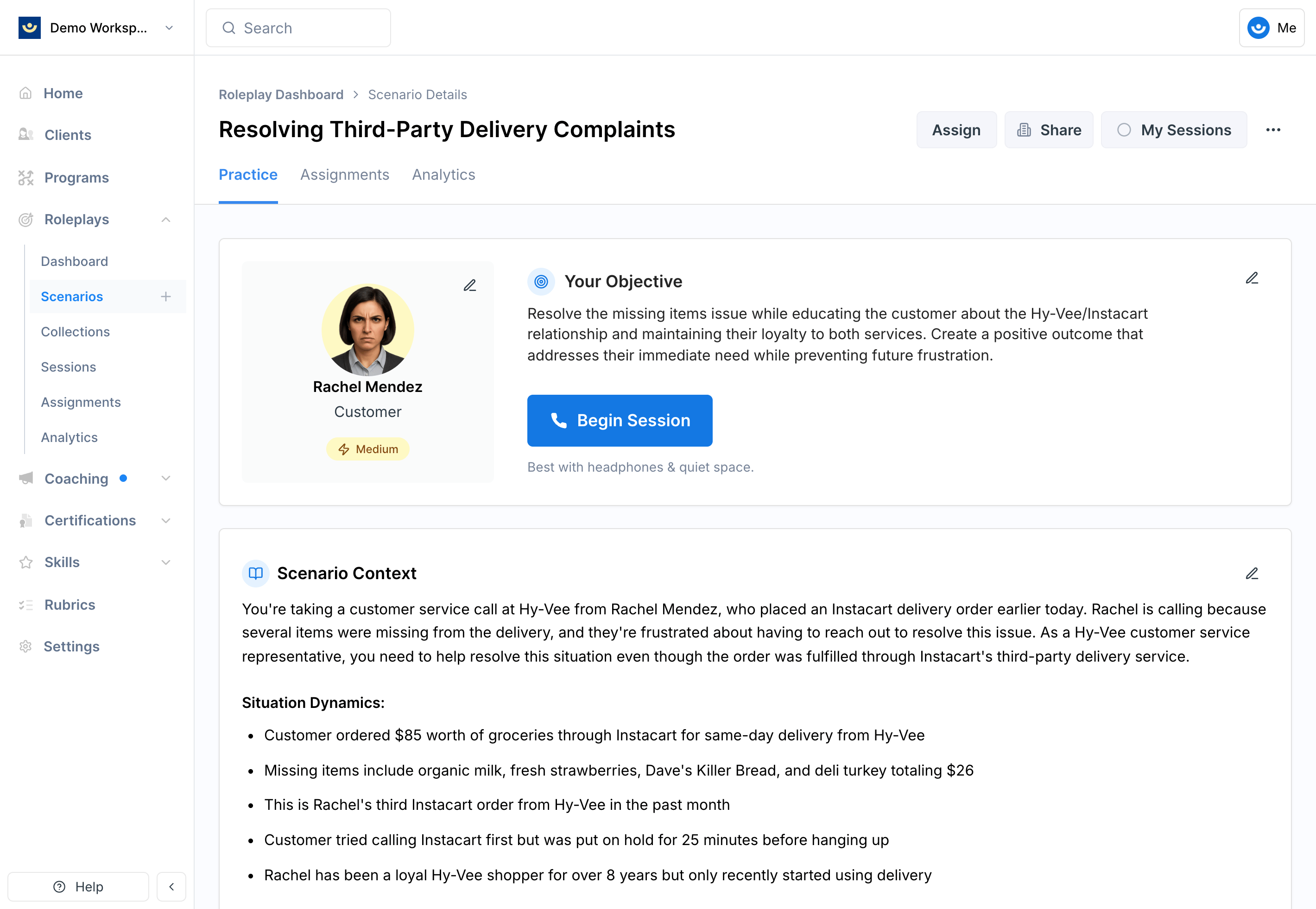
4
Select a session
Choose the session you want to review. You’ll see the full feedback, scores, transcript, and recording.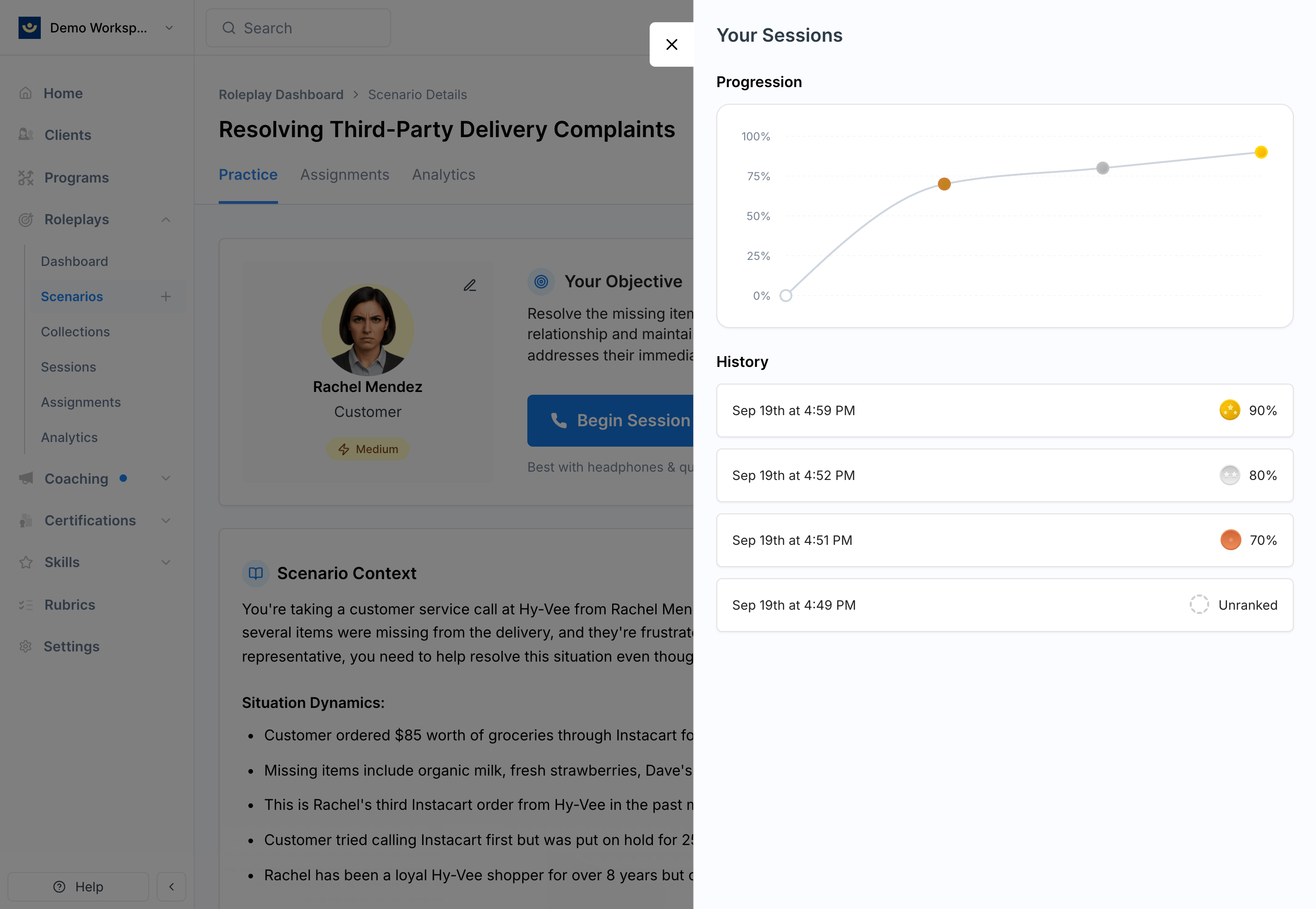
What’s in a Past Session
Each session includes:- Overall score and medal tier (Bronze, Silver, Gold)
- High-level feedback on strengths and areas for improvement
- Rubric breakdown with detailed scoring per criterion
- Transcript and audio recording of the conversation
- Download options to save transcripts or recordings
Tips
- Review soon after practicing — the closer you are to the session, the easier it is to connect feedback with what you remember saying
- Look for patterns — comparing feedback across multiple sessions of the same scenario is the clearest way to spot progress
- Use transcripts for reflection — reading or listening back helps you understand how specific choices shaped the conversation
- Download if needed — transcripts and recordings can be useful for coaching conversations or compliance documentation