

If the page finishes loading but shows Retry Session to Unlock Insights instead of your results, that is a different situation: the session was saved but not graded. See Session Not Scored.
1. Refresh the Page
The quickest fix. Refresh your browser and your results should appear once the page reloads.2. Wait Up to 15 Minutes
Longer or more complex sessions can take additional time to process. You can close the tab and return later — your session is saved and will be available in your history.3. Access Results from Session History
If you’ve waited and refreshed but still don’t see results, try accessing them directly through your session history. Navigate back to the roleplay page, click My Sessions, and select your most recent session. The feedback should load from there.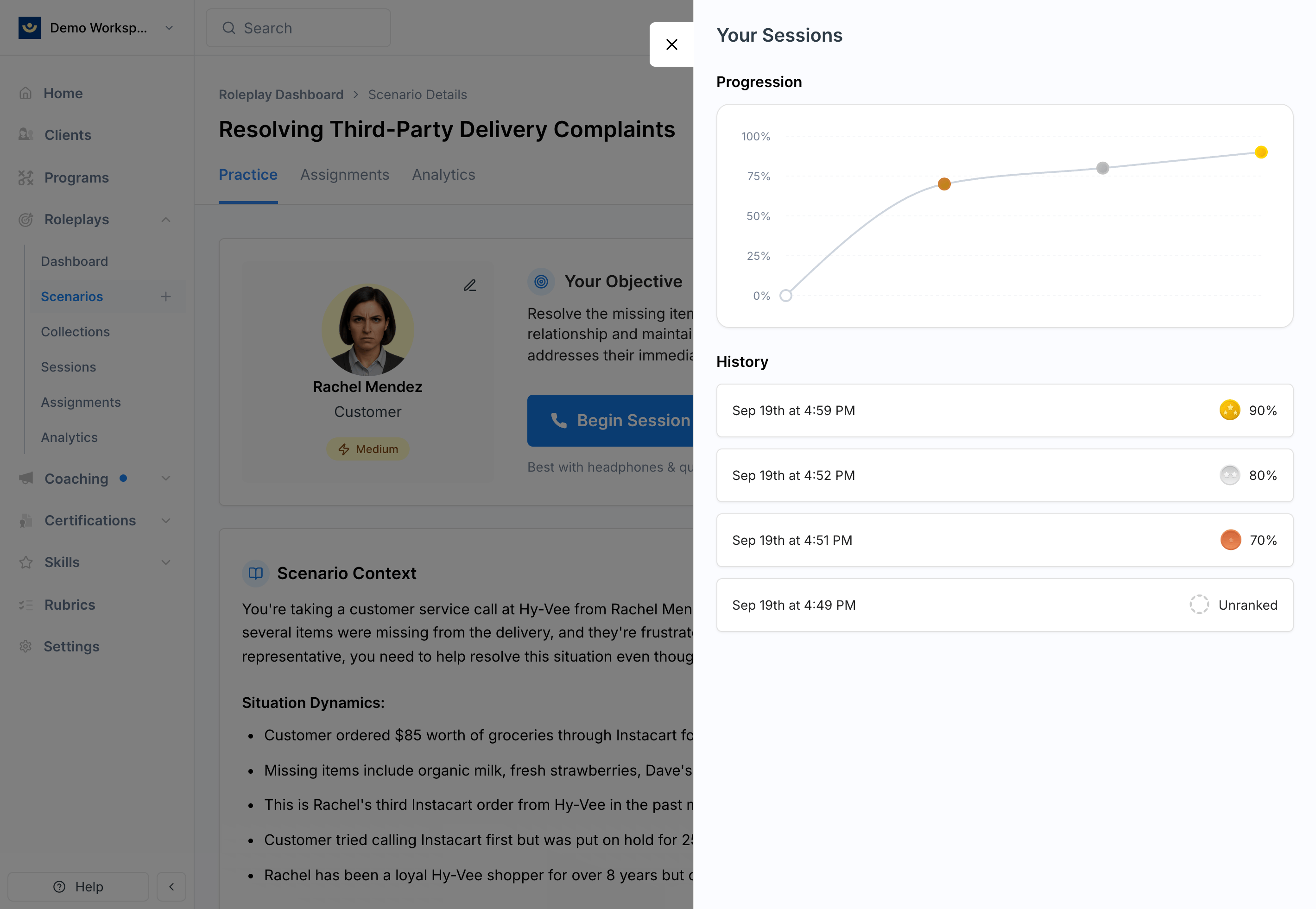
Still Not Loading?
If your results haven’t appeared after 15 minutes, contact us at [email protected] and we’ll help you track down your session.Best Practices
- Give it 30–60 seconds before taking action — most results load quickly but occasionally need a moment
- Be patient with longer sessions — complex roleplays with a lot of interaction may take a few extra minutes to process
- Check your internet connection — a weak or unstable connection can slow down feedback loading
- Your session is never lost — even if feedback doesn’t load right away, you can always access it later through My Sessions