

Already have a coach? You don’t need the survey - book with them directly from Coaching > Dashboard. See Schedule a Coaching Session.
How to find a coach
1
Choose the type of coaching
Go to Coaching > Dashboard and click Find My Coach (or Browse Coaches). You can also start from your homepage, where the 1:1 Coaching block has the same Find My Coach button. You’ll be asked what type of coaching you’re looking for - pick the area you want help with.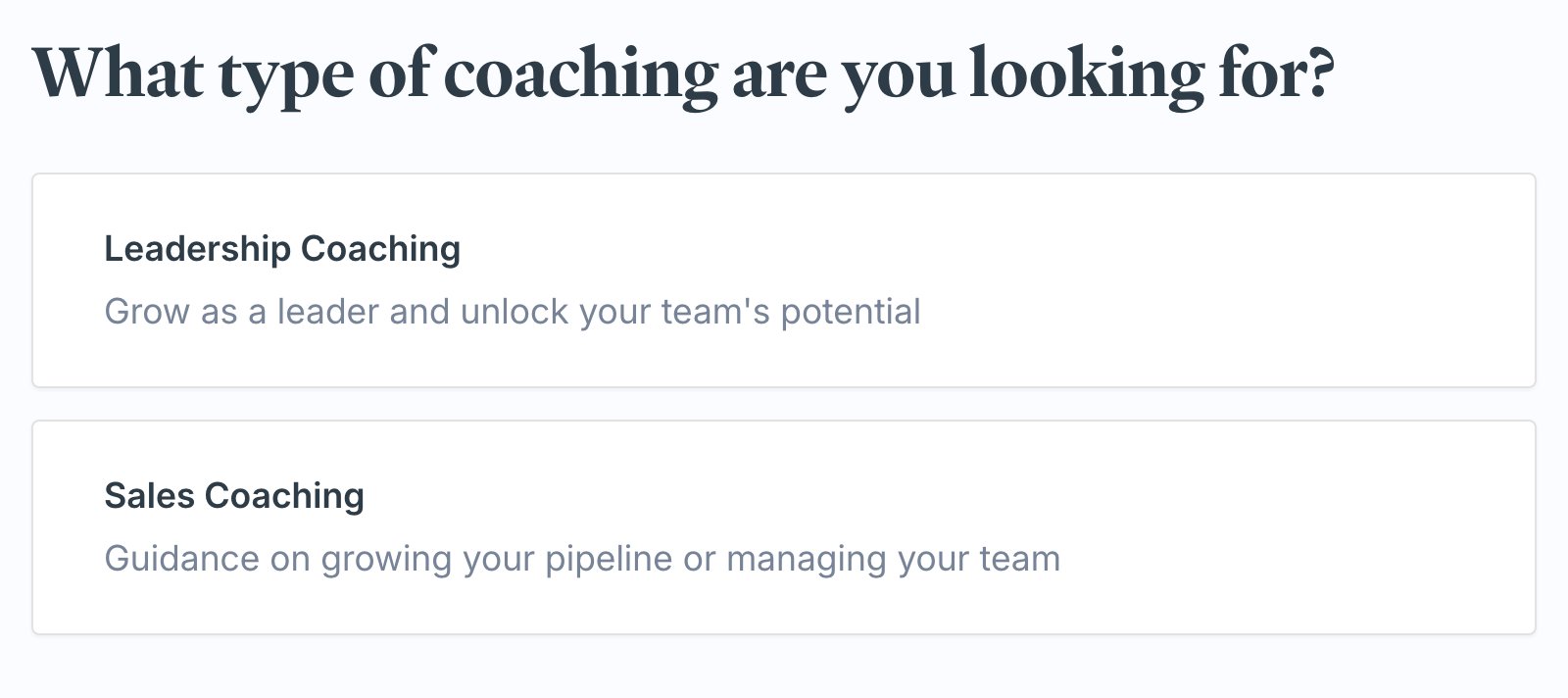
2
Answer a few questions
The survey asks a short set of questions about what you want to work on. Make your selections (or leave a question blank to skip it) and click Onwards. A progress bar at the top tracks how far along you are.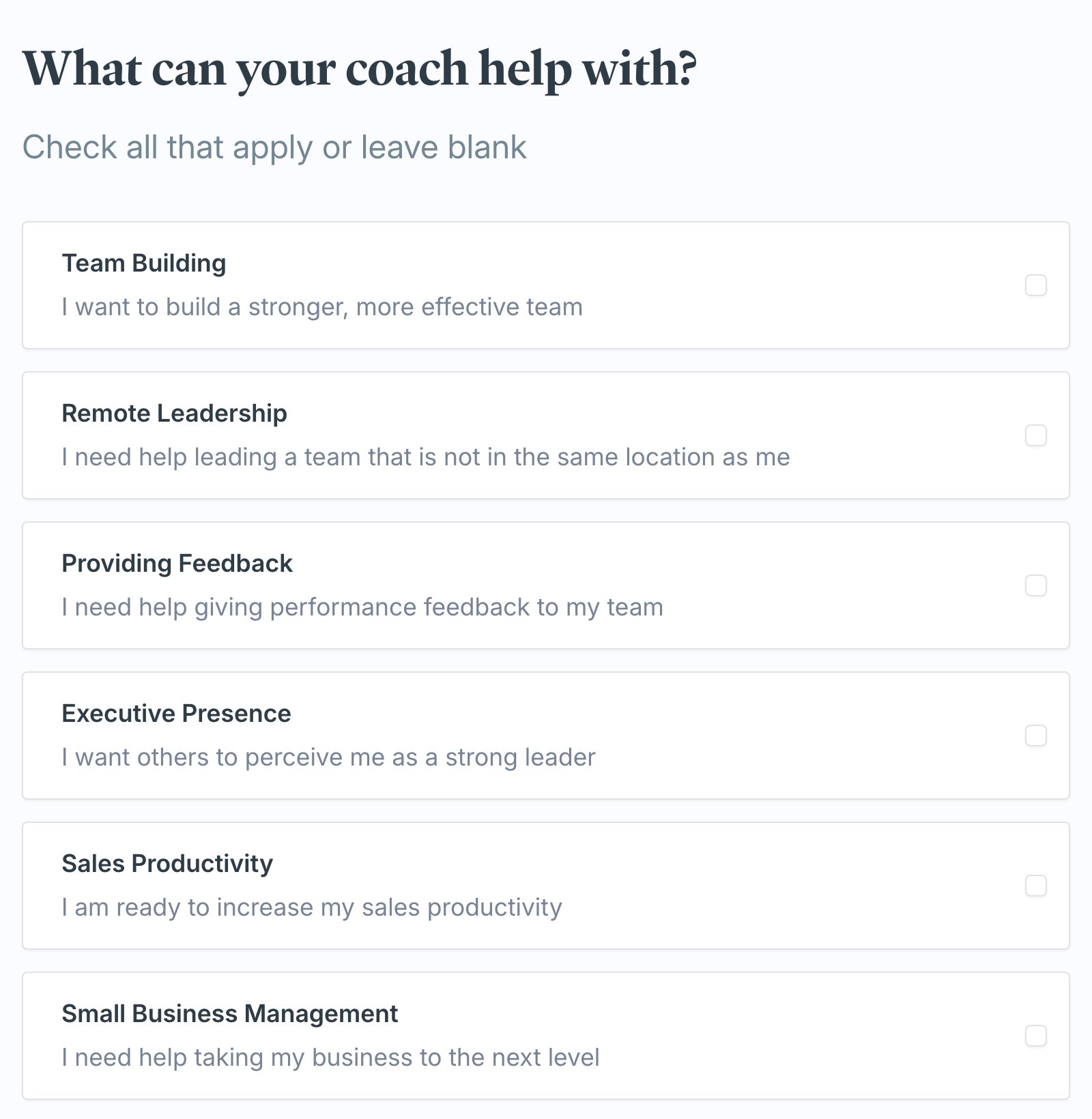
3
Pick from your matches
Exec finds coaches that fit your answers and shows them with their rating, background, and what they help with. Review your matches, then click Work with a coach to get started, or More about to read their full profile first.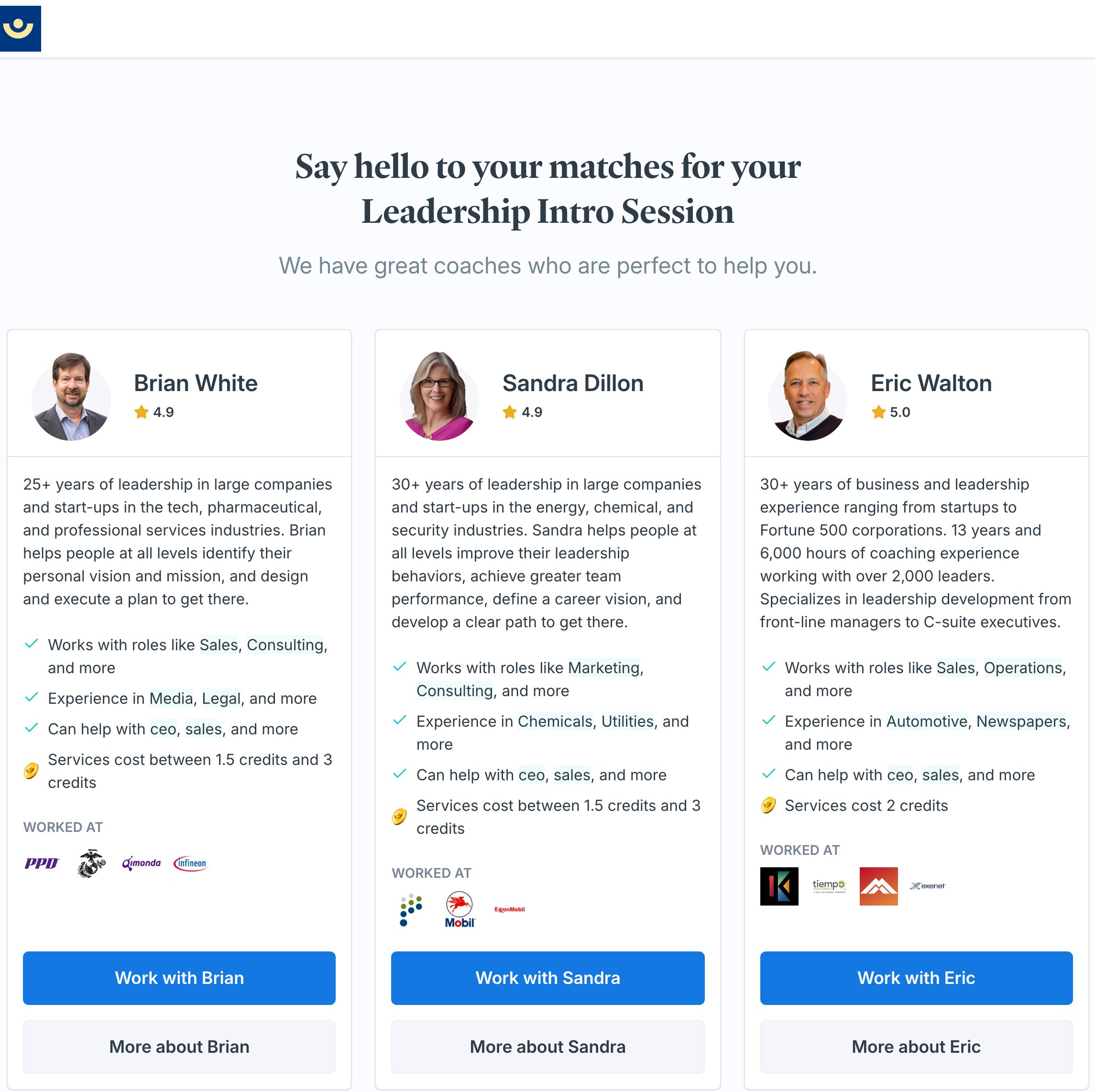
If you’re in a coaching program
How you start the matching flow depends on whether coaching is part of a program in your workspace.- On your own - if your coaching isn’t tied to a program, Find My Coach takes you straight to the steps above: you choose the type of coaching, and we match you from the full coaching network.
- In a program - if you’re enrolled in a program that includes coaching, Find My Coach opens a Choose Your Coaching Path screen first. You’ll see a Match with a Coach for Your Program card for each program, with the coaching type already chosen for you and a due date. Click Start Matching to jump straight to the survey - you skip the “what type of coaching” step. After you pick a coach, your first session is the program’s intro session and it counts toward your program.
What happens after you choose a coach
When you click Work with a coach:- That coach is added to your Your Coaches list on the Coaching Dashboard.
- You’re taken straight into booking your first session with them - choose a time and confirm. See Schedule a Coaching Session for the booking steps.