

What credits are
A credit is the currency for booking coaching. When you book a session, its cost is deducted from your balance. If you cancel or reschedule under the 24-hour cancellation and reschedule policy, those credits go back to you (see Cancel a Coaching Session). How you get credits depends on your account:- Self-pay - you buy your own credits with a card.
- Through your organization - your workspace admin provides credits for you to use.
Checking your balance
Your balance is labeled Available to you and shows up in a few places:
- On the Coaching > Dashboard and the Sessions page, in the credits banner near the top.
- On your homepage, in the 1:1 Coaching block.
- In your account menu, as your Credit Balance.
How much sessions cost
Session cost isn’t a flat rate - it depends on the coach and the length of the session, and the exact cost is always shown before you confirm a booking.- On a coach’s match card, you’ll see a range like “Services cost between 1.5 credits and 3 credits.”
- On a coach’s profile, the All Services section lists each session type with its own credit cost.
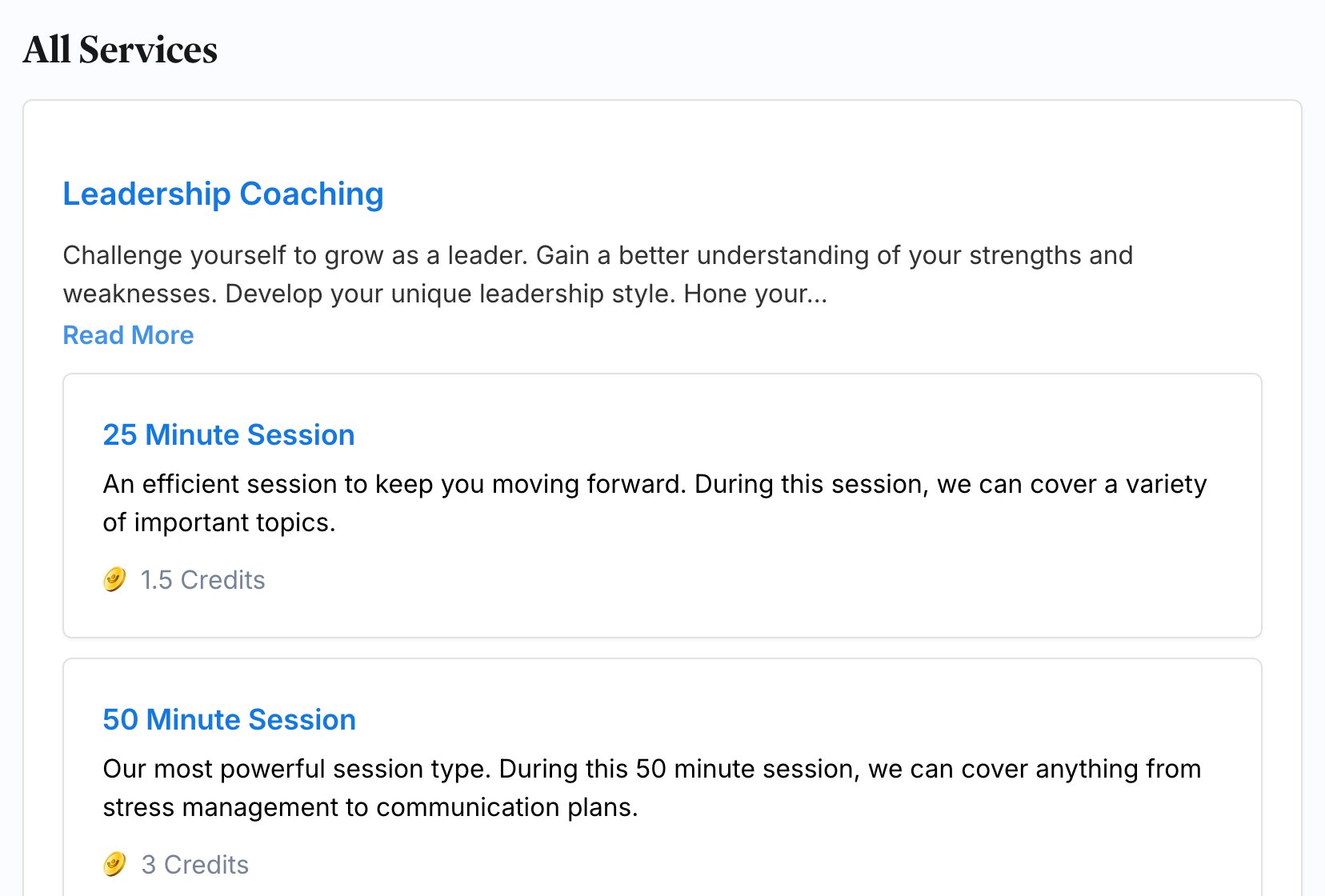
- While booking, the credit cost appears right above the Book Now button once you’ve picked a session type and time.
- On the session page, the cost is listed under the session details.
Getting more credits
If you’re self-pay
When you can buy your own credits, you’ll see a Buy Credits button - in the credits banner, in your account menu, and whenever your balance is too low to book. It takes you to a checkout where you:- Choose a credit package.
- Pick a payment method (a card, or any credits you already have).
- Review and confirm.
If your organization provides your credits
If you’re part of a company workspace, your admin manages credits for you, so you won’t see a Buy Credits button. When you’re running low or out, reach out to your workspace admin and ask them to add more to your account.Running low or out of credits
If you try to book without enough credits, you’ll see a prompt letting you know you need more before you can continue.- Self-pay: click Buy Credits and top up, then finish booking.
- Through your organization: ask your admin to add credits, then come back and book.