

Link a Certification to a Course
The link lives on the course itself. While creating or editing a course, use the Certification field in Basic Details (“Select Certification”) to choose the certification the course should issue. The field is optional; a course without one simply completes without issuing anything. You can also add or change the certification after publishing, from the course’s settings sheet on the course dashboard.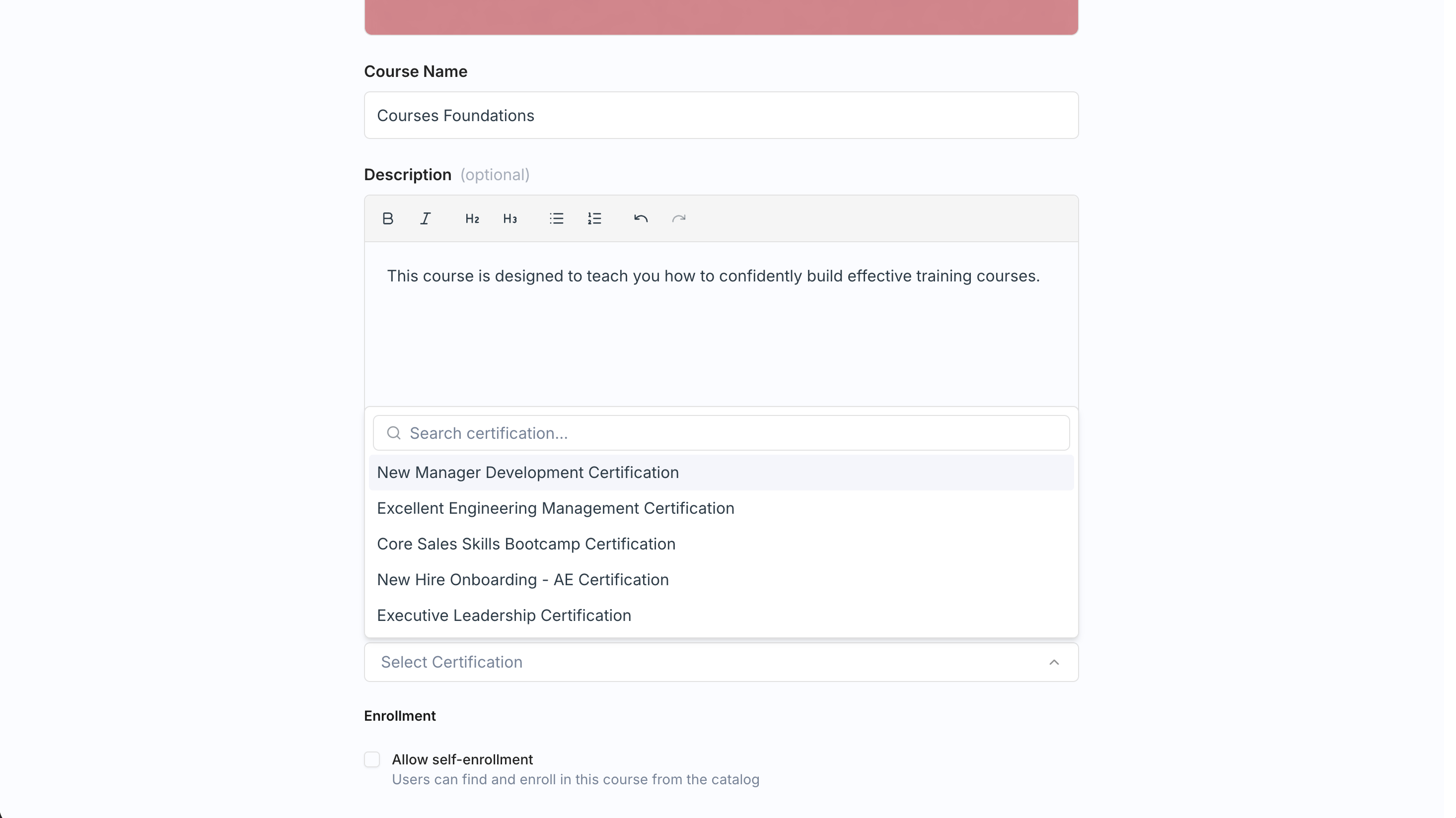
- When a learner finishes the course, Exec issues the certificate to them automatically.
- The learner sees a View certificate button on the course completion screen.
You need an existing certification to link. If you haven’t created one yet, see Create a Certification.
Certifications Are Their Own Feature
Certifications exist independently of Courses, with their own admin permission. A certification can also be triggered by a program or issued manually, so course completion is just one of the ways a learner can earn one. This page covers only the course tie-in; for defining certifications, expiry, and everything else, head to Create a Certification.Related Pages
Create a Certification
Define certifications, expiry, and manual issuing.
Create a Course
Set the Certification field in a course’s Basic Details.