

How to Create a Rubric
1
Click Rubrics in the left-hand navigation menu on your Exec workspace
2
Click Create Rubric in the top-right corner
Enter a name that reflects what the rubric is for (e.g., Sales Discovery Rubric).
3
Click on Add Criteria
Add a skill category you’ll be evaluating against (e.g., Communication, Problem Solving).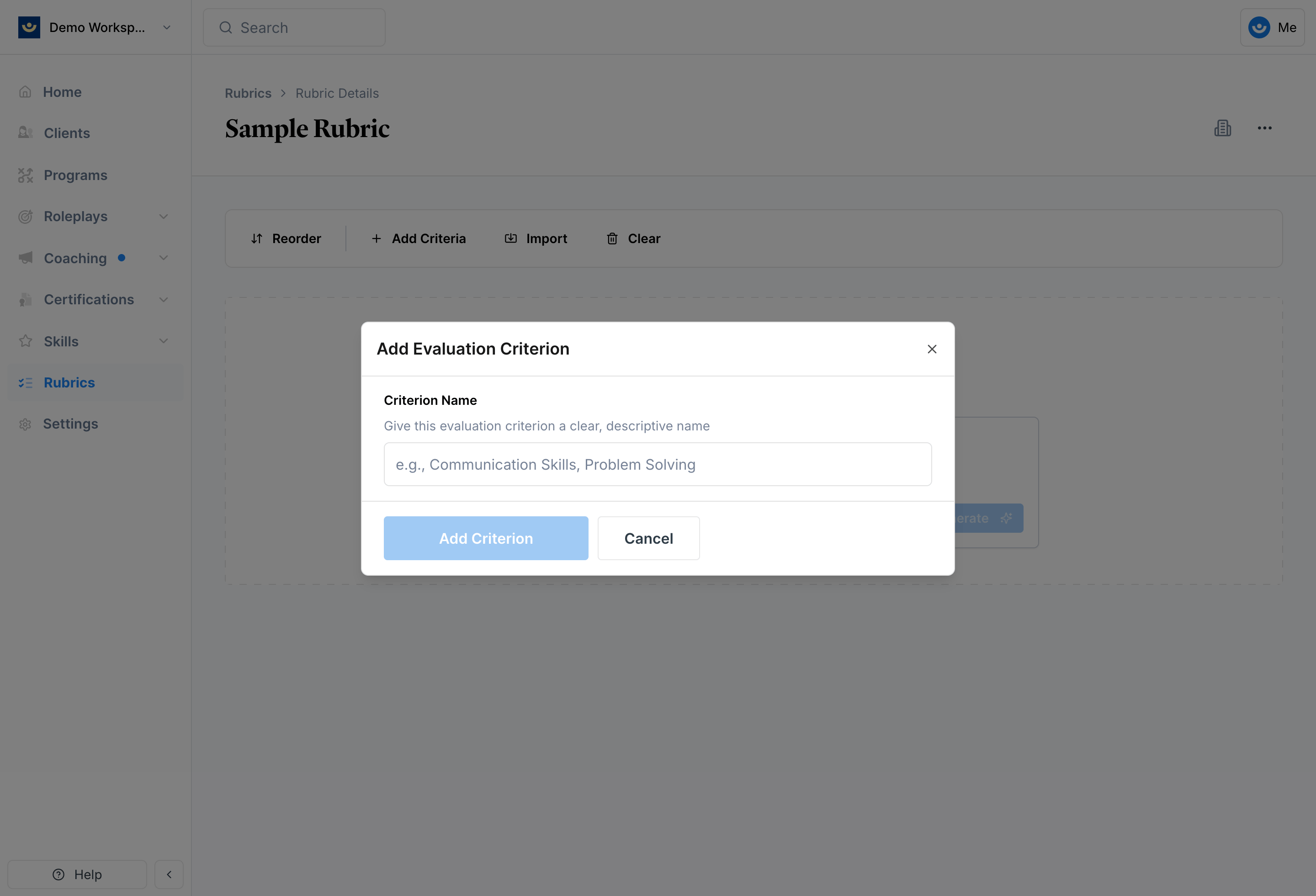
4
Add specific behaviors
Within each criterion, click Add Item to define the specific behavior being evaluated (e.g., Demonstrates full attention).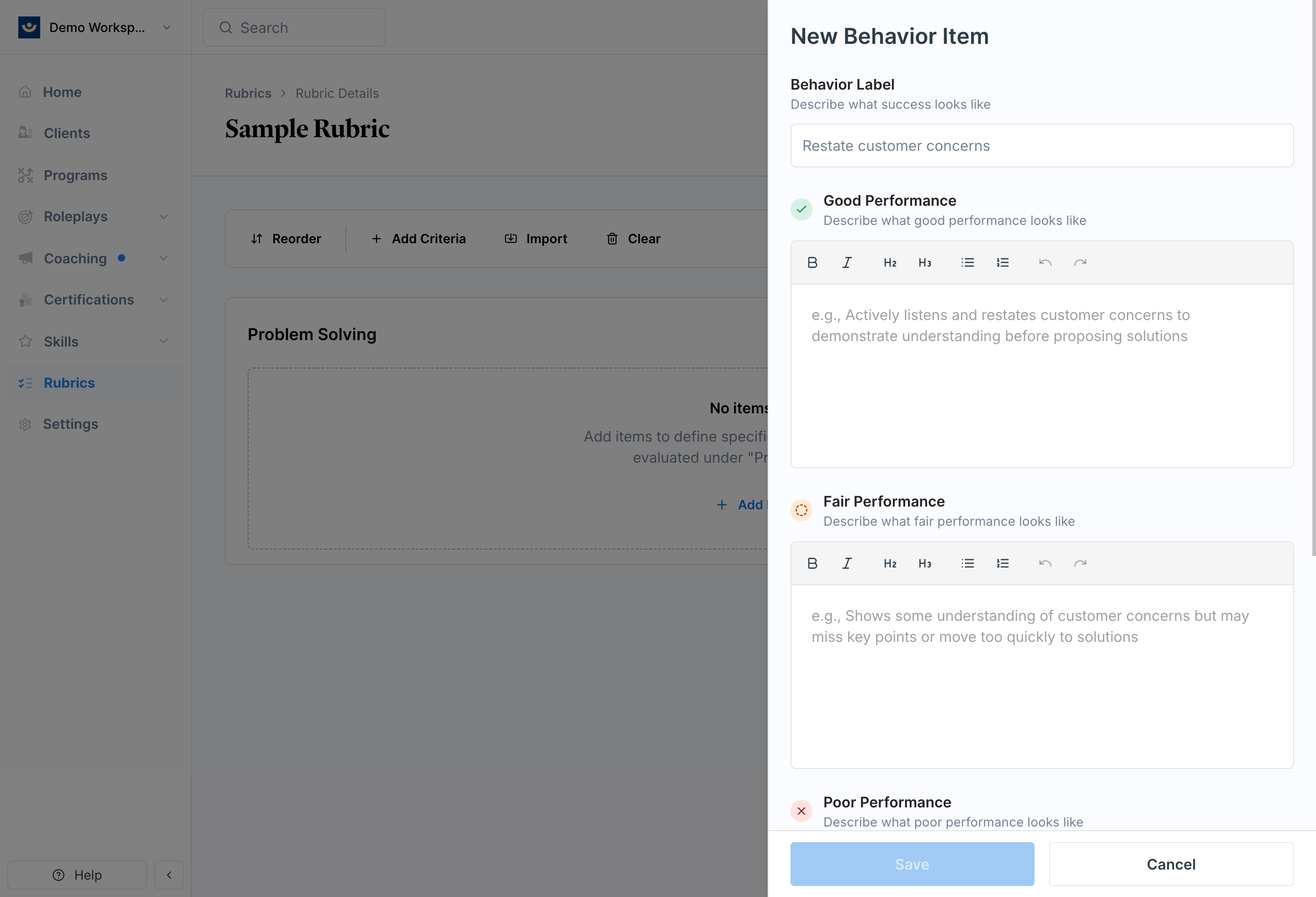
- Good — what strong performance looks like
- Fair — acceptable but not optimal
- **Poor **— poor performance
Example: Good / Fair / Poor in Practice
Here’s what well-written criteria looks like for a discovery call rubric: Rubric: Discovery CallCriteria: Strategic Relationship Building
Behavior: Position as industry specialist
Good
Good
Clearly articulates domain expertise, references specific similar clients, and demonstrates a deep understanding of the prospect’s industry challenges and regulatory environment.
Fair
Fair
Mentions some industry experience but lacks specific examples or depth.
Poor
Poor
Fails to establish credibility or relies only on company credentials rather than personal expertise.
After You Create a Rubric
Once saved, your rubric will appear in your library. From there you can:- Apply it to any scenario
- Update or expand it at any time
- Let Exec automatically link relevant skills to criterion items when you apply it (if auto-tagging is enabled on your skills) — see Create and Manage Skills for details
Tips
- Group related behaviors under clear categories — for example, Rapport Building or Technical Knowledge
- Build rubrics for your most repeated scenarios — sales calls, presentations, and coaching conversations are good starting points