

Which Rubrics Can Be Edited?
Global Rubrics
Provided by Exec for all users. These cannot be edited.
Workspace Rubrics
Specific to your workspace. These can be edited by you or other members with the right permissions.
How to Edit a Rubric
1
Click Rubrics in the left-hand navigation menu on your Exec workspace
2
Switch to Workspace rubrics
The page shows global rubrics by default, which are not editable. To find yours, go to All Sources → Workspace.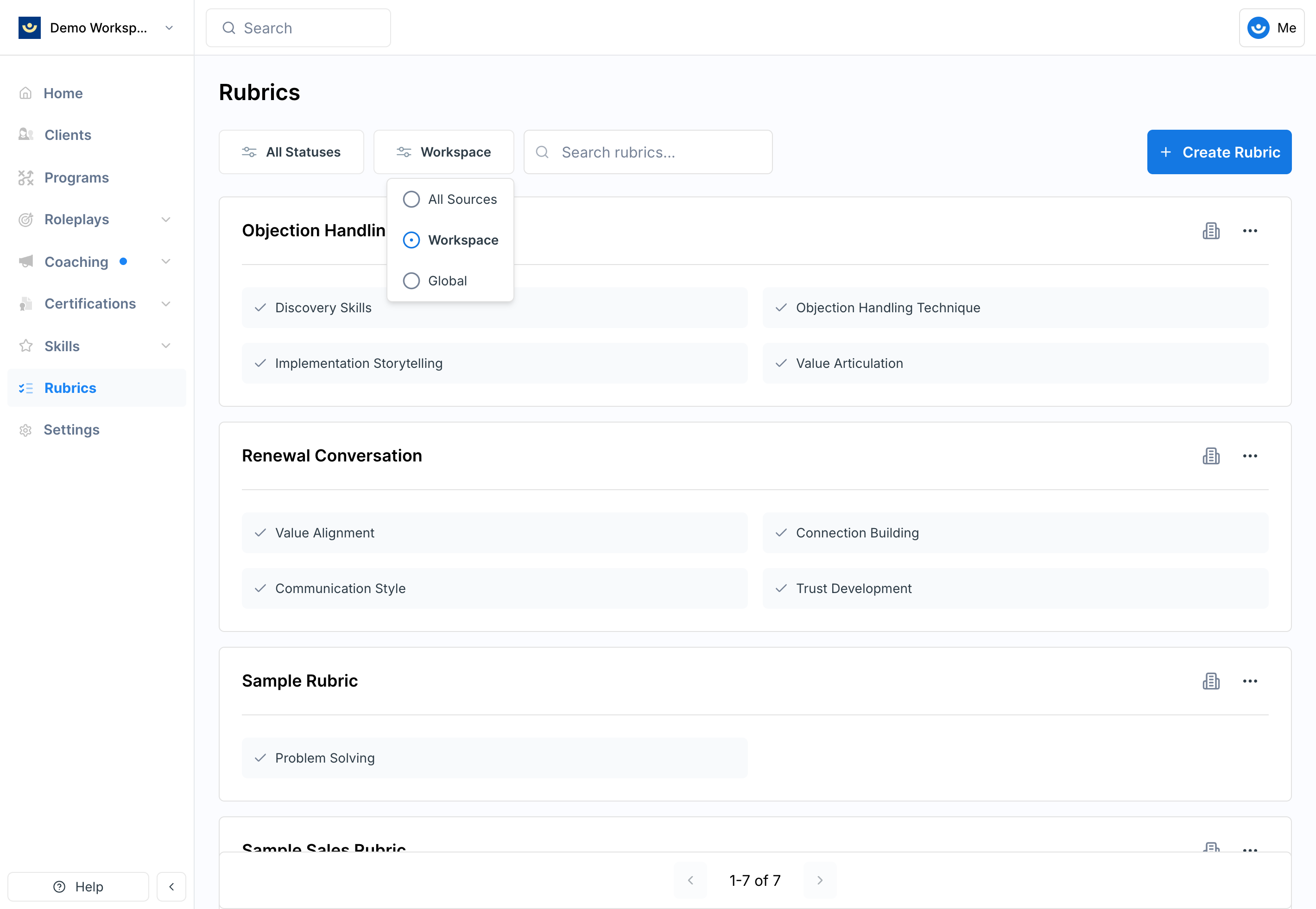
3
Click the rubric you want to edit
4
Make your changes
The rubric opens in the editing screen. Click on any element to modify it. You can: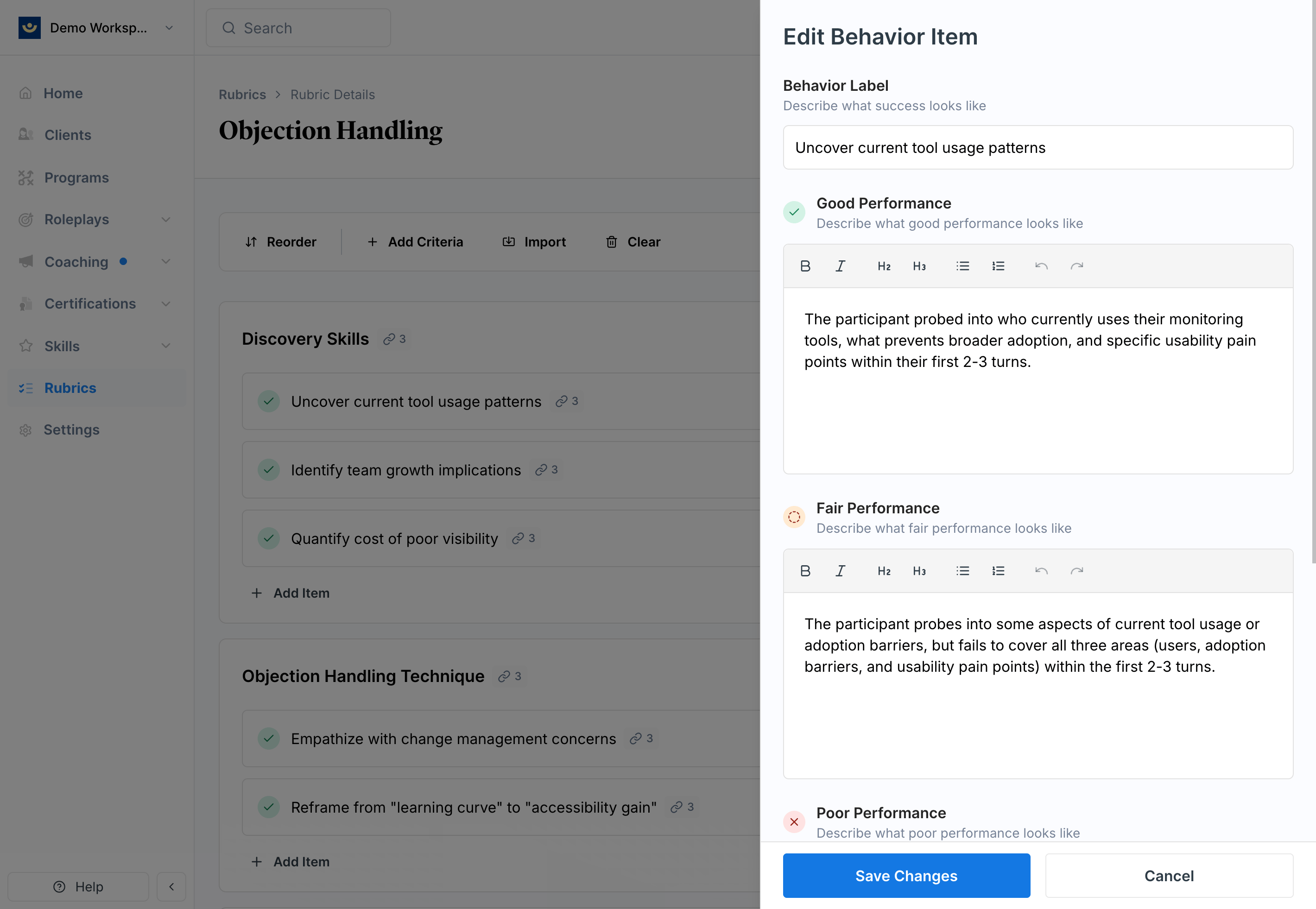
- Update categories and behaviors
- Edit Good / Fair / Poor descriptions
- Import evaluation items from another rubric
Changes to a rubric apply immediately to every scenario it’s linked to — you don’t need to update each scenario manually.
Editing criterion items may affect skill associations. If you add or change items, review the skill tags to make sure the right skills are still being tracked. See Create and Manage Skills for details.
Tips
- Avoid editing rubrics mid-evaluation cycle — changes apply immediately and will affect in-progress assessments
- Use the import feature to save time by pulling criteria from existing rubrics rather than writing everything from scratch
- Review skill tags after edits — adding or changing items can shift which skills are being tracked