> ## Documentation Index
> Fetch the complete documentation index at: https://docs.exec.com/llms.txt
> Use this file to discover all available pages before exploring further.
# Share Session Results
> Access your session history and share results with others
After completing a roleplay session, you can revisit your feedback, review past attempts, and share results with managers or teammates.
***
## Who Can Already See Your Sessions
Before sharing, note that some users already have visibility into your sessions:
* **Workspace admins** can see all sessions
* **Your manager** can see your sessions
* **Scenario monitors** can see sessions if monitoring is enabled
***
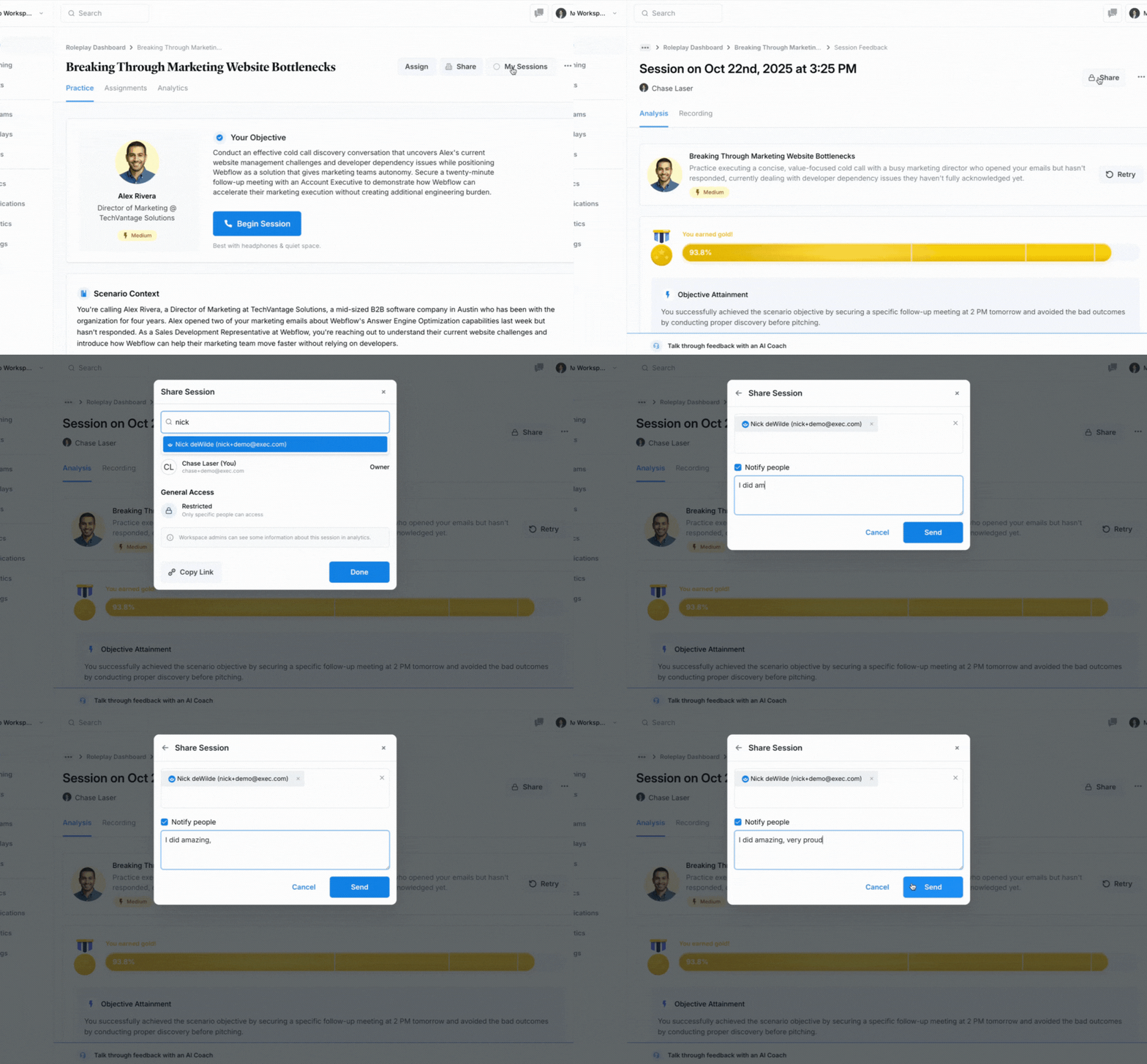
## Sharing Session Results
Wait for the feedback page to fully load before sharing. If you share while results are still processing, the recipient may not see your complete feedback.
Once you're on your session results page:
Open the session you want to share and click the **Share** button.
Type your manager's name or your teammate's name in the recipient field.
A brief note like "First attempt at handling pricing objections" gives the recipient useful context.
Check **Notify** to alert the recipient by email, then click **Share**. You can also copy the generated link to send separately.
 ***
## Getting Help
**Need help?** Contact us at [hello@exec.com](mailto:hello@exec.com) for any questions about viewing or sharing your session results.
***
## Getting Help
**Need help?** Contact us at [hello@exec.com](mailto:hello@exec.com) for any questions about viewing or sharing your session results.