> ## Documentation Index
> Fetch the complete documentation index at: https://docs.exec.com/llms.txt
> Use this file to discover all available pages before exploring further.
# Create a Rubric
> Set consistent evaluation standards across multiple scenarios
Rubrics let you define evaluation standards once and apply them across multiple scenarios. This keeps assessments structured and consistent — especially useful when you want to measure the same skills across every session.
***
## How to Create a Rubric
Enter a name that reflects what the rubric is for (e.g., Sales Discovery Rubric).
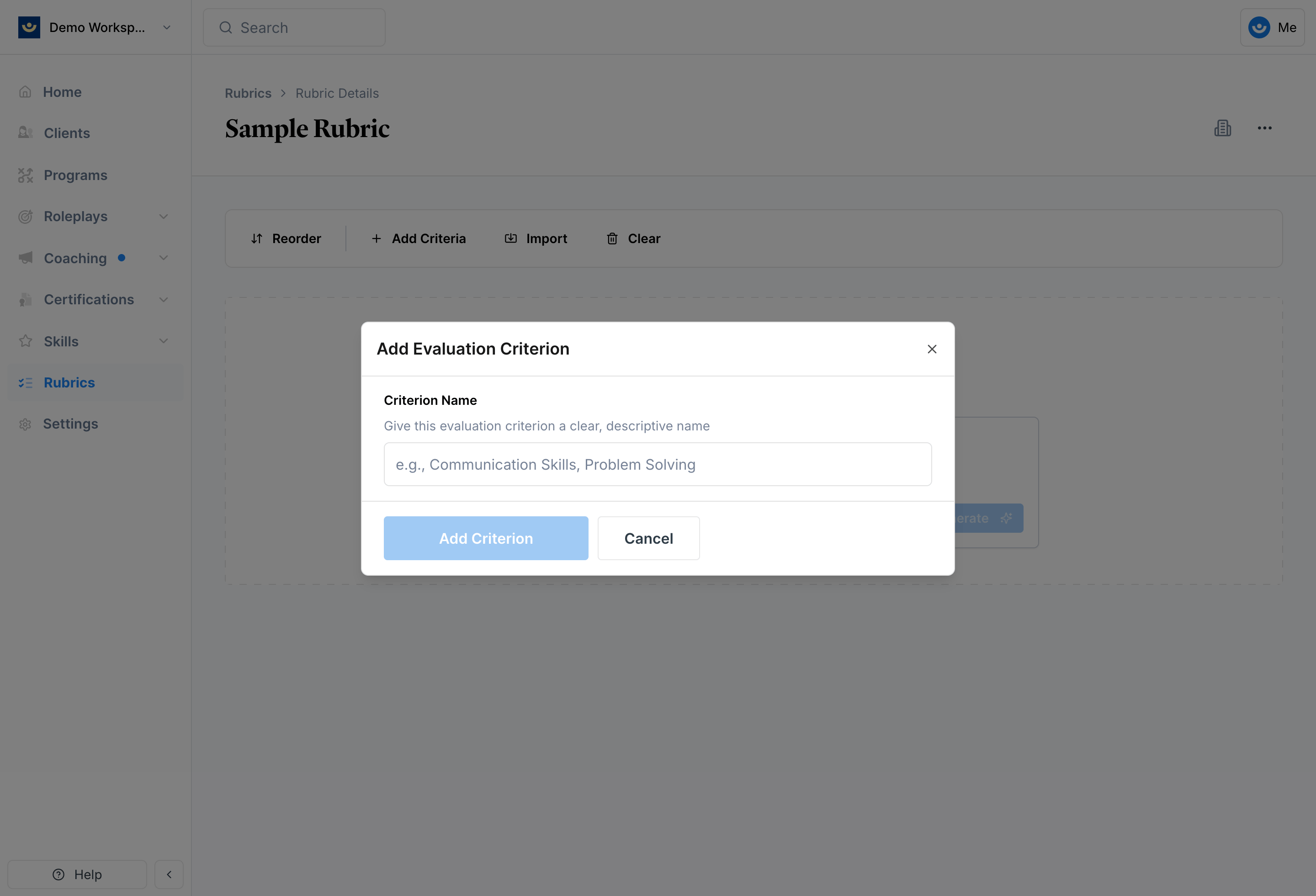
Add a skill category you'll be evaluating against (e.g., Communication, Problem Solving).
 Within each criterion, click **Add Item** to define the specific behavior being evaluated (e.g., Demonstrates full attention).
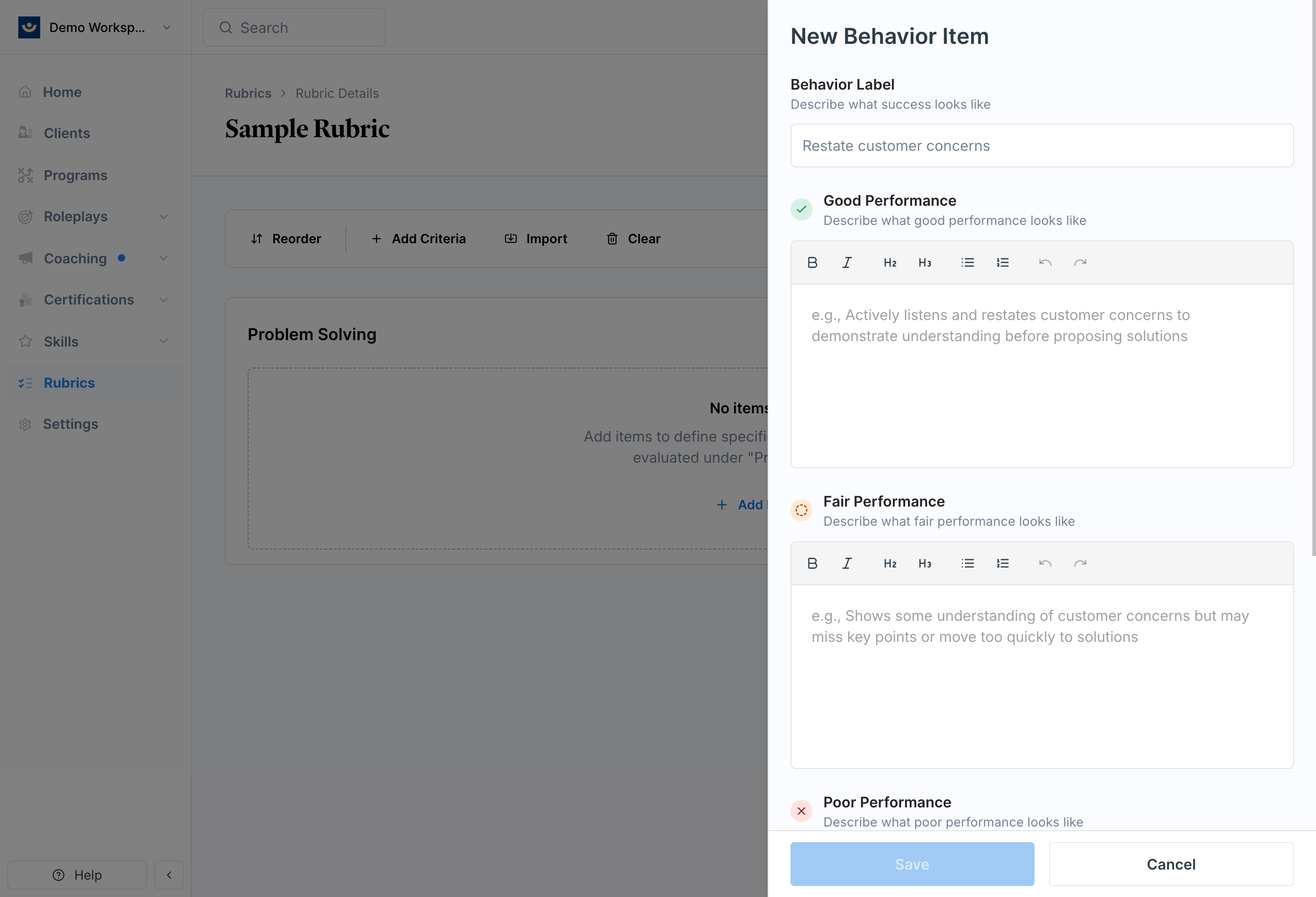 For each item, write descriptions for three performance levels:
* **Good** — what strong performance looks like
* **Fair** — acceptable but not optimal
* \*\*Poor \*\*— poor performance
Each criterion item can be linked to one or more skills for tracking competency development over time. When a learner is graded on that criterion, the score also feeds into their skill proficiency. See [Create and Manage Skills](/skills/create-and-manage) to learn more.
***
## Example: Good / Fair / Poor in Practice
Here's what well-written criteria looks like for a discovery call rubric:
**Rubric:** Discovery Call\
**Criteria:** Strategic Relationship Building\
**Behavior:** Position as industry specialist
Clearly articulates domain expertise, references specific similar clients, and demonstrates a deep understanding of the prospect's industry challenges and regulatory environment.
Mentions some industry experience but lacks specific examples or depth.
Fails to establish credibility or relies only on company credentials rather than personal expertise.
***
## After You Create a Rubric
Once saved, your rubric will appear in your library. From there you can:
* Apply it to any scenario
* Update or expand it at any time
* Let Exec automatically link relevant skills to criterion items when you apply it (if auto-tagging is enabled on your skills) — see [Create and Manage Skills](/skills/create-and-manage) for details
***
## Tips
* **Group related behaviors under clear categories** — for example, Rapport Building or Technical Knowledge
* **Build rubrics for your most repeated scenarios** — sales calls, presentations, and coaching conversations are good starting points
***
## Getting Help
**Need help?** Contact us at [hello@exec.com](mailto:hello@exec.com) for guidance on building rubrics or any questions about evaluation setup.
For each item, write descriptions for three performance levels:
* **Good** — what strong performance looks like
* **Fair** — acceptable but not optimal
* \*\*Poor \*\*— poor performance
Each criterion item can be linked to one or more skills for tracking competency development over time. When a learner is graded on that criterion, the score also feeds into their skill proficiency. See [Create and Manage Skills](/skills/create-and-manage) to learn more.
***
## Example: Good / Fair / Poor in Practice
Here's what well-written criteria looks like for a discovery call rubric:
**Rubric:** Discovery Call\
**Criteria:** Strategic Relationship Building\
**Behavior:** Position as industry specialist
Clearly articulates domain expertise, references specific similar clients, and demonstrates a deep understanding of the prospect's industry challenges and regulatory environment.
Mentions some industry experience but lacks specific examples or depth.
Fails to establish credibility or relies only on company credentials rather than personal expertise.
***
## After You Create a Rubric
Once saved, your rubric will appear in your library. From there you can:
* Apply it to any scenario
* Update or expand it at any time
* Let Exec automatically link relevant skills to criterion items when you apply it (if auto-tagging is enabled on your skills) — see [Create and Manage Skills](/skills/create-and-manage) for details
***
## Tips
* **Group related behaviors under clear categories** — for example, Rapport Building or Technical Knowledge
* **Build rubrics for your most repeated scenarios** — sales calls, presentations, and coaching conversations are good starting points
***
## Getting Help
**Need help?** Contact us at [hello@exec.com](mailto:hello@exec.com) for guidance on building rubrics or any questions about evaluation setup.