> ## Documentation Index
> Fetch the complete documentation index at: https://docs.exec.com/llms.txt
> Use this file to discover all available pages before exploring further.
# Use the Remix Feature
> Create new versions of existing roleplays while preserving the original
Remix lets you create a new version of an existing scenario while keeping the original intact. Use it when you want to adapt a scenario for a different audience, change character behavior, or experiment with a new approach — without affecting the version others are already using.
**Remix vs. Edit:** Remix creates a brand-new scenario. If you just want to update the current scenario (including character behavior, response guidelines, voice, or evaluation criteria), use [Edit](/roleplays/edit-scenario) instead — there's no longer a category of change that requires remixing.
***
## When to Use Remix
* Reuse a scenario's structure or learning objective for a different audience
* Create a variation for a different company size, role, or industry
* Change character behavior, tone, or background without disrupting the original
* Experiment with a new approach without impacting the version your team is using
***
## How to Remix a Scenario
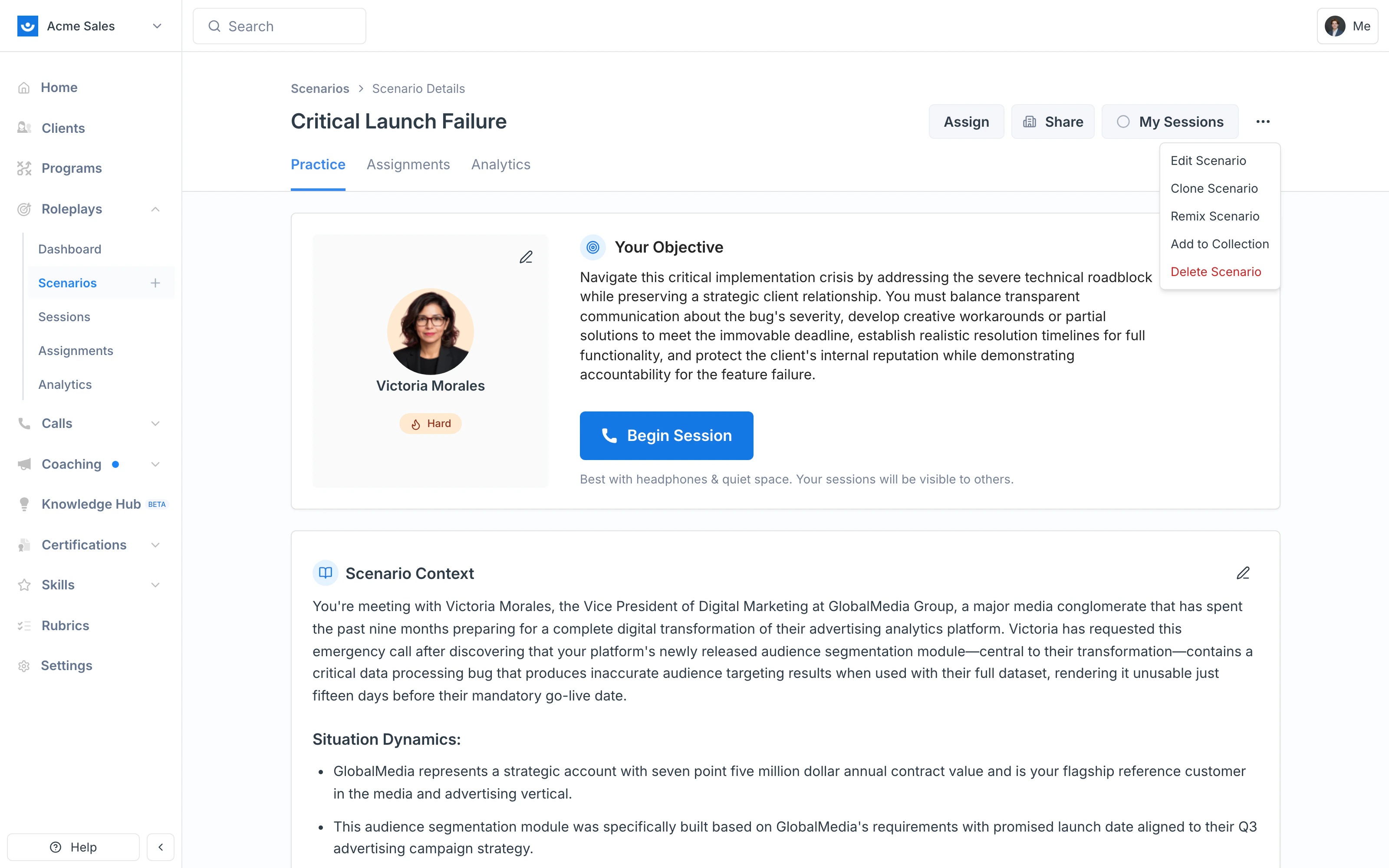
Navigate to the scenario you want to remix and click the **three-dot menu (⋯)** in the top-right corner, then select **Remix Scenario**.
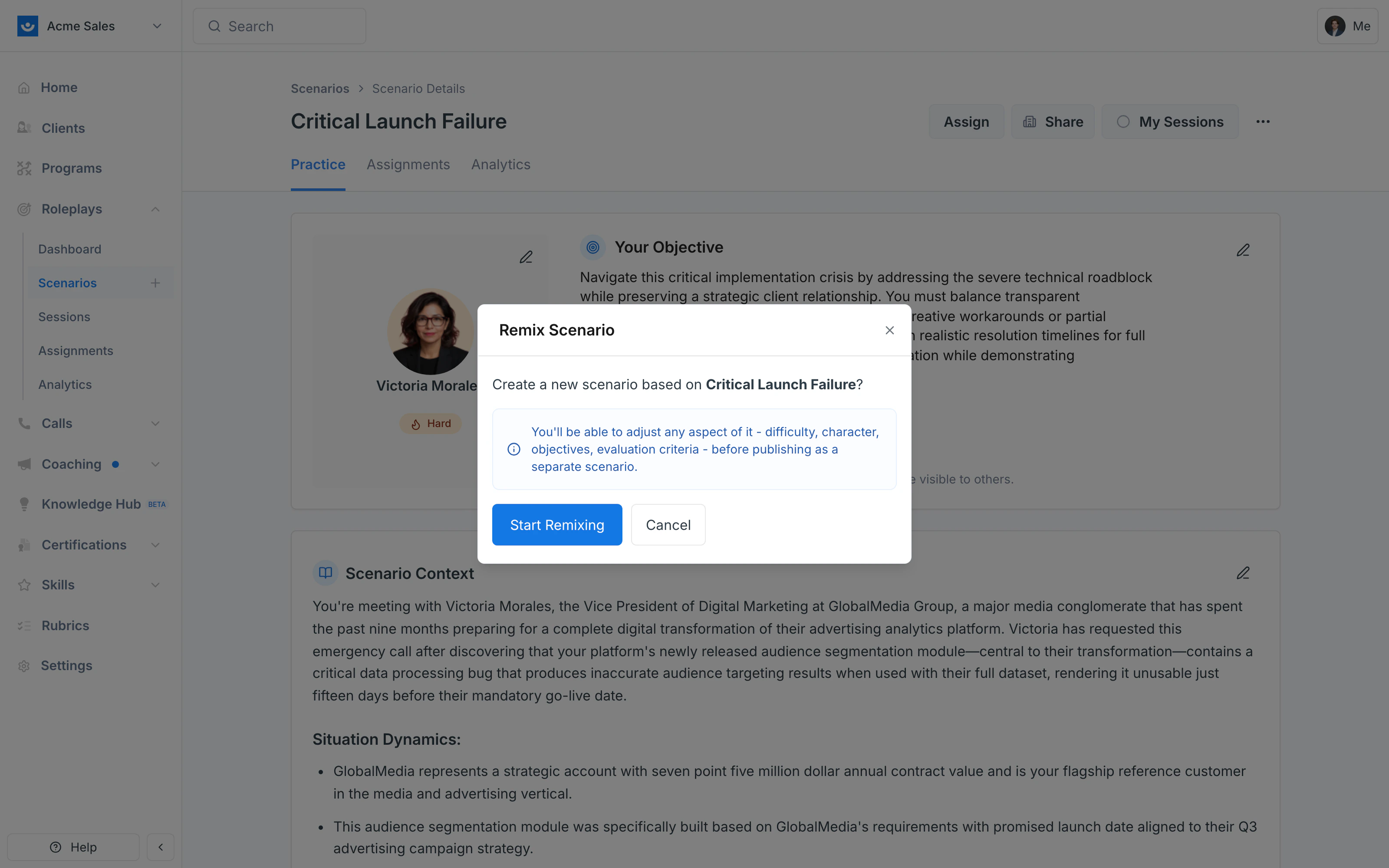
 A confirmation appears letting you know a new scenario will be created from the original. Click **Start Remixing**.
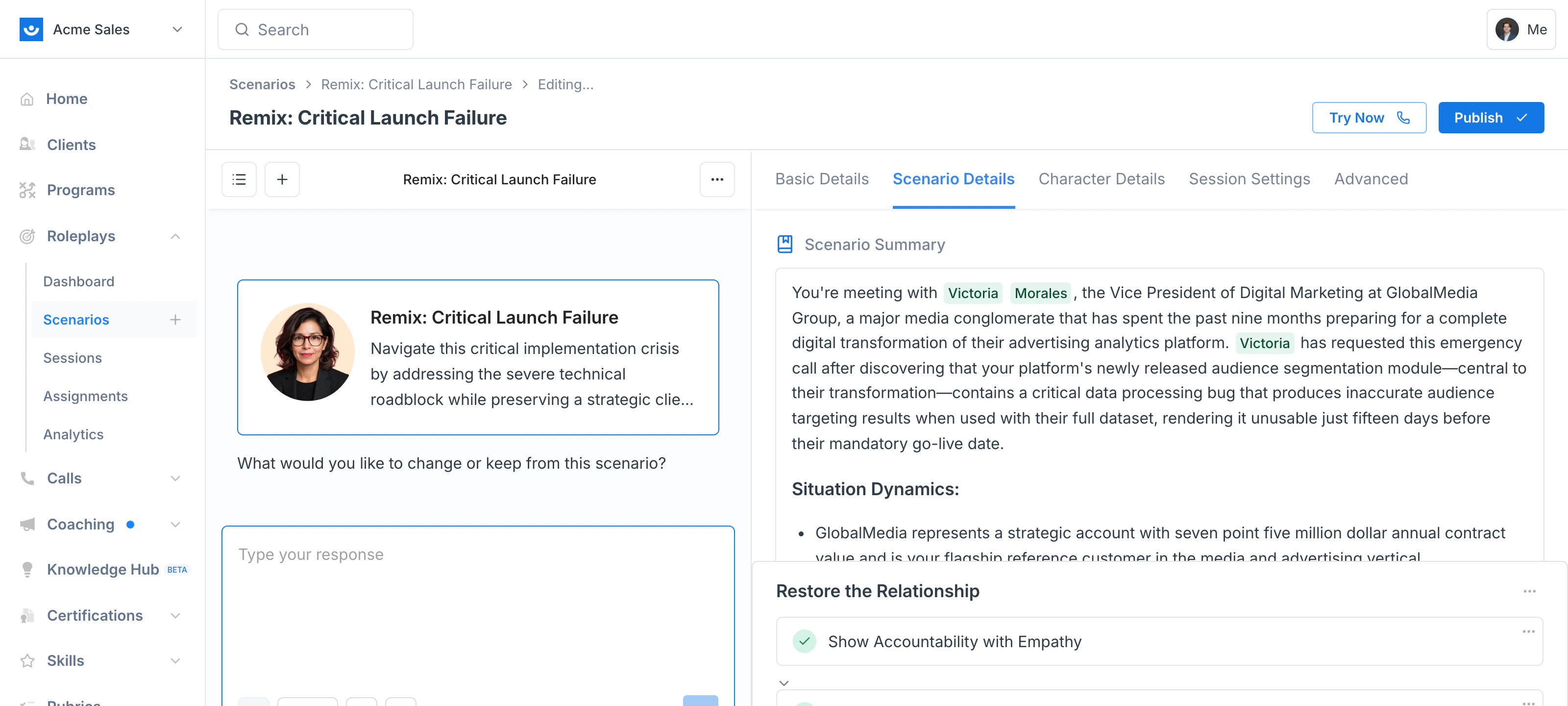
 The Scenario Studio opens with the original scenario loaded as your starting point — note the **Remix:** prefix in the header and the **Publish** button in the top-right. Tell the AI Agent what you want to keep or change:
* "Make the character more friendly and engaging instead of defensive and skeptical."
* "Change the company context to an enterprise-sized organization."
* "Adjust the stakes and tone for a senior leader audience."
The agent iterates with you, applying your changes to the new scenario in the live preview.
The Scenario Studio opens with the original scenario loaded as your starting point — note the **Remix:** prefix in the header and the **Publish** button in the top-right. Tell the AI Agent what you want to keep or change:
* "Make the character more friendly and engaging instead of defensive and skeptical."
* "Change the company context to an enterprise-sized organization."
* "Adjust the stakes and tone for a senior leader audience."
The agent iterates with you, applying your changes to the new scenario in the live preview.
 Once the scenario looks right, review the updated character details, context, and objectives, then click **Publish**.
Your remixed scenario will exist as a new, independent scenario — the original stays unchanged.
***
## Tips
* Clearly describe what you want to keep vs. what you want to change — the more specific, the better
* Name your remixed scenario clearly so it's easy to distinguish from the original
* If you're building variations for multiple audiences (e.g., sales, HR, engineering), remix once per variation rather than repeatedly overwriting drafts
***
## Getting Help
**Need help?** Contact us at [hello@exec.com](mailto:hello@exec.com) for guidance on remixing scenarios or any questions about Scenario Studio.
Once the scenario looks right, review the updated character details, context, and objectives, then click **Publish**.
Your remixed scenario will exist as a new, independent scenario — the original stays unchanged.
***
## Tips
* Clearly describe what you want to keep vs. what you want to change — the more specific, the better
* Name your remixed scenario clearly so it's easy to distinguish from the original
* If you're building variations for multiple audiences (e.g., sales, HR, engineering), remix once per variation rather than repeatedly overwriting drafts
***
## Getting Help
**Need help?** Contact us at [hello@exec.com](mailto:hello@exec.com) for guidance on remixing scenarios or any questions about Scenario Studio.