> ## Documentation Index
> Fetch the complete documentation index at: https://docs.exec.com/llms.txt
> Use this file to discover all available pages before exploring further.
# Delete a Session
> Permanently remove a session from your history
You can delete a session directly from the session details page. Deleting a session permanently removes its score, transcript, and recording.
If you just want another attempt, use the **Retry** button instead — you don't need to delete a session to retake a roleplay.
***
## How to Delete a Session
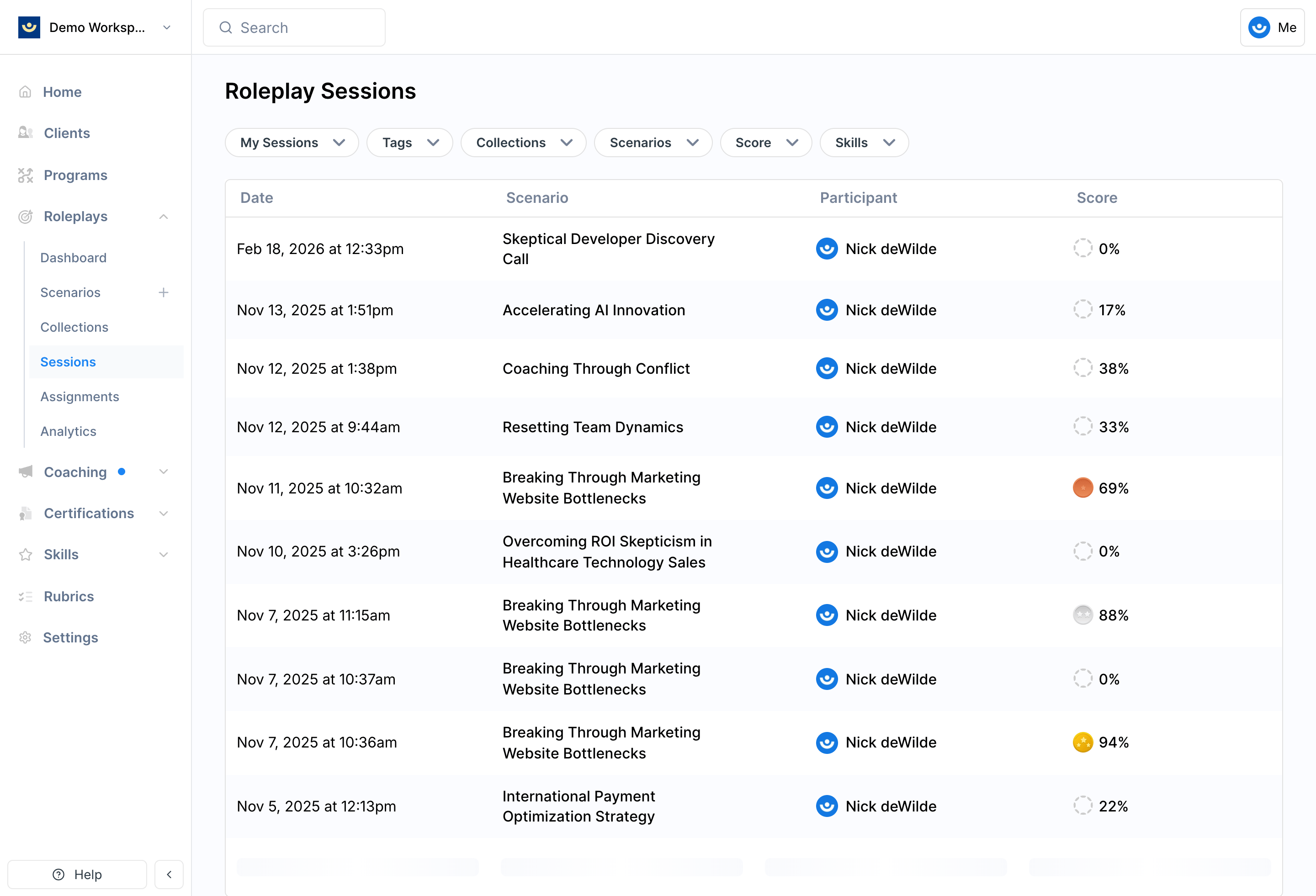
Go to **My Sessions** on the scenario page and click into the specific session.
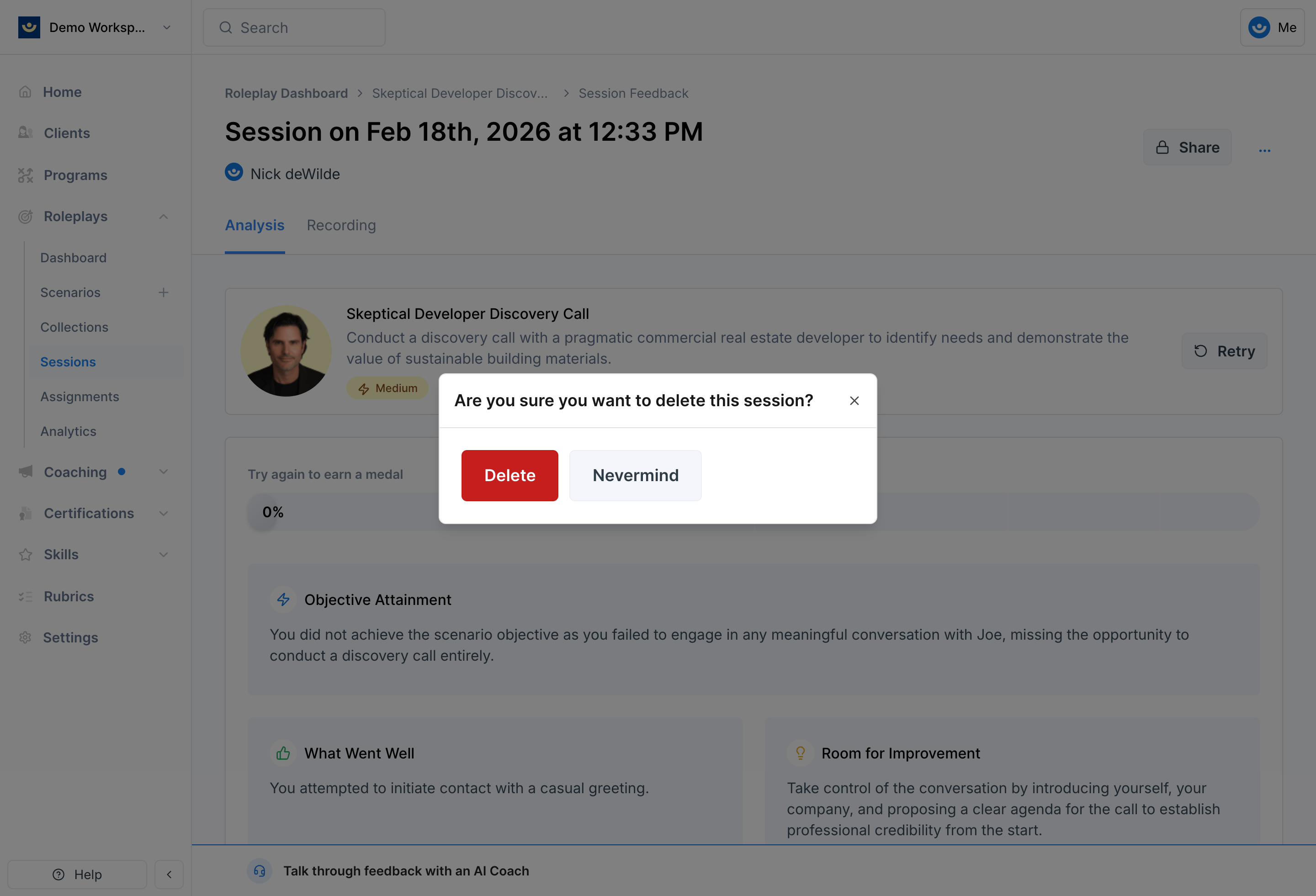
 Look for the **three-dot menu (•••)** on the session details page.
A confirmation prompt will appear. Once confirmed, the session is permanently removed and cannot be restored.
Look for the **three-dot menu (•••)** on the session details page.
A confirmation prompt will appear. Once confirmed, the session is permanently removed and cannot be restored.
 ***
## Before You Delete
* **Only delete when necessary** — for example, if a session was interrupted, misrecorded, or was a test run
* **Check with your facilitator first** if the roleplay is tied to a program assignment, since deleting may affect reporting
* **Download what you need** — if the session included useful feedback, save the transcript or recording before deleting
***
## Getting Help
**Need help?** Contact us at [hello@exec.com](mailto:hello@exec.com) for any questions about managing your session history.
***
## Before You Delete
* **Only delete when necessary** — for example, if a session was interrupted, misrecorded, or was a test run
* **Check with your facilitator first** if the roleplay is tied to a program assignment, since deleting may affect reporting
* **Download what you need** — if the session included useful feedback, save the transcript or recording before deleting
***
## Getting Help
**Need help?** Contact us at [hello@exec.com](mailto:hello@exec.com) for any questions about managing your session history.