> ## Documentation Index
> Fetch the complete documentation index at: https://docs.exec.com/llms.txt
> Use this file to discover all available pages before exploring further.
# Clone a Scenario
> Quickly copy a scenario and make it your own
Cloning lets you copy an existing scenario and adapt it for your learners — without starting from scratch or affecting the original.
This is especially useful when you find a strong scenario in Exec's global library or your workspace and want to tailor it to your team's specific industry, role, or context.
***
## How to Clone a Scenario
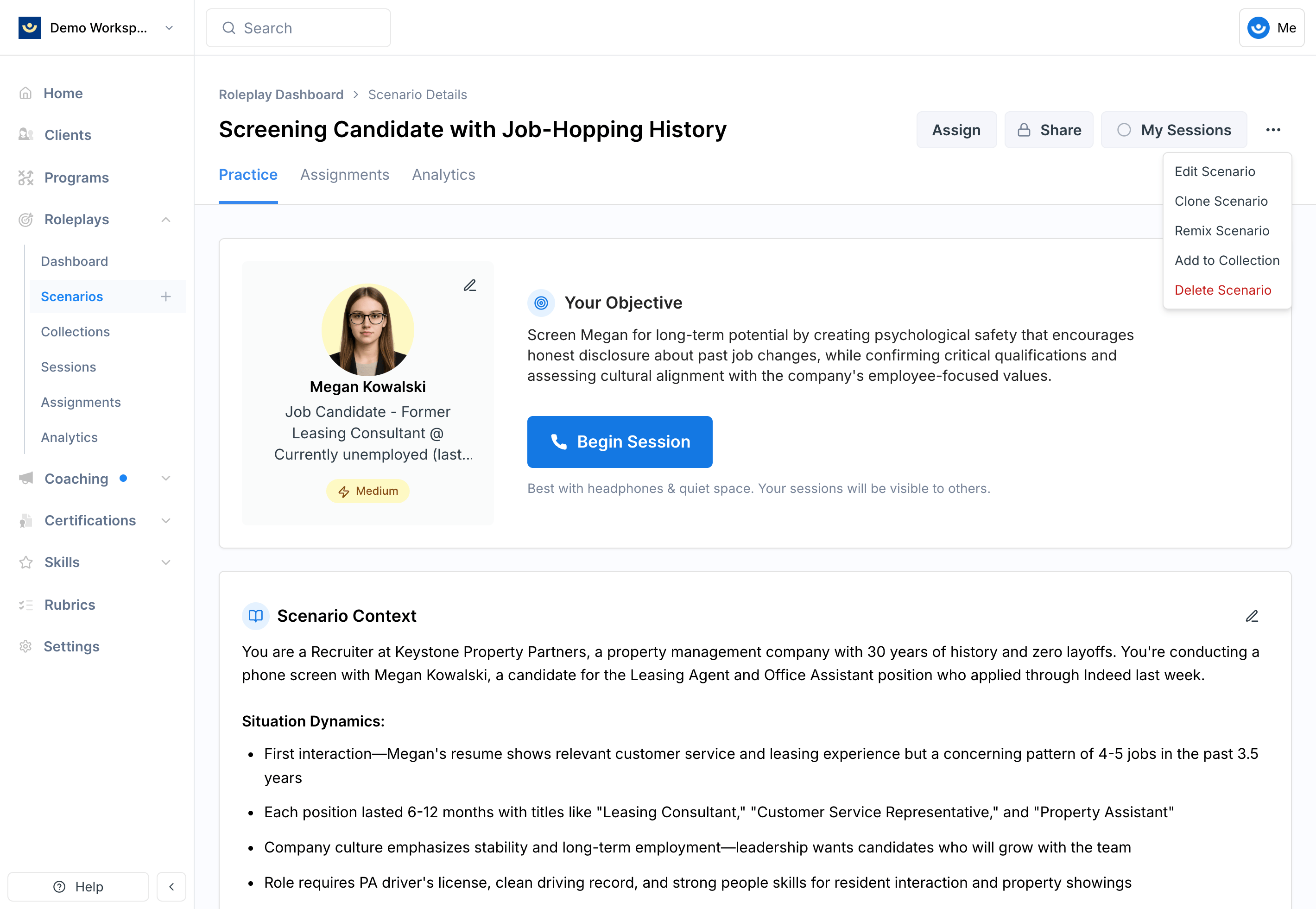
Navigate to the scenario you want to clone, click the **three-dot menu** in the upper-right corner, and select **Clone Scenario**.
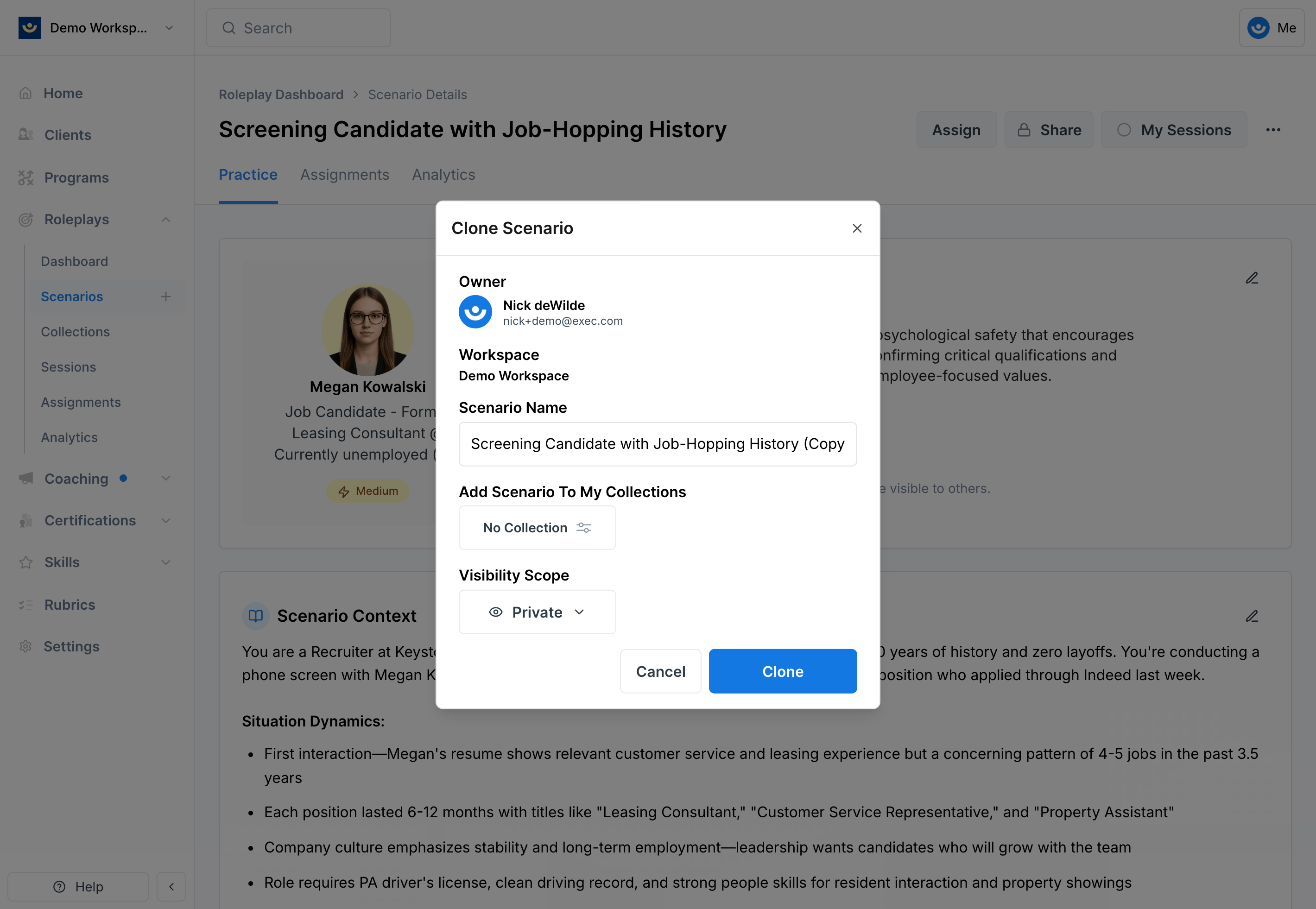
 * Rename the scenario to reflect your specific use case
* Set visibility to **Private** until you've finished editing — you can make it workspace-visible when it's ready to share
* Optionally add it to a collection to keep related scenarios organized
* Rename the scenario to reflect your specific use case
* Set visibility to **Private** until you've finished editing — you can make it workspace-visible when it's ready to share
* Optionally add it to a collection to keep related scenarios organized
 The new scenario will appear in your library with your updated title. You now have full editing rights.
***
## Editing Your Cloned Scenario
After cloning, treat the scenario as your own. Because the clone inherits the foundation of the original, small changes go a long way:
* **Update the context** — Add industry- or role-specific details that reflect your learners' real environment
* **Adjust the character** — Change roles, titles, or backgrounds to mirror actual stakeholders your team engages with
* **Refine the objectives** — Tailor learning goals to align with your training program
* **Customize difficulty** — Make the scenario easier or harder depending on learner readiness
Set visibility to Private while you're editing, then switch to workspace-visible once it's polished and ready to share.
***
## Getting Help
**Need help?** Contact us at [hello@exec.com](mailto:hello@exec.com) for guidance on cloning or customizing scenarios.
The new scenario will appear in your library with your updated title. You now have full editing rights.
***
## Editing Your Cloned Scenario
After cloning, treat the scenario as your own. Because the clone inherits the foundation of the original, small changes go a long way:
* **Update the context** — Add industry- or role-specific details that reflect your learners' real environment
* **Adjust the character** — Change roles, titles, or backgrounds to mirror actual stakeholders your team engages with
* **Refine the objectives** — Tailor learning goals to align with your training program
* **Customize difficulty** — Make the scenario easier or harder depending on learner readiness
Set visibility to Private while you're editing, then switch to workspace-visible once it's polished and ready to share.
***
## Getting Help
**Need help?** Contact us at [hello@exec.com](mailto:hello@exec.com) for guidance on cloning or customizing scenarios.