> ## Documentation Index
> Fetch the complete documentation index at: https://docs.exec.com/llms.txt
> Use this file to discover all available pages before exploring further.
# Export Data
> Download CSV exports of your workspace sessions, users, and groups
Workspace admins can export data from Exec as CSV files for reporting, auditing, or importing into other tools. Three export types are available: sessions, users, and groups.
Only [workspace admins](/platform/admin-capabilities) can access the Export Data page. If you don't see it in the sidebar, you may not have the required permissions.
***
## Exporting from the Export Data Page
The dedicated Export Data page gives you access to all three export types in one place.
In the left sidebar, click **Export Data** under Administration.
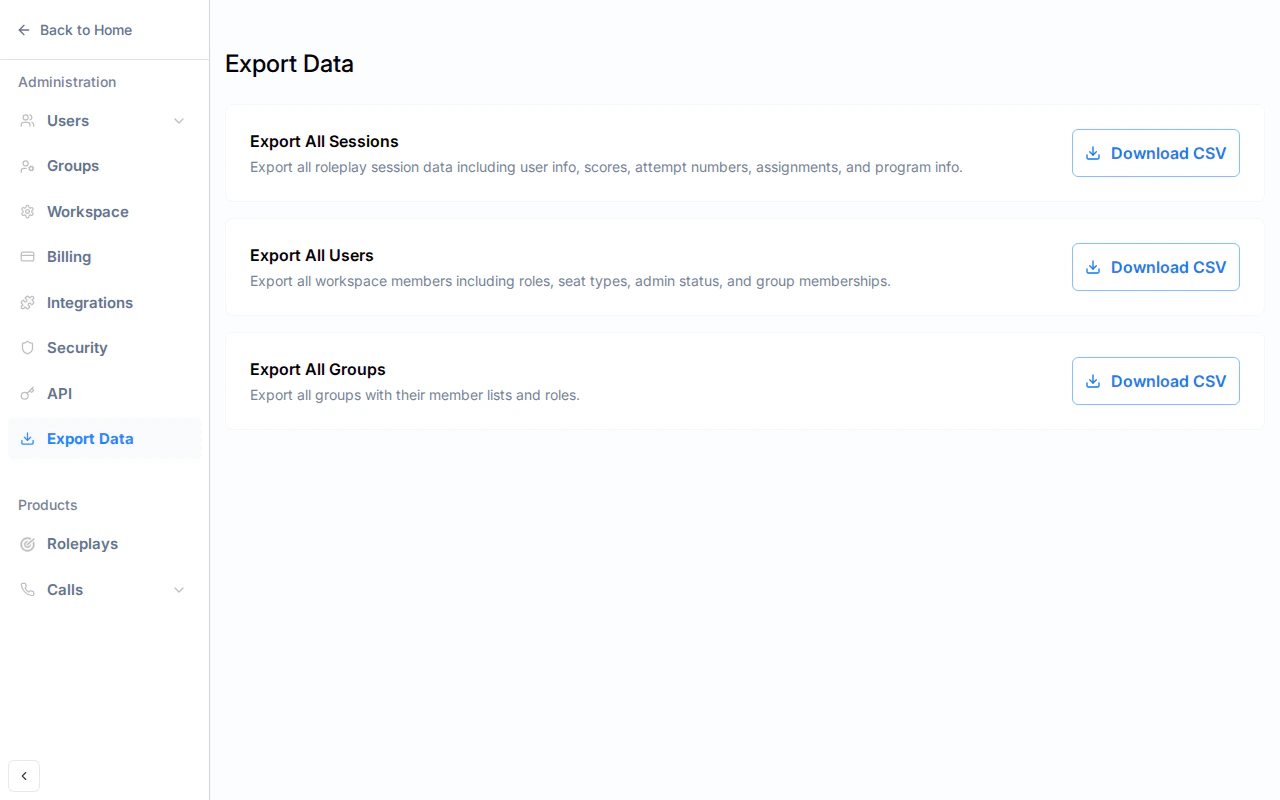 Click **Download CSV** next to the export you want:
* **Export All Sessions** — Roleplay session data including scores, attempt numbers, assignments, and program info
* **Export All Users** — Workspace members including roles, seat types, and group memberships
* **Export All Groups** — Groups with their member lists and roles
A blue banner appears while the report generates. Keep the page open until the CSV file downloads automatically.
Click **Download CSV** next to the export you want:
* **Export All Sessions** — Roleplay session data including scores, attempt numbers, assignments, and program info
* **Export All Users** — Workspace members including roles, seat types, and group memberships
* **Export All Groups** — Groups with their member lists and roles
A blue banner appears while the report generates. Keep the page open until the CSV file downloads automatically.
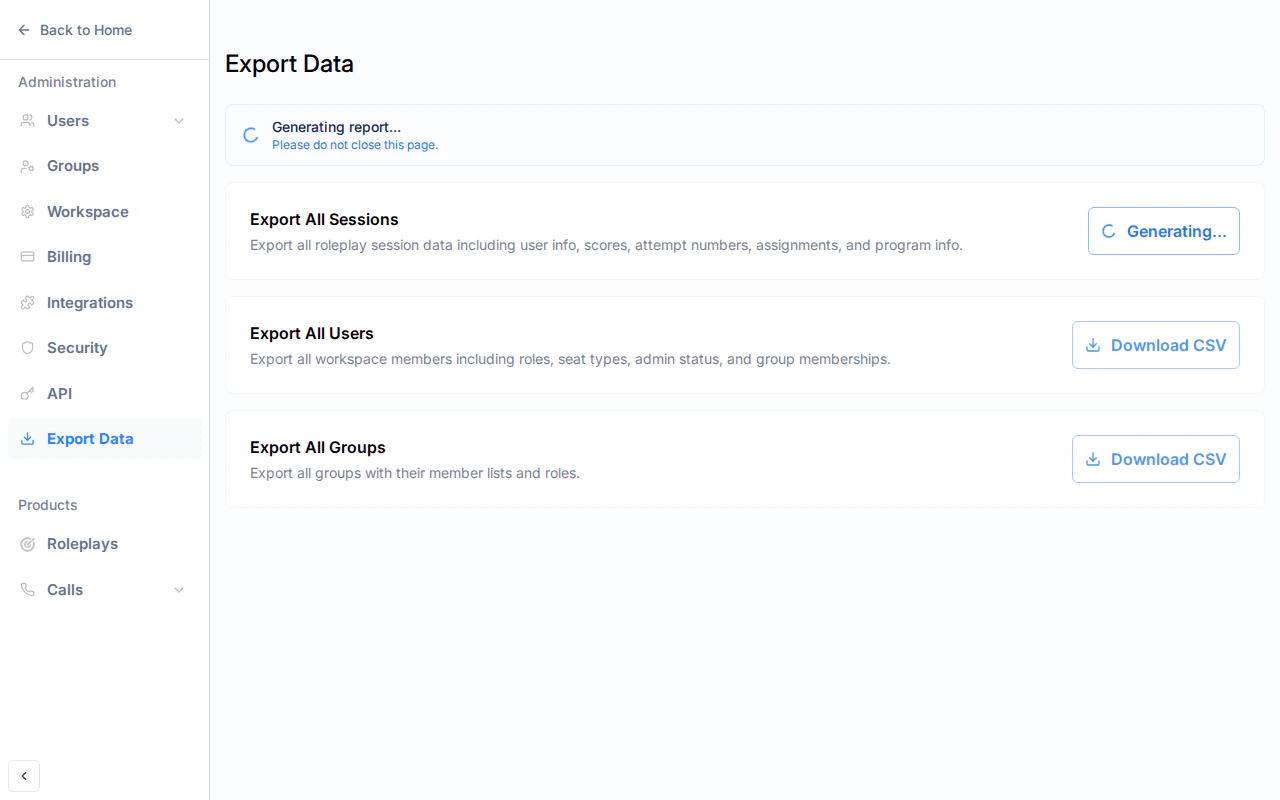 Exports run in the background and typically complete within a few seconds. For large workspaces, it may take up to a minute.
***
## Quick Export from Users and Groups
You can also export directly from the **Users** and **Groups** pages without navigating to Export Data.
### Users Page
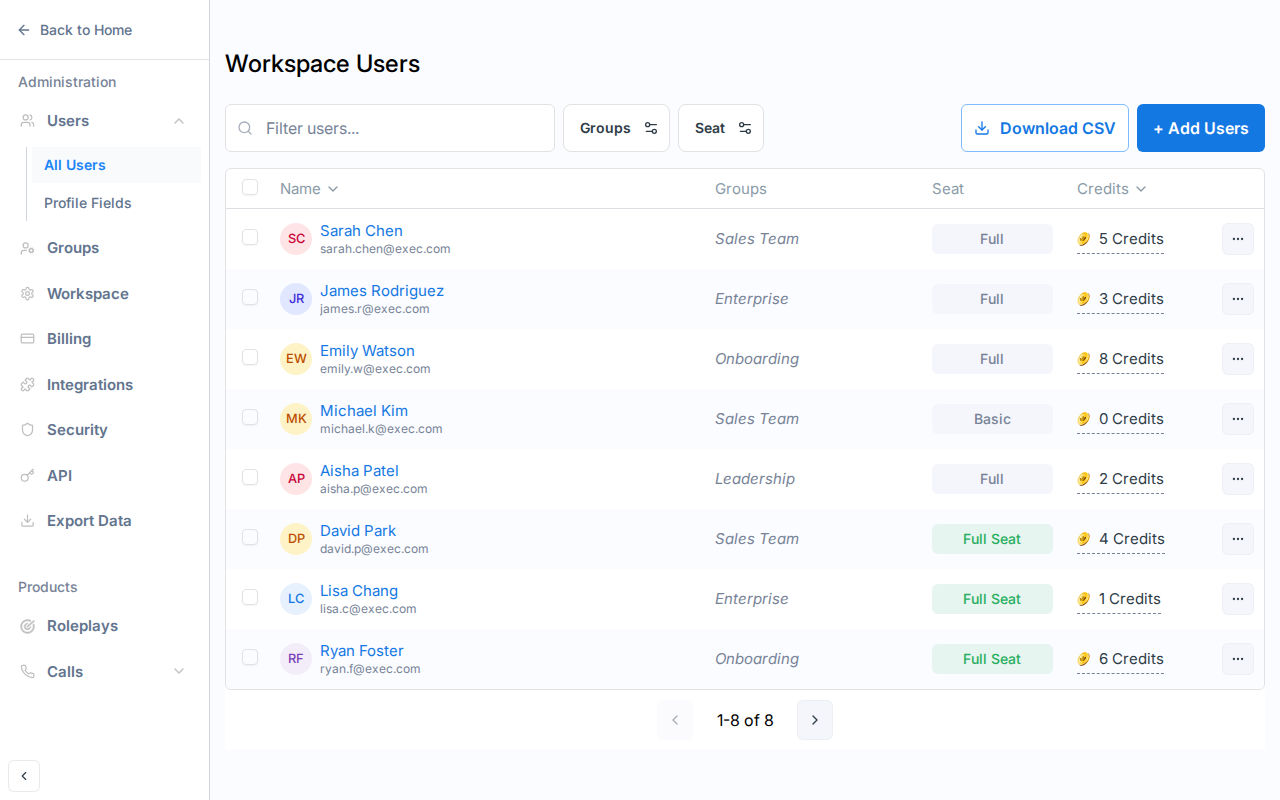
Click the **Download CSV** button next to **+ Add Users** at the top of the Workspace Users page.
Exports run in the background and typically complete within a few seconds. For large workspaces, it may take up to a minute.
***
## Quick Export from Users and Groups
You can also export directly from the **Users** and **Groups** pages without navigating to Export Data.
### Users Page
Click the **Download CSV** button next to **+ Add Users** at the top of the Workspace Users page.
 ### Groups Page
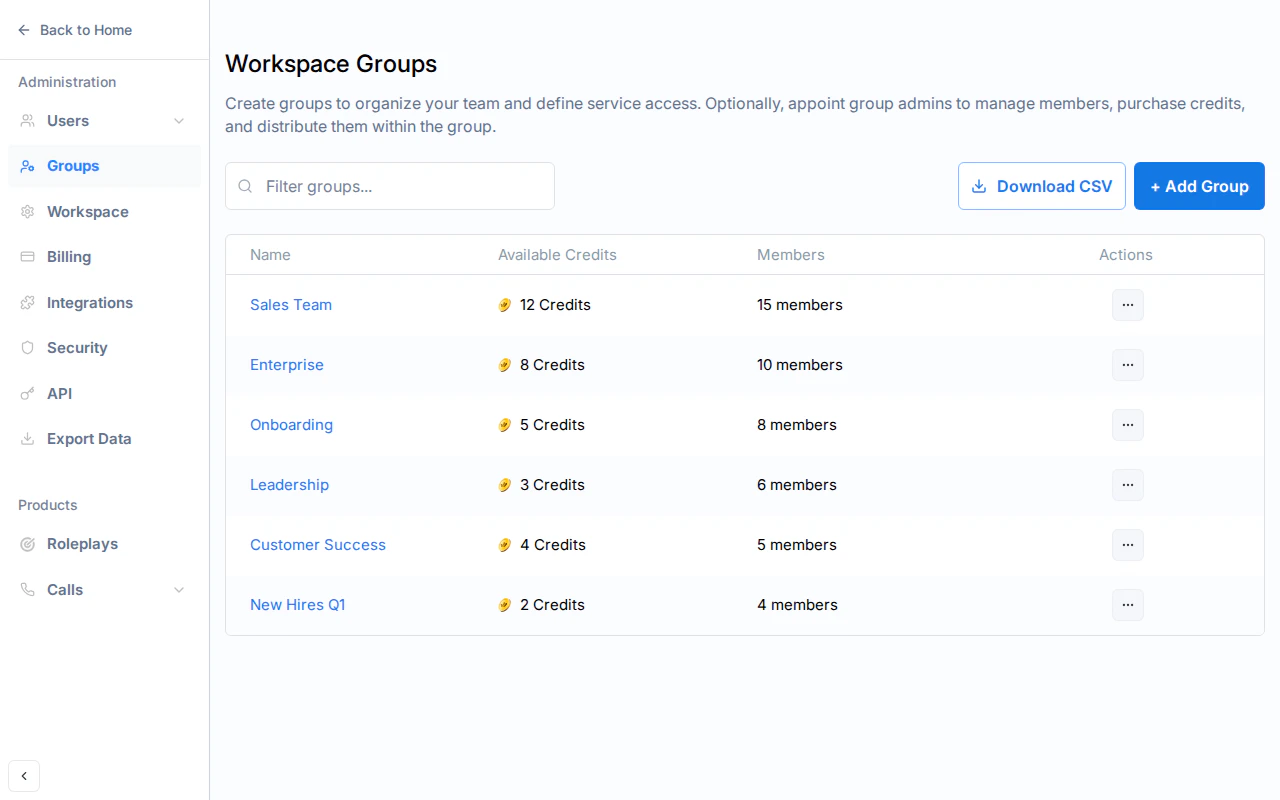
Click the **Download CSV** button next to **+ Add Group** at the top of the Workspace Groups page.
### Groups Page
Click the **Download CSV** button next to **+ Add Group** at the top of the Workspace Groups page.
 ***
## What's Included in Each Export
Each row represents one roleplay session. Columns include:
| Column | Description |
| ---------------------------------- | ----------------------------------------------- |
| `first_name`, `last_name`, `email` | The participant |
| `scenario` | Scenario name |
| `difficulty` | Difficulty level |
| `score`, `rank` | Session score and letter rank |
| `attempt_number` | Sequential attempt number per user per scenario |
| `valid_attempt` | Whether this attempt counts toward progress |
| `program` | Program name (if assigned via a program) |
| `assigned_by`, `assigner_name` | Assigner info (if directly assigned) |
| `started_at`, `ended_at` | Session timestamps |
| `duration_seconds` | Session length |
| `session_link` | Direct link to the session review |
Demo and archived sessions are excluded.
Each row represents one workspace member. Columns include:
| Column | Description |
| ---------------------------------- | ------------------------------------ |
| `first_name`, `last_name`, `email` | The member |
| `role` | Workspace role (Admin, Member, etc.) |
| `seat_type` | Full, Basic, or Exec Staff |
| `groups` | Comma-separated group names |
| `date_joined` | When the member joined the workspace |
| `last_login` | Most recent login |
| `status` | Active or Deactivated |
Deactivated members are included with a "Deactivated" status.
Each row represents one group member. Columns include:
| Column | Description |
| ---------------------------------- | ------------------------------ |
| `group_name` | The group |
| `first_name`, `last_name`, `email` | The member |
| `role` | Member's role within the group |
| `status` | Active or Deactivated |
Deleted groups are excluded. Empty groups appear as a single row with just the group name.
***
## Getting Help
**Need help?** Contact us at [hello@exec.com](mailto:hello@exec.com) for guidance on exporting data or any questions about workspace administration.
***
## What's Included in Each Export
Each row represents one roleplay session. Columns include:
| Column | Description |
| ---------------------------------- | ----------------------------------------------- |
| `first_name`, `last_name`, `email` | The participant |
| `scenario` | Scenario name |
| `difficulty` | Difficulty level |
| `score`, `rank` | Session score and letter rank |
| `attempt_number` | Sequential attempt number per user per scenario |
| `valid_attempt` | Whether this attempt counts toward progress |
| `program` | Program name (if assigned via a program) |
| `assigned_by`, `assigner_name` | Assigner info (if directly assigned) |
| `started_at`, `ended_at` | Session timestamps |
| `duration_seconds` | Session length |
| `session_link` | Direct link to the session review |
Demo and archived sessions are excluded.
Each row represents one workspace member. Columns include:
| Column | Description |
| ---------------------------------- | ------------------------------------ |
| `first_name`, `last_name`, `email` | The member |
| `role` | Workspace role (Admin, Member, etc.) |
| `seat_type` | Full, Basic, or Exec Staff |
| `groups` | Comma-separated group names |
| `date_joined` | When the member joined the workspace |
| `last_login` | Most recent login |
| `status` | Active or Deactivated |
Deactivated members are included with a "Deactivated" status.
Each row represents one group member. Columns include:
| Column | Description |
| ---------------------------------- | ------------------------------ |
| `group_name` | The group |
| `first_name`, `last_name`, `email` | The member |
| `role` | Member's role within the group |
| `status` | Active or Deactivated |
Deleted groups are excluded. Empty groups appear as a single row with just the group name.
***
## Getting Help
**Need help?** Contact us at [hello@exec.com](mailto:hello@exec.com) for guidance on exporting data or any questions about workspace administration.