> ## Documentation Index
> Fetch the complete documentation index at: https://docs.exec.com/llms.txt
> Use this file to discover all available pages before exploring further.
# Import a Course
> Bring an Articulate Rise SCORM Export into Exec and rebuild it as a native course
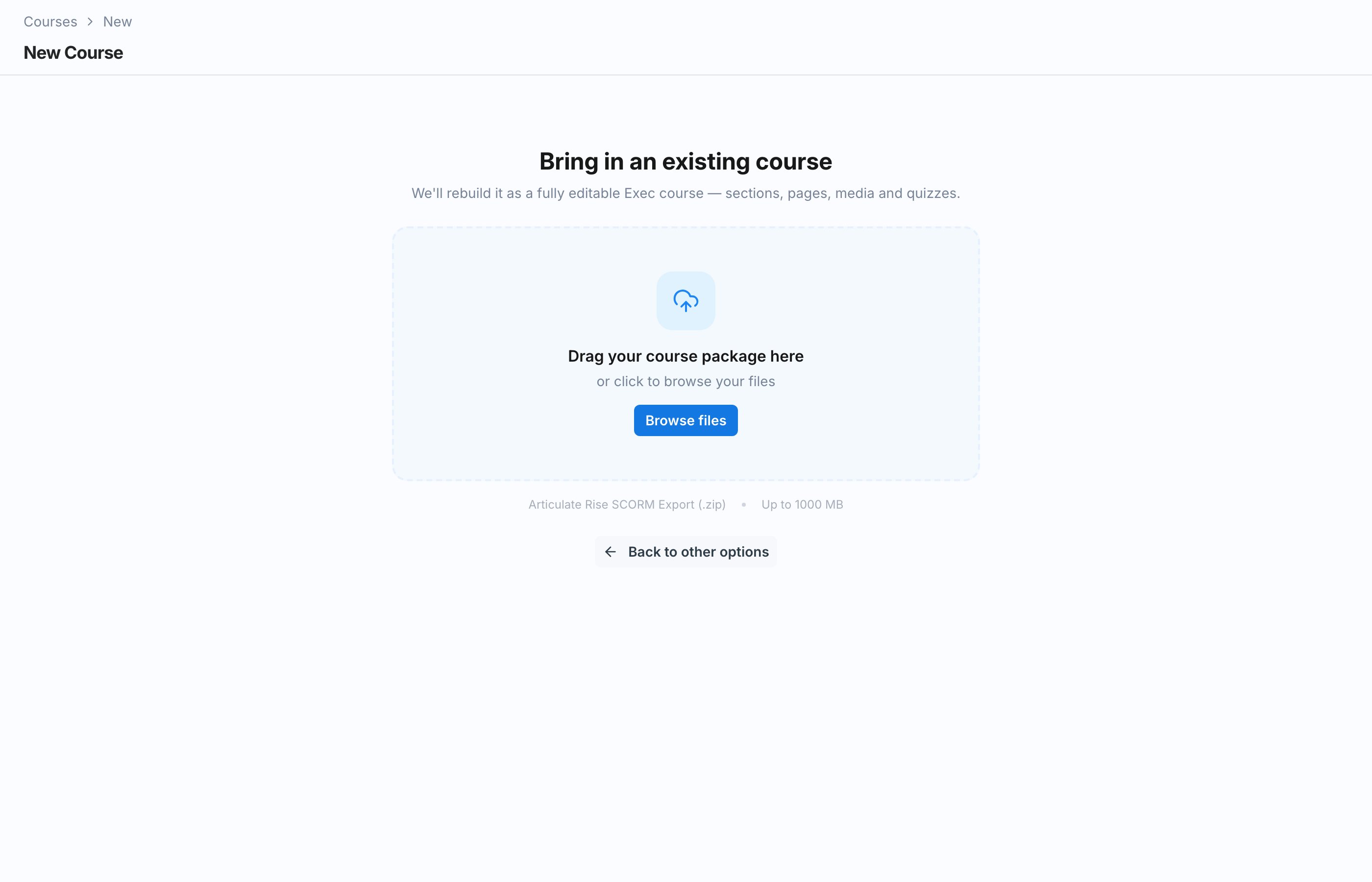
If your training already lives in Articulate Rise, you can import it instead of rebuilding it by hand. On the new course screen, choose the **Import A Course** card, labeled **Articulate Rise SCORM Export (.zip)**, and upload your export.
 ## How the Import Works
Provide the Articulate Rise SCORM Export as a .zip file. Exec unzips it and reads the course structure.
The media and files inside the export are uploaded to a [Knowledge Hub](/knowledge-hub/overview) folder, so they are managed alongside the rest of your content.
Once the assets are in place, a build job materializes the course in Exec: sections, pages, and blocks, ready to edit like any other course.
## Import Job States
You can follow the import as it moves through its states:
| State | Meaning |
| ------------------- | -------------------------------------------------------------------------- |
| **Awaiting Assets** | The export is unzipped and its assets are being uploaded to Knowledge Hub. |
| **Building** | The build job is assembling the course from the imported content. |
| **Done** | The import finished and your course is ready. |
| **Failed** | The build hit an error and did not complete. |
| **Expired** | The import sat unfinished for too long and timed out. |
| **Cancelled** | The import was discarded before it finished. |
## Resume or Discard an Unfinished Import
If you leave partway through, you do not lose your progress. An unfinished import can be **resumed** where it left off, or **discarded** if you would rather start over or build the course another way.
## After the Import
The imported course arrives as a draft. Review it in the editor, adjust anything that did not translate cleanly, and add Exec-native blocks like quizzes and roleplays before publishing. See [Build Sections and Pages](/courses/build-sections-and-pages).
## Next Steps
Review and refine the imported course in the editor.
See where your imported assets live and how to manage them.
## How the Import Works
Provide the Articulate Rise SCORM Export as a .zip file. Exec unzips it and reads the course structure.
The media and files inside the export are uploaded to a [Knowledge Hub](/knowledge-hub/overview) folder, so they are managed alongside the rest of your content.
Once the assets are in place, a build job materializes the course in Exec: sections, pages, and blocks, ready to edit like any other course.
## Import Job States
You can follow the import as it moves through its states:
| State | Meaning |
| ------------------- | -------------------------------------------------------------------------- |
| **Awaiting Assets** | The export is unzipped and its assets are being uploaded to Knowledge Hub. |
| **Building** | The build job is assembling the course from the imported content. |
| **Done** | The import finished and your course is ready. |
| **Failed** | The build hit an error and did not complete. |
| **Expired** | The import sat unfinished for too long and timed out. |
| **Cancelled** | The import was discarded before it finished. |
## Resume or Discard an Unfinished Import
If you leave partway through, you do not lose your progress. An unfinished import can be **resumed** where it left off, or **discarded** if you would rather start over or build the course another way.
## After the Import
The imported course arrives as a draft. Review it in the editor, adjust anything that did not translate cleanly, and add Exec-native blocks like quizzes and roleplays before publishing. See [Build Sections and Pages](/courses/build-sections-and-pages).
## Next Steps
Review and refine the imported course in the editor.
See where your imported assets live and how to manage them.