> ## Documentation Index
> Fetch the complete documentation index at: https://docs.exec.com/llms.txt
> Use this file to discover all available pages before exploring further.
# Certifications
> Link a certification to a course so learners automatically earn a certificate when they complete it
You can attach a certification to a course so that Exec automatically issues a certificate to every learner who completes it. No manual issuing, no follow-up step: finish the course, earn the credential.
## Link a Certification to a Course
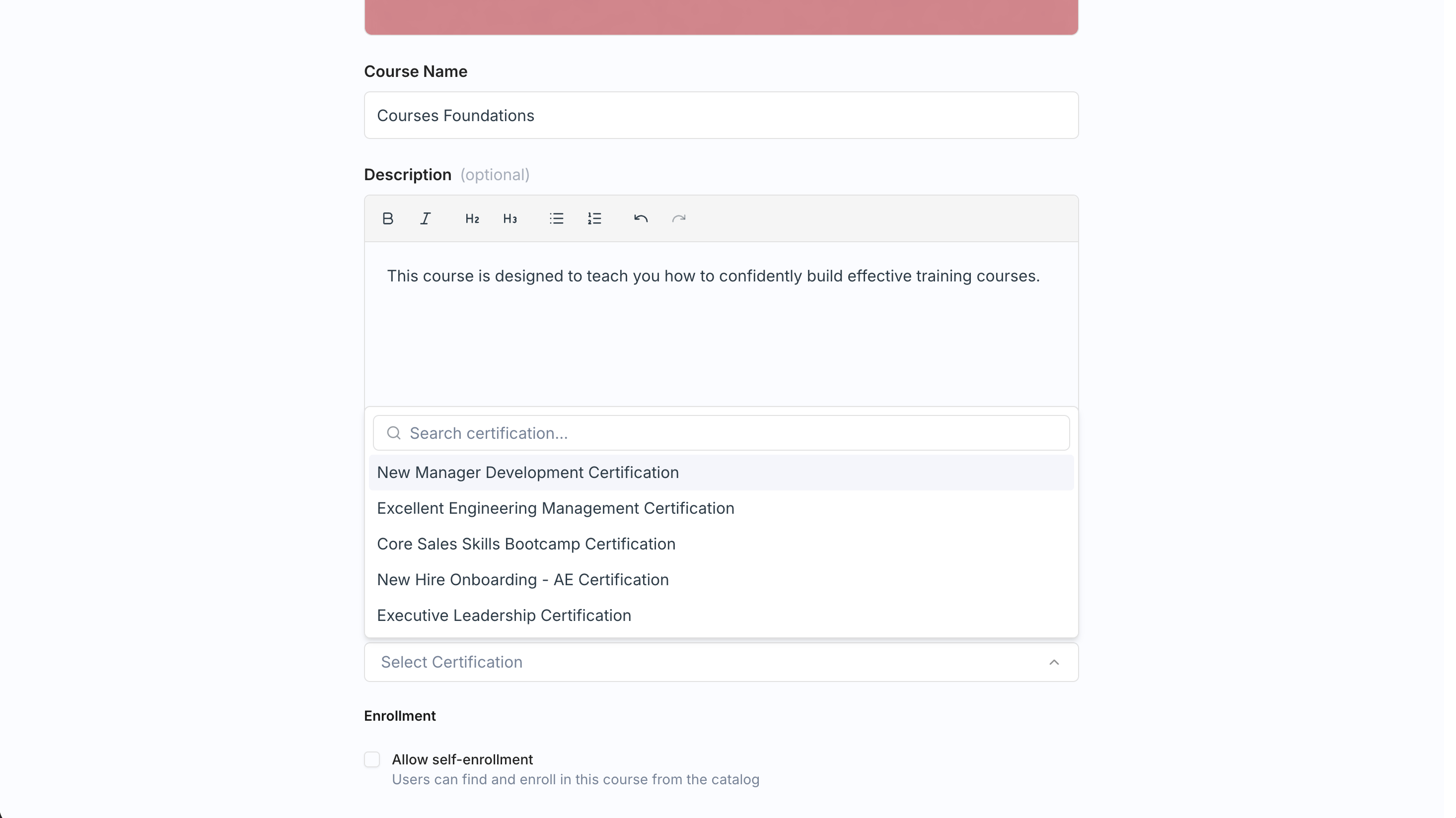
The link lives on the course itself. While [creating or editing a course](/courses/create-course), use the **Certification** field in Basic Details ("Select Certification") to choose the certification the course should issue. The field is optional; a course without one simply completes without issuing anything.
You can also add or change the certification after publishing, from the course's settings sheet on the course dashboard.
 Once linked, completion handles the rest:
* When a learner finishes the course, Exec issues the certificate to them automatically.
* The learner sees a **View certificate** button on the course completion screen.
You need an existing certification to link. If you haven't created one yet, see [Create a Certification](/certificates/create-certification).
## Certifications Are Their Own Feature
Certifications exist independently of Courses, with their own admin permission. A certification can also be triggered by a program or issued manually, so course completion is just one of the ways a learner can earn one. This page covers only the course tie-in; for defining certifications, expiry, and everything else, head to [Create a Certification](/certificates/create-certification).
## Related Pages
Define certifications, expiry, and manual issuing.
Set the Certification field in a course's Basic Details.
Once linked, completion handles the rest:
* When a learner finishes the course, Exec issues the certificate to them automatically.
* The learner sees a **View certificate** button on the course completion screen.
You need an existing certification to link. If you haven't created one yet, see [Create a Certification](/certificates/create-certification).
## Certifications Are Their Own Feature
Certifications exist independently of Courses, with their own admin permission. A certification can also be triggered by a program or issued manually, so course completion is just one of the ways a learner can earn one. This page covers only the course tie-in; for defining certifications, expiry, and everything else, head to [Create a Certification](/certificates/create-certification).
## Related Pages
Define certifications, expiry, and manual issuing.
Set the Certification field in a course's Basic Details.