> ## Documentation Index
> Fetch the complete documentation index at: https://docs.exec.com/llms.txt
> Use this file to discover all available pages before exploring further.
# Find a Coach
> Use the matching survey to get paired with the right coach
If you don't have a coach yet, the matching survey pairs you with coaches who fit what you want to work on. It only takes a minute: pick a type of coaching, answer a few questions, and choose from your matches.
Already have a coach? You don't need the survey - book with them directly from **Coaching > Dashboard**. See [Schedule a Coaching Session](/coaching/schedule-session).
***
## How to find a coach
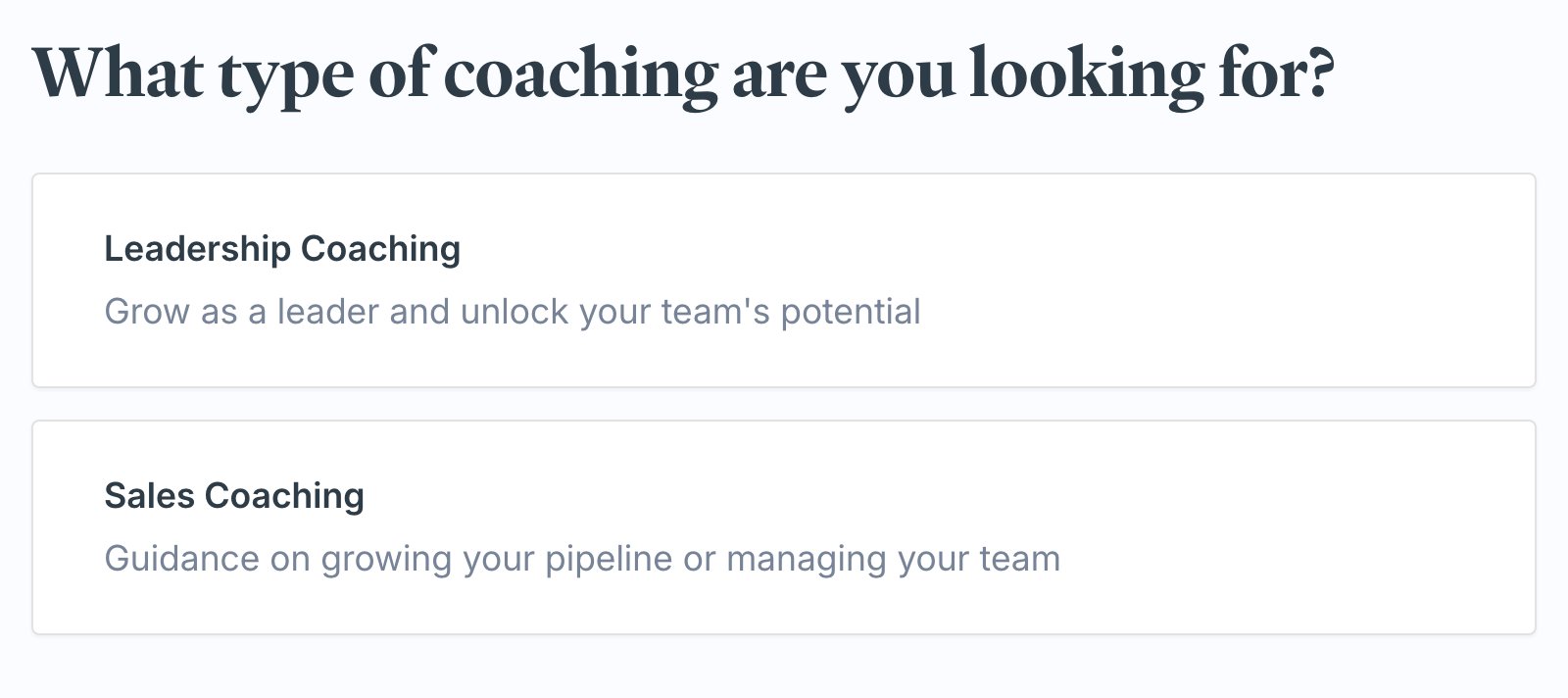
Go to **Coaching > Dashboard** and click **Find My Coach** (or **Browse Coaches**). You can also start from your **homepage**, where the **1:1 Coaching** block has the same **Find My Coach** button. You'll be asked what type of coaching you're looking for - pick the area you want help with.
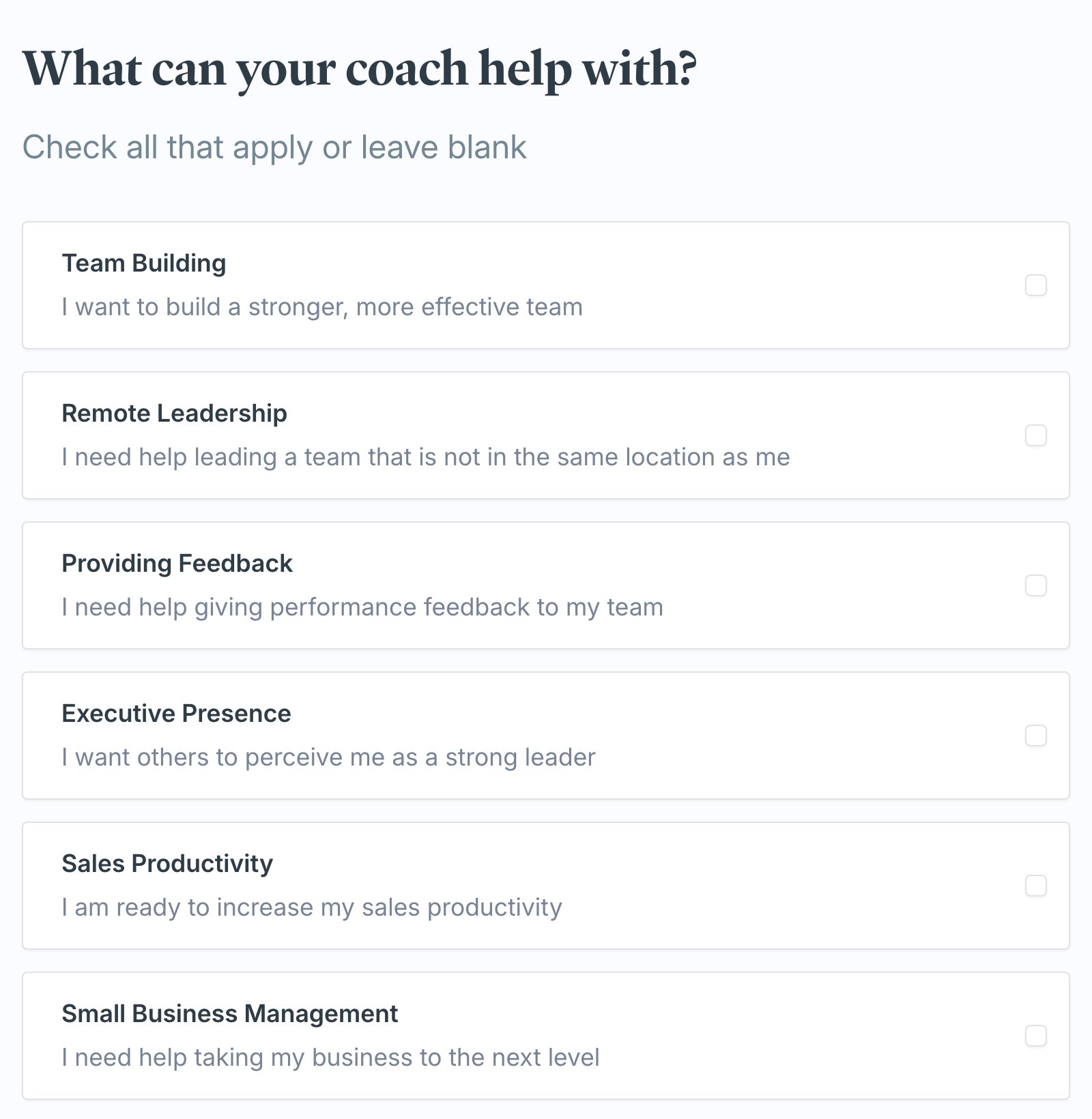
 The survey asks a short set of questions about what you want to work on. Make your selections (or leave a question blank to skip it) and click **Onwards**. A progress bar at the top tracks how far along you are.
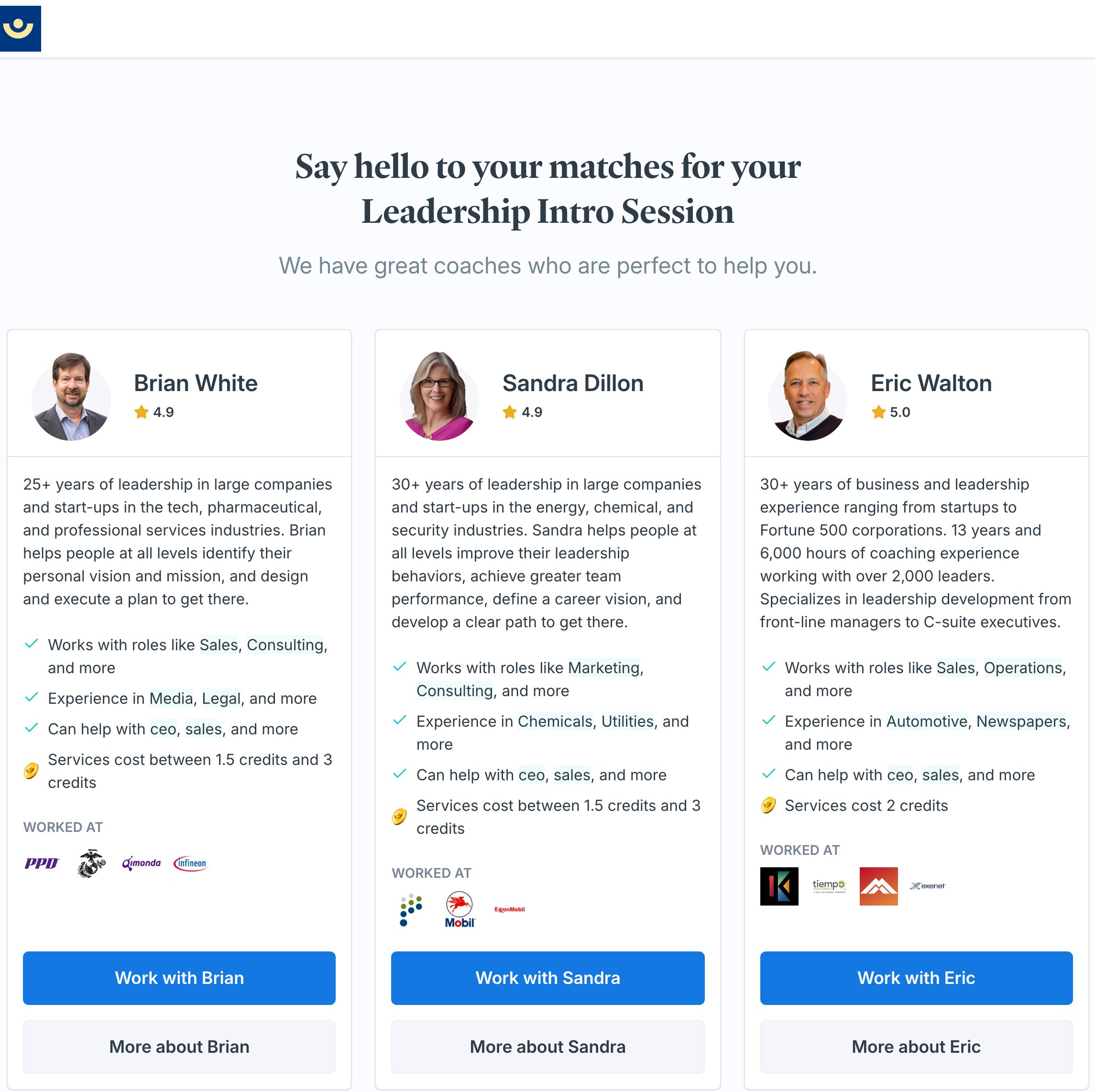
 Exec finds coaches that fit your answers and shows them with their rating, background, and what they help with. Review your matches, then click **Work with** a coach to get started, or **More about** to read their full profile first.
 ***
## If you're in a coaching program
How you start the matching flow depends on whether coaching is part of a program in your workspace.
* **On your own** - if your coaching isn't tied to a program, **Find My Coach** takes you straight to the steps above: you choose the type of coaching, and we match you from the full coaching network.
* **In a program** - if you're enrolled in a program that includes coaching, **Find My Coach** opens a **Choose Your Coaching Path** screen first. You'll see a **Match with a Coach for Your Program** card for each program, with the coaching type already chosen for you and a due date. Click **Start Matching** to jump straight to the survey - you skip the "what type of coaching" step. After you pick a coach, your first session is the program's intro session and it counts toward your program.
Enrolled in a program but want coaching outside of it? The same screen has a **General Coaching** option that lets you browse the full coaching network for personal development. Those sessions are independent of your program goals.
Either way, coaching also shows up on your **homepage**. If you haven't picked a coach yet, the **1:1 Coaching** block there has a **Find My Coach** button that starts the same flow. If coaching is part of a program, that program appears on your homepage with its coaching step, so you can jump straight into matching from there too.
***
## What happens after you choose a coach
When you click **Work with** a coach:
* That coach is added to your **Your Coaches** list on the Coaching Dashboard.
* You're taken straight into booking your first session with them - choose a time and confirm. See [Schedule a Coaching Session](/coaching/schedule-session) for the booking steps.
You're not locked in to a single coach. You can run the survey again anytime from **Coaching > Dashboard** to see other matches, and you can work with more than one coach.
***
## Getting help
If the survey doesn't show any matches, or you're not sure which coach is the right fit, email [hello@exec.com](mailto:hello@exec.com) and we'll help you get matched.
***
## If you're in a coaching program
How you start the matching flow depends on whether coaching is part of a program in your workspace.
* **On your own** - if your coaching isn't tied to a program, **Find My Coach** takes you straight to the steps above: you choose the type of coaching, and we match you from the full coaching network.
* **In a program** - if you're enrolled in a program that includes coaching, **Find My Coach** opens a **Choose Your Coaching Path** screen first. You'll see a **Match with a Coach for Your Program** card for each program, with the coaching type already chosen for you and a due date. Click **Start Matching** to jump straight to the survey - you skip the "what type of coaching" step. After you pick a coach, your first session is the program's intro session and it counts toward your program.
Enrolled in a program but want coaching outside of it? The same screen has a **General Coaching** option that lets you browse the full coaching network for personal development. Those sessions are independent of your program goals.
Either way, coaching also shows up on your **homepage**. If you haven't picked a coach yet, the **1:1 Coaching** block there has a **Find My Coach** button that starts the same flow. If coaching is part of a program, that program appears on your homepage with its coaching step, so you can jump straight into matching from there too.
***
## What happens after you choose a coach
When you click **Work with** a coach:
* That coach is added to your **Your Coaches** list on the Coaching Dashboard.
* You're taken straight into booking your first session with them - choose a time and confirm. See [Schedule a Coaching Session](/coaching/schedule-session) for the booking steps.
You're not locked in to a single coach. You can run the survey again anytime from **Coaching > Dashboard** to see other matches, and you can work with more than one coach.
***
## Getting help
If the survey doesn't show any matches, or you're not sure which coach is the right fit, email [hello@exec.com](mailto:hello@exec.com) and we'll help you get matched.